From hand- to gen- art
From hand- to gen- art
I love hand-made art, it can be deeply personal. But computing amplifies and exalts its potential. Once the code is written, diverse variations of a piece can be generated instantly, something manual creation can’t match. This computational diversity can be further expanded by setting the artwork in motion. Creating seamless transitions between configurations is very tedious by hand, easy with code. Motion also preserves high resolution, avoiding the compression seen in static grids of different configurations.
Computing not only speeds up production but also introduces new dimensions to art, blending physical analog and digital realms. Digital can also go interactive for immersive and dynamic experiences, redefining what art can be. GenArt isn’t just a trick of digitization; it’s a step in art evolution.
Beyond hand-crafted art: multitudes of configurations
Beyond hand-crafted art: multitudes of configurations
On Mathematica Stack Exchange there was a question about computational reproduction of the hand-made drawing shown below. You can also seen the full process at the artist’s YouTube video.
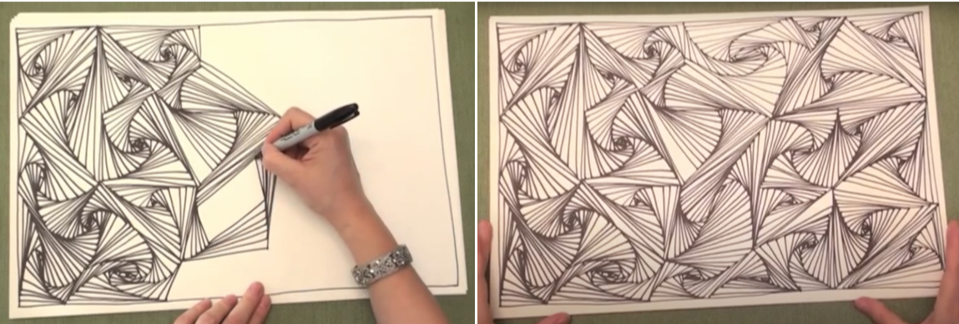
Programmatically idea is simple:
◼
Place random point on 2D plane
◼
Build Voronoi polygon cells with VoronoiMesh
◼
Scale down each cell while slightly rotating it in small steps with GeometricTransformation and drawing a new polygon at each step
Here are the first two steps:
ClearAll["`*"];
Random points;
SeedRandom[2];pts=RandomReal[{-1,1},{50,2}];
Corresponding Voronoi cells:
polys=MeshPrimitives[VoronoiMesh[pts],2];
For the 3rd step define the GeometricTransformation function as:
In[]:=
Clear[spiralize];spiralize[p_,d_:10,r_:4,f_:0.8,s_:1,t_:0.005]:=Module[{m,rr=r},m=Mean@p[[1]];Graphics[{EdgeForm[Directive[Opacity[.7],Thickness[t]]],FaceForm[White],NestList[GeometricTransformation[GeometricTransformation[#,RotationTransform[rr++s°,m]],ScalingTransform[{f,f},m]]&,p,d]}]]
For the specific setting SeedRandom[2] the picture comes out as the one below and it can be changed easily by varying parameters.
In[]:=
Show[spiralize[#,30,5,0.85]&/@polys,ImageSize->1000]
Out[]=
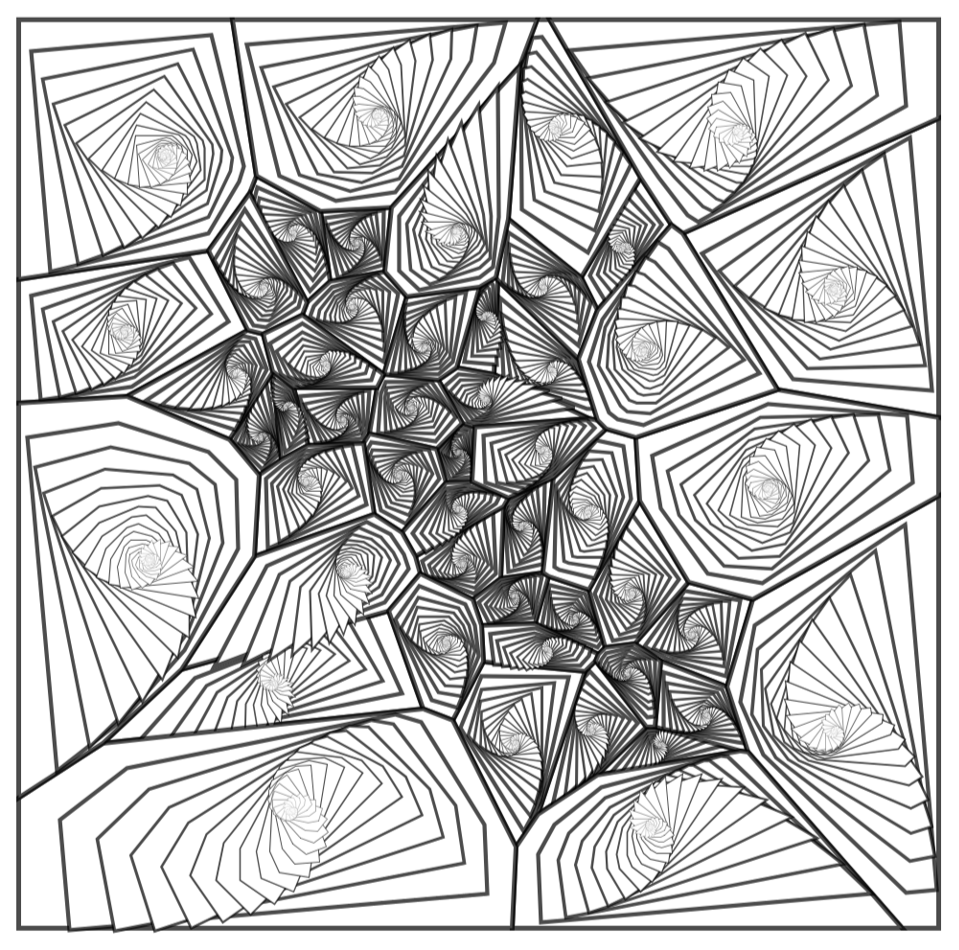
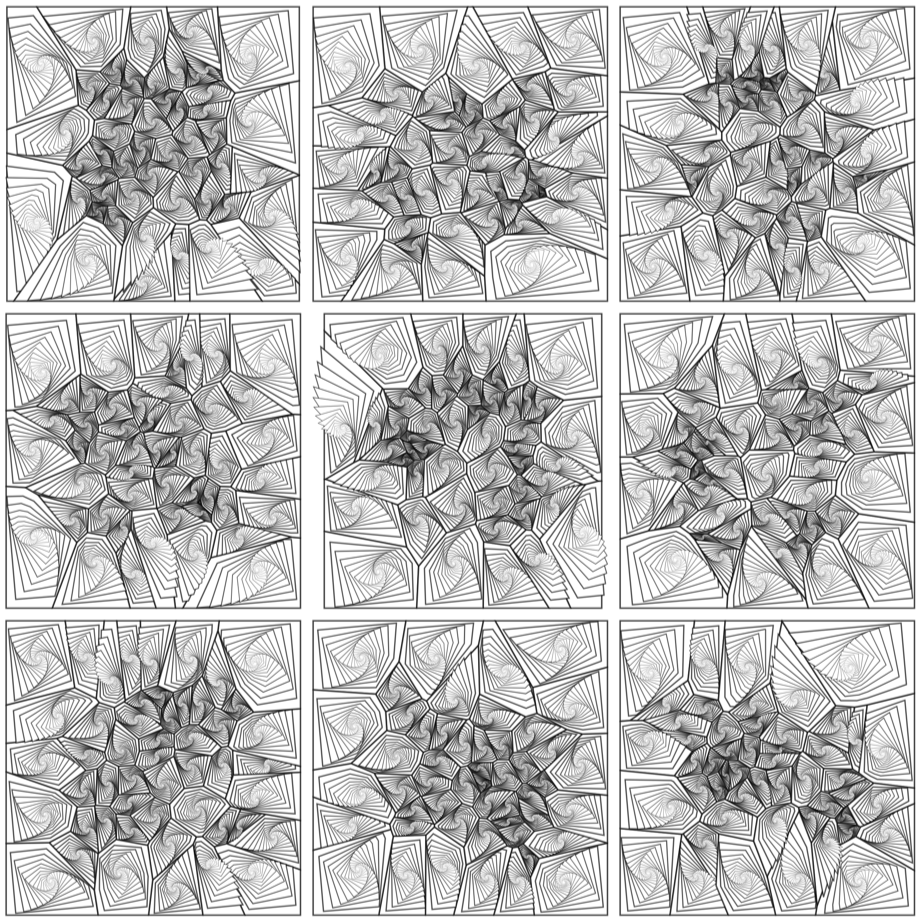
And while I love hand-made arts and crafts I still amazed how quickly, once code is written, we can get different painting configurations:
In[]:=
Grid[ParallelTable[Show[spiralize[#,20,5,0.85]&/@MeshPrimitives[VoronoiMesh[RandomReal[{-1,1},{50,2}]],2],ImageSize->400,AspectRatio->1],3,3],Spacings->{0,0}]
Out[]=
Beyond hand-crafted art: set it in motion
Beyond hand-crafted art: set it in motion
I liked those images very much. Each and every one. And many of them together. But there was another way to perceive the computational diversity of the same art: set it in motion. Which is impossible by hand. It also allows to see many configurations flowing one to another continuously at high resolution. This also avoids low resolution of each image when they squeezed in a grid.
The original artwork starts from a set of random 2D points:
In[]:=
ListPlot[pts,AspectRatio->Automatic,PlotTheme->"Detailed"]
Out[]=
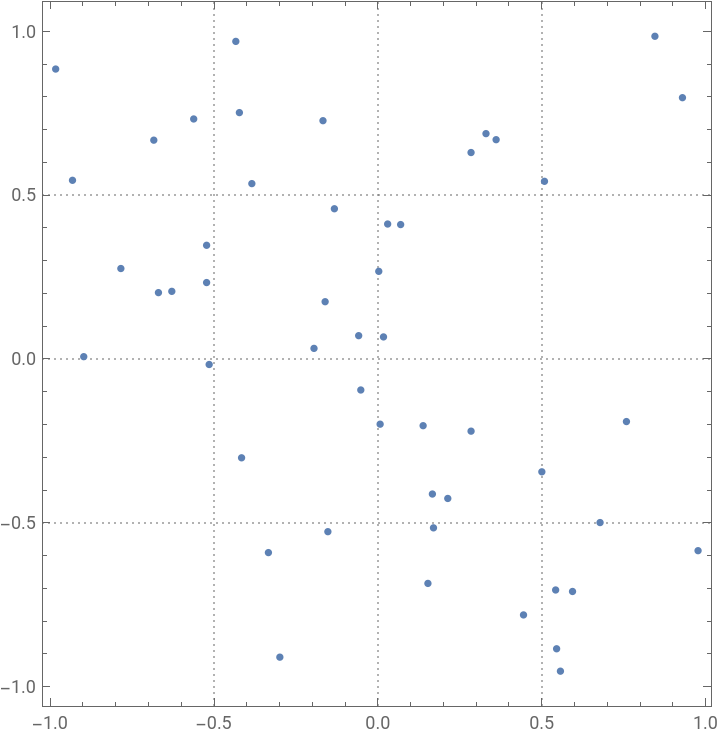
If we set this points in motion the whole artwork will come alive. To be able to loop the motion in an “infinite” cycle we can send points on the circular orbits. Here is an equation of a circle passing through a point {a,b}:
In[]:=
ClearAll[cir]cir[r_,{a_,b_}][t_]:=a+
r/2
+r
Cos[2Pit],b+r/2
+r
Sin[2Pit]Through each of our random points now draw a random circle that is its orbit:
Test it out on a Manipulate:
And finally generate a high quality HD video:
CITE THIS NOTEBOOK
CITE THIS NOTEBOOK
Enriching hand-made art computationally: diversity, speed, motion
by Vitaliy Kaurov
Wolfram Community, STAFF PICKS, August 29, 2024
https://community.wolfram.com/groups/-/m/t/3259937
by Vitaliy Kaurov
Wolfram Community, STAFF PICKS, August 29, 2024
https://community.wolfram.com/groups/-/m/t/3259937