In the world of synthesizers, sound is made in many different ways. Old, analog synthesizers passed harmonic waves like sine and cosine through simple electrical circuits to generate noise, while modern digital synthesizers can play a recording of practically everything heard by human ears. But one of the most interesting ways of making sound is simulating plucked strings. Interestingly, physical string modeling can be done using a very simple, computationally affordable algorithm.
Introduction
Introduction
The Karplus-Strong algorithm was invented by Alexander Strong and analyzed by Kevin Karplus in the 1980’s. It goes as follows:
◼
Take any wave, like a sine wave
◼
Play it once
◼
Pass the wave through a low-pass filter - in essence, a filter that removes the extremes from the wave
◼
Play the wave again
◼
Repeat the above steps until the wave is practically flat
While Karplus and Strong realized that their algorithm produced sounds remarkably like a plucked string no matter what initial wave was given, neither was able to prove that what they’d discovered was actually a method of physical string modeling.
It was only when Julius O. Smith recognized that the low-pass filter in the algorithm was analogous to the loss of energy in a vibrating string that KS synthesis saw renewed interest.
Today, digital waveguide synthesis is a more advanced, generalized technique for modeling vibrations in instruments - not just in plucked strings, but in all manner of acoustic tubes, drums, bowed instruments, and more. Still, the roots of our modern tools lie in KS synthesis, and the analogue approach is still used in many synthesizers because of its relative simplicity.
Implementation
Implementation
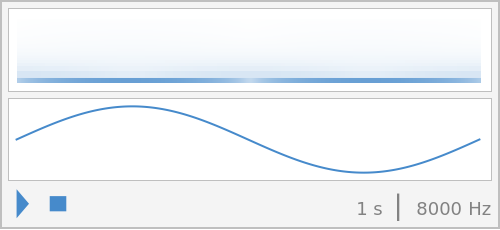
To begin, we figure out how to play waveforms:
The Wolfram interface works well with any functional curve, so we use that:
Play
Play[Sin[t*2*Pi],{t,0,1}]
Out[]=
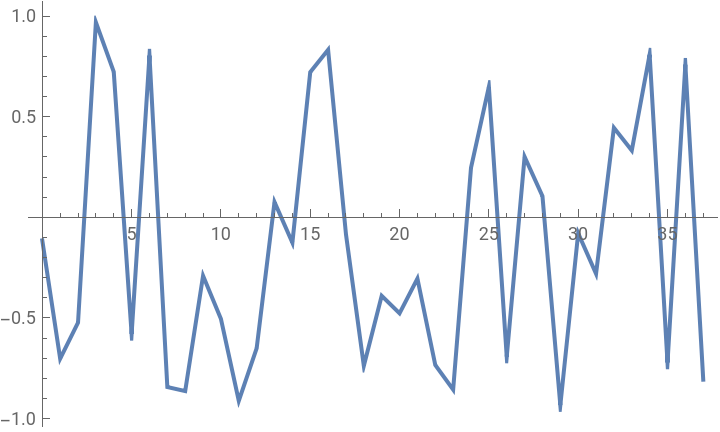
We also want to create an initial waveform:
In[]:=
excitement[t_]:=RandomReal[{-1,1}]
In[]:=
pts=Table[{x,excitement[x]},{x,0,12*Pi,1}];
ListLinePlot[pts]
Out[]=
The following lines are used to normalize the wave - in other words, to make the lowest point of the wave -1 and the highest point 1. This isn’t strictly necessary for the algorithm to work, but it can help produce more even results by scaling every wave to the same amplitudes.
We extract and x and y coordinates from the points:
In[]:=
xs=#[[1]]&/@pts;ys=#[[2]]&/@pts;
And scale the points to normalize:
In[]:=
pts={(#[[1]]-Min[xs])/(Max[xs]-Min[xs]),(#[[2]]-Median[ys])}&/@pts;
We then sort the points by x-axis so that they go from left to right:
In[]:=
pts=Sort[pts,#1[[1]]<#2[[1]]&];
The low-pass filter we use here is one of only many implementations - we mainly use it because it’s incredibly simple.
The filter takes every point on the wave and averages it with the previous point. That is, =+.
p
i
p
i
p
i-1
2
In[]:=
lowpassFilter[tables_]:=Module[{table=Join[{tables[[1]][[1]]},tables[[1]]]},Join[{Table[{table[[i]][[1]],(table[[i-1]][[2]]+table[[i]][[2]])/2},{i,2,Length[table]}]},tables]]
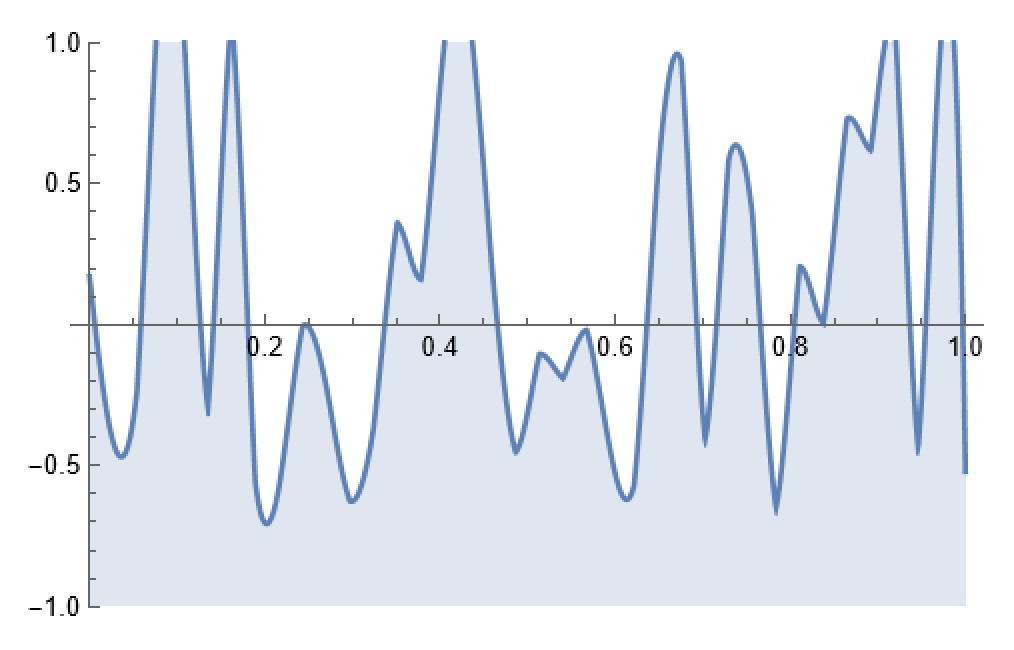
We then generate multiple passes of this filter - that is, we pass the waveform through the filter multiple times, keeping track of the wave after each run.
In[]:=
numberOfPasses=100;
In[]:=
funcs=Interpolation[#]&/@Nest[lowpassFilter,{pts},numberOfPasses];
ListAnimate[Plot[#[x],{x,0,1},PlotRange->1,Filling->Bottom]&/@Reverse[funcs]]
Out[]=
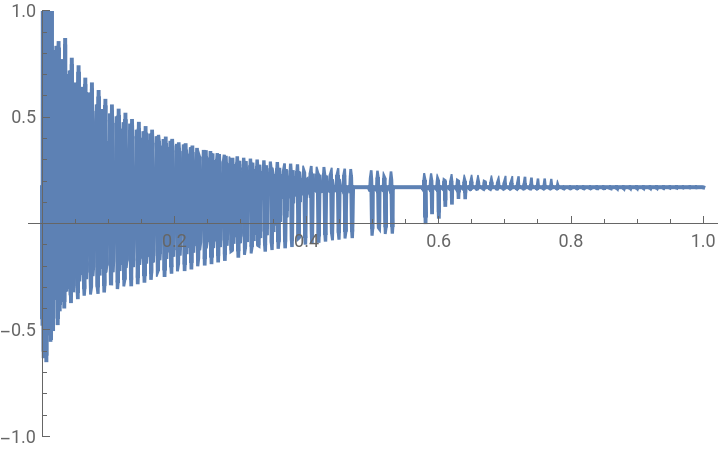
We then make a function to combine all the passes together end to end. This is essentially the same thing as playing each one right after another.
In[]:=
combined[x_]:=Reverse[funcs][[Ceiling[x*numberOfPasses]]][Mod[x,1/numberOfPasses]*numberOfPasses]
Plot[combined[t],{t,0,1},PlotRange->1]
Out[]=
Then we generate the plucked sound:
plucked=Play[combined[t/0.4],{t,0,1,0.4},SampleRate->100000]
Out[]=
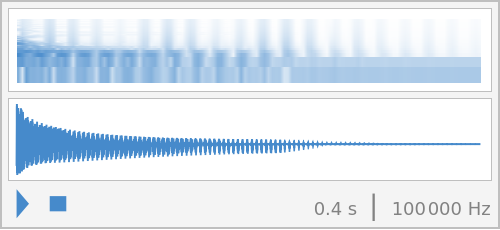
That sounds pretty good, so I’d like to play a quick song with it.
Playing a Song
Playing a Song
Even though KS synthesis is relatively lightweight, I don’t want to generate a new waveform for every note in a song. Instead, I’d prefer to pitch our already generated sound up and down to create each note.
We do this using Fourier transforms, which are beyond the scope of this essay. The important thing to know is that we can use them to determine the frequencies present in a soundbite, which is exactly what we need to know how much to pitch our recording up and down.
In[]:=
data=Table[combined[t],{t,0,1,0.001}];
We generate a list of frequencies in the soundbite:
In[]:=
ft=Fourier[ys,FourierParameters->{-1,-1}];sr=100;nn=Length[ys];freqs=Table[f,{f,0,sr(nn-1)/nn,sr/nn}];
Now we want to know what our frequences should be to get the notes we want. We start with C (261.63 Hz), and move 1 note ( Hz) up at a time.
1
12
2
In[]:=
frequencies=Table[261.63*(2^(1/12))^t,{t,-36,-25}];
In[]:=
notes={"C","C#","D","D#","E","F","F#","G","G#","A","A#","B"};
We then go through each frequency and pitch up the original sound to get the note we want.
By taking the mean of the frequencies, we get an approximation of the original frequency that we can use to find the ratio to the target frequency:
In[]:=
chromatic=AudioPitchShift[plucked,#/Mean[freqs]]&/@frequencies;
Then we create a sound library from those notes:
In[]:=
soundLib=AssociationThread[notes->chromatic];
We write the notes and durations out for our song:
In[]:=
notes={"C","C","G","G","A","A","G","F","F","E","E","D","D","C"};noteDurations={1,1,1,1,1,1,2,1,1,1,1,1,1,2};
In[]:=
song=Thread[notes->noteDurations];
And we get a wonderful song!
twinkletwinkle=AudioJoin[AudioTimeStretch[soundLib[[#[[1]]]],#[[2]]]&/@song]
Out[]=
This final step is a little disconnected, but it serves only to remove some of the digital graininess from our recording. A Wiener filter works in a similar way to a regression function, by minimizing the squared error (or residual).
If the above audio embed does not work, the same recording is available at: https://www.wolframcloud.com/env/willchoikim/Audio/Audio-2024-09-17T00-31-52.wav.
Author’s Notes
Author’s Notes
Some small considerations after completing this project are in order. To begin, I’m certain there must be a way to reduce the time needed to execute the code written here - it might involve rewriting portions, but as it stands, none of the tools here could run in real time.
There’s also a potential extension in playing around with parameters to mimic different instruments - I’ve gone for something similar to an amateur violin player in this essay, but in theory, Karplus-Strong synthesis should be able to model most plucked-string sounds.
I also did try starting with different waveforms, but as Karplus and Strong noted, the initial excitation state seems to barely affect the final sound once normalized and interpolated.
It’s also important to note that the long notes you hear in the final song are not sustained vibrations. Instead, they’re a trick - it’s the same recording, just lengthened in post. This is not accurate to how the strings would actually sound, but Karplus-Strong synthesis is poorly situated to model sustained vibration.
Citations
Citations
CITE THIS NOTEBOOK
CITE THIS NOTEBOOK
Physical plucked string modeling using the Karplus-Strong algorithm
by William Choi-Kim
Wolfram Community, STAFF PICKS, September 17, 2024
https://community.wolfram.com/groups/-/m/t/3275610
by William Choi-Kim
Wolfram Community, STAFF PICKS, September 17, 2024
https://community.wolfram.com/groups/-/m/t/3275610