What should a thumbnail look like? Could a machine learning model automatically generate relevant options?
In a way, this would mean teaching the machine what we like to see and what we find informative. In fact, thumbnails do not simply have to be visually appealing, but they also have to efficiently represent the content of the file. Owing to the way our mind works, certain patterns tend to elicit a strong response in our memory. For instance, the general outline of a text or the structure of a graph are quickly matched in our visual system with little effort. The goal of this project is therefore to transfer this latent paradigm to a convolutional neural network and use it to generate relevant thumbnails from the rasterization of a notebook. After the training the model was indeed able to generate thumbnails featuring colors, images and titles while at the same time avoiding empty space and walls of unreadable text.
In a way, this would mean teaching the machine what we like to see and what we find informative. In fact, thumbnails do not simply have to be visually appealing, but they also have to efficiently represent the content of the file. Owing to the way our mind works, certain patterns tend to elicit a strong response in our memory. For instance, the general outline of a text or the structure of a graph are quickly matched in our visual system with little effort. The goal of this project is therefore to transfer this latent paradigm to a convolutional neural network and use it to generate relevant thumbnails from the rasterization of a notebook. After the training the model was indeed able to generate thumbnails featuring colors, images and titles while at the same time avoiding empty space and walls of unreadable text.
Populate the Dataset:
Populate the Dataset:
Download Thumbnail Dataset:
Download Thumbnail Dataset:
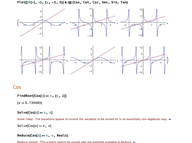
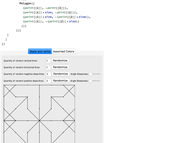
The dataset we were provided for this project contained a long association linking every document in the Wolfram Notebook Archive to its address and thumbnail each creator chose to best represent their work. It is important to point out that every thumbnail was a small screenshot (192x143) taken from the notebook.
Since downloading all the thumbnails using the built-in URLExecute function would have taken too long, we decided to only export the links and download them using an external command.
Since downloading all the thumbnails using the built-in URLExecute function would have taken too long, we decided to only export the links and download them using an external command.
In[]:=
data=;(*Showthefirstfivethumbnailsinthedataset*)Values[URLExecute/@data[[;;5,"ThumbnailLocation"]]]
Out[]=
,
,
,
,
In[]:=
(*ExportthelinksafterfixingatypointheURLs*)
In[]:=
thumbLinks=data[[;;,"ThumbnailLocation"]];
In[]:=
Export["C:\\Users\\mtchi\\Downloads\\Wolfram (Windows)\\My Project\\thumbnails_final\\thumbLinks.txt",StringReplace[(Values@thumbLinks),"https:/"->"https://"]];
Forge the Original Thumbnails to Generate Some Bad Samples:
Forge the Original Thumbnails to Generate Some Bad Samples:
The following part is based on some heuristics about thumbnails:
◼
Too much empty space is bad
◼
Too many elements in a thumbnail are bad
◼
Images are fine, but it’s better if there’s also some text structure
Since the original dataset only contained good examples we needed to generate some training data that corresponded to bad thumbnails. One way to do that would have been to consider all the segments of the rasterized notebooks that were different from the thumbnail as bad samples. Unfortunately many of the notebooks contained several other plausible thumbnail portions and this procedure would have probably swayed our model’s judgment in the wrong direction. Therefore, the approach that we decided to follow consisted in applying some detrimental transformations (i.e. cropping and padding) to the original thumbnails.
More precisely, the function “wreckThumbnail” below takes as input an image, it crops it to a size of 72x96 and restores its original shape by either padding it with white pixels or through a reflection (both with 50% probability).
More precisely, the function “wreckThumbnail” below takes as input an image, it crops it to a size of 72x96 and restores its original shape by either padding it with white pixels or through a reflection (both with 50% probability).
In[]:=
(*InordertocropoutimagerandomlocationsweborrowedtheImageAugmentationLayerfromtheNeuralNetworktoolbox*)
In[]:=
augment=ImageAugmentationLayer[{72,96},"Input"->NetEncoder[{"Image",{192,143}}],"Output"->NetDecoder["Image"]];wreckThumbnail[thumbnail_]:=Module[{image=augment[thumbnail,NetEvaluationMode->"Train"]},If[RandomInteger[]==0,ImagePad[image,{{48,48},{36,35}},RGBColor[255,255,255]],ImagePad[image,{{48,48},{36,35}},"Reflected"]]]
In[]:=
(*Hereisanexample*)
In[]:=
thumbnailToWreck=
;
wreckThumbnail[thumbnailToWreck]
Out[]=
Generate Training Set:
Generate Training Set:
At this point, we imported the thumbnails (1000 of them were enough for our purposes) and assigned to each of them the value 1 to signal that they were good samples. In order to create bad samples we applied the function “wreckThumbnail” from the previous section to each image and we assigned a value of 0 to the corresponding output images. As with every other machine learning task, we joined the two lists, we shuffled them and split them into training and validation sets.
In[]:=
dir="C:\\Users\\mtchi\\Downloads\\Wolfram (Windows)\\My Project\\thumbnails_final";thumbnails=Import/@(FileNames["*.png",dir][[;;1000]]);
In[]:=
In[]:=
(*Createalistofassociations*)
In[]:=
thumbnailData1=thumbnails/.im_Image->(im->1);thumbnailData2=wreckThumbnail/@thumbnails;thumbnailData2=thumbnailData2/.im_Image->(im->0);thumbnailData=RandomSample@Join[thumbnailData1,thumbnailData2];thumbnailData[[;;10]]
Out[]=
0,
1,
1,
1,
1,
1,
1,
1,
1,
0
In[]:=
(*1=goodthumbnail0=badthumbnail*)
In[]:=
trainSet=thumbnailData[[;;1500]];valSet=thumbnailData[[1501;;2000]];
Define and Train the Neural Network:
Define and Train the Neural Network:
We chose the pre-trained Inception V1 neural network for our transfer learning task. We removed the last three layers and added a linear one that outputs a vector of dimension two, followed by a softmax layer. This is because we engineered the task as a classification problem with two classes (i.e. good or bad thumbnail).
After training, the accuracy on the validation set was 0.86. However, since the validation set could also contain samples connected to the training ones through our “wreckThumbnail” function, it was also necessary to evaluate the net on some new, never-seen, samples (c.f. the next section).
After training, the accuracy on the validation set was 0.86. However, since the validation set could also contain samples connected to the training ones through our “wreckThumbnail” function, it was also necessary to evaluate the net on some new, never-seen, samples (c.f. the next section).
In[]:=
(*Importthepretrainednetwork*)net=NetModel["Inception V1 Trained on ImageNet Competition Data"];(*Removethelastthreelayers*)tempNet=Take[NetModel["Inception V1 Trained on ImageNet Competition Data"],{1,-4}](*Addthelinearandsoftmaxlayers*)newNet=NetChain[<|"pretrainedNet"->tempNet,"linearNew"->LinearLayer[],"softmax"->SoftmaxLayer[]|>,"Output"->NetDecoder[{"Class",{1,0}}]]NetChain


Out[]=
NetChain

Out[]=
NetChain
In[]:=
(*Trainthenetbyonlyupdatingtheweightsofthelinearlayer*)
In[]:=
trainedNet=NetTrain[newNet,trainSet,LearningRateMultipliers->{"linearNew"->1,_->0}]
(*Testtheaccuracyonthevalidationset*)
In[]:=
ClassifierMeasurements[trainedNet,valSet,"Accuracy"]
Out[]=
0.864
(*Exportthelearnedweightstoafileforfutureuse*)
Export["C:\\Users\\mtchi\\Downloads\\Wolfram (Windows)\\My Project\\projectNNweights\\trainedNet1.wlnet",trainedNet];
Test the Network:
Test the Network:
As mentioned in the previous section, we imported some more thumbnails to test the network on new data.
thumbnails=Import/@(FileNames["*.png",dir][[1000;;1500]]);thumbnailData1=thumbnails/.im_Image->(im->1);thumbnailData2=wreckThumbnail/@thumbnails;thumbnailData2=thumbnailData2/.im_Image->(im->0);testSet=RandomSample@Join[thumbnailData1,thumbnailData2];testSet[[;;10]]
Out[]=
0,
0,
1,
1,
1,
0,
1,
1,
1,
1
(*Testtheaccuracyonthetestset*)
Open a Notebook and Generate Thumbnails:
Open a Notebook and Generate Thumbnails:
After training and evaluating the model, we needed a paradigm to generate thumbnail candidates to feed into it. Since our original dataset also contained notebook URLs from the archive, the following section was tailored to work with them. The procedure consisted in generating a digital screenshot from the target notebook (using the built-in Rasterize function) and “scanning” it from the top to the bottom by splitting the image into many overlapping pieces, each with a thumbnail size of 192x143.
By default, simply taking the screenshots with the highest scores would return the same thumbnail slightly panned up or down several times. As we were interested in different alternatives altogether, we first selected those locations that maximized our score locally as the algorithm scrolled the document and then we output the best ones in descending order.
By default, simply taking the screenshots with the highest scores would return the same thumbnail slightly panned up or down several times. As we were interested in different alternatives altogether, we first selected those locations that maximized our score locally as the algorithm scrolled the document and then we output the best ones in descending order.
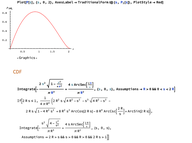
This image shows the typical behaviour of the thumbnail quality (as assessed by the neural network) as a function of the location in the notebook.
Import the Neural Network and Define some Useful Functions:
Import the Neural Network and Define some Useful Functions:
Example Usage:
Example Usage:
To generate thumbnails for any notebook, simply assign it to the variable “exampleNb” and run the cells below. The process returns some relevant thumbnails and their score.
Some More Examples :
Some More Examples :
Example 1 :
Example 1 :
Example 2 :
Example 2 :
Example 3 :
Example 3 :
Example 4 :
Example 4 :
Concluding Remarks
Concluding Remarks
I was surprised by the results achieved by the model from the very beginning, especially considering the basic approach we used to generate bad samples. In the future, it would be interesting to expand the wreckThumbnail function to include more complex situations. The training process could also be fine tuned to find a better balance between overfitting and underfitting. Another improvement would be to better manage the behaviour of the Rasterize function with certain graphical element and to allow the scanning process to also advance from left to right instead of just up or down.
Keywords
Keywords
◼
Neural Networks
◼
Transfer Learning
◼
Image Manipulation
Acknowledgment
Acknowledgment
I give my thanks to Jesse Galef for helping me through this amazing experience and to Stephen Wolfram for devising and suggesting this project. I also wanted to express my gratitude to Mano Namuduri for encouraging me and being a precious source of inspiration.