Within many different kinds of plants, there is a common pattern: the Fibonacci sequence. While this pattern may come in the form of leaves or the center of a flower, my project focuses on the center of a flower, which is known as the anther. The objective of this project was to analyze the spirals of the anthers in different images of flowers. Using generated data that would represent the ideal ratio of the spiral of the Fibonacci sequence and a picture of a flower from a dataset, I plotted the data on a graph and compared the two to see how the growth angle compared to my data.
Extracting the Different Components
Extracting the Different Components
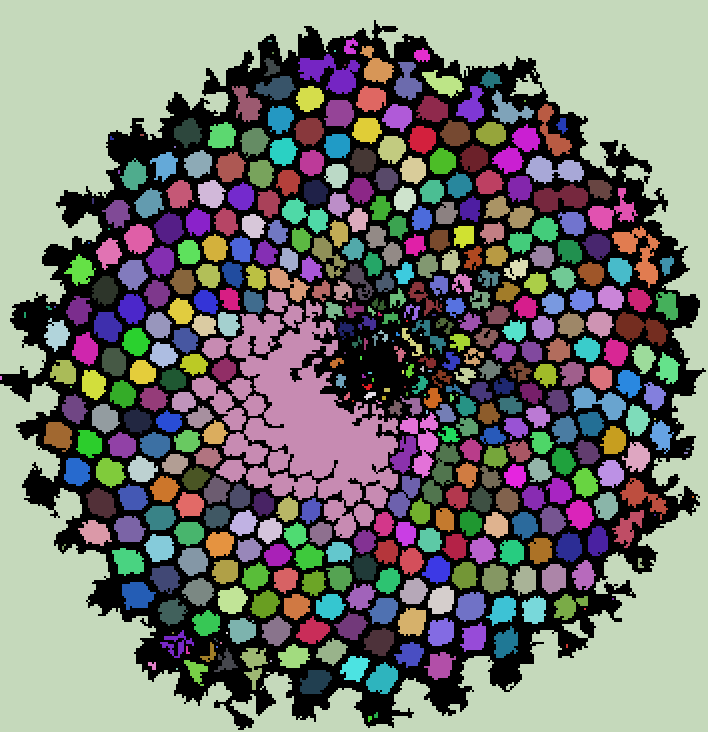
In this section, I extracted the data I needed from the original flower image so that I could have a picture to compare the angle of the anther growths to those of the idealized example. Using MorphologicalBinarize and MorphologicalComponents, I was able to get a colorized version of the anthers of the flower, later allowing me to individually analyze each "dot", so that I was able to place them on a dot using ListPlot.
Crop out the pedals from the original image of my dataset so that the image only contains the anthers of the flower:
In[]:=
croppedFlower=
;
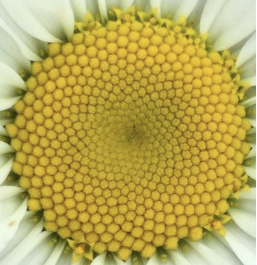
Use ColorNegate to get a "yellow" channel, as yellow is the color complement of blue:
In[]:=
yellowPiece=ColorSeparate[ColorNegate[croppedFlower]][[3]]
Out[]=
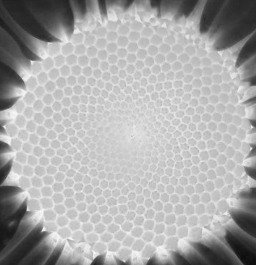
Use MorphologicalBinarize and play with the sliders to "outline" the flower in order to crop out the remaining pedals:
Manipulate[MorphologicalBinarize[yellowPiece,{t1,t2}],{t1,0,1},{t2,0,1}]
Out[]=



Using this mask with ImageMultiply, I was able to remove the petals entirely:
In[]:=
maskedFlower=ImageMultiplyyellowPiece,

Out[]=
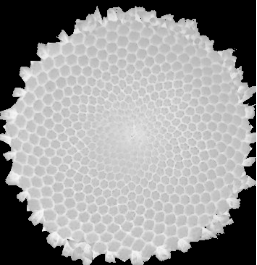
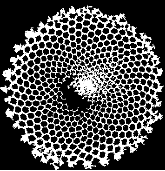
I used MorphologicalBinarize on this masked image, this time moving the sliders in order to get an image whose black and white pixels which corresponded to each individual anthers:
Out[]=
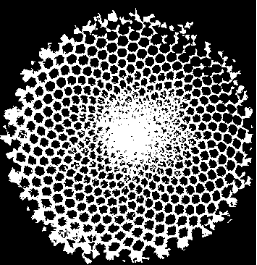
From the second output of MorphologicalBinarize, I used MorphologicalComponents and Colorize to further visualise each individual part of the anther:
In[]:=
ColorizeMorphologicalComponentsColorNegate
Out[]=
Converting to Polar Coordinates
Converting to Polar Coordinates
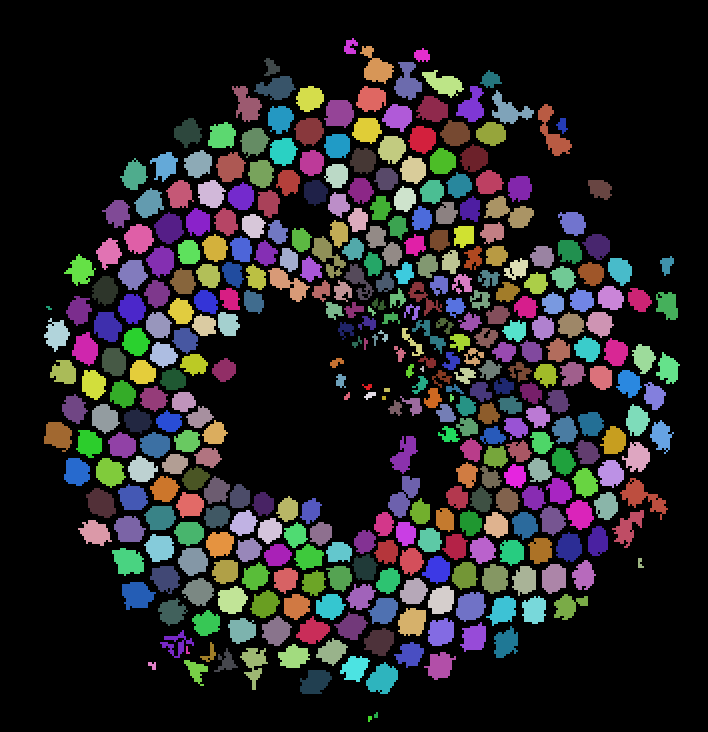
Since ComponentMeasurements gives coordinates in terms of their pixel positions in the image, I had to find a way to center the image at the origin. By subtracting the average position from all of the other points, I was able to center the anther coordinates on the origin. Next, I converted the Cartesian points to polar coordinates, since it was easier to compare generated points to the experimental data in this format.
I used ComponentMeasurements to get the Cartesian coordinates of the center of each part of the anther:
In[]:=
flowerComponentPoints=Last/@ComponentMeasurements
,"Centroid";
To get the center, I used Mean to find the average of all the coordinates and subtracted the center location from all the Cartesian points:
In[]:=
flowerCenter=Mean[flowerComponentPoints];flowerPointsShifted=#-flowerCenter&/@flowerComponentPoints;
CoordinateTransform is an easy way to convert between different coordinate systems:
In[]:=
flower1polarpoints=CoordinateTransform["Cartesian"->"Polar",#]&/@flowerPointsShifted;
Analyzing the Generated Points
Analyzing the Generated Points
I found a formula from the A New Kind of Science website by Stephen Wolfram (1) which gives a formula to generate flower spirals. For many different flowers, a ratio angle of approximately 137.5˚ seems to be the most natural. This angle is the angle at which each new point is placed compared to the previous point.
For a specific growth angle θ, I can make the points of a growth spiral. There is also a factor s, which represents the scale factor for the points. This is needed to make the generated points have the same size scale as my experimental data so that they can properly be compared.
When trying to fit the data, I also created a new parameter ϕ, which allows for rotation of the idealized points to match the orientation of the experimental data. After playing with each of the different parameters, I found a suitable range of numbers to test, and made a function to explore the parameter space and look for which spiral is the closest to my experimental data.
I wrote the function that implements the formula:
In[]:=
generatedPoints[s_,θ_]:=Tables Cosn θ,Sinn θ,{n,424}
1/2
n
π
180
π
180
Here is an example of what the generatedPoints function does:
In[]:=
ListPlot[generatedPoints[5,137.25],AspectRatio->1]
Out[]=
The parameterSearcher generates "imaginary" points for scale, growth angle, and the rotation of the spiral; it also checks how far the generated data is from my data.
I used Table to iterate over all the parameters:
Using Position and Flatten, I found the position for the scale, growth angle, and rotation parameters of the spiral which best match the experimental data:
I then used these positions to find out which s, θ, and ϕ values best matched my experimental data
Using Graphs to Compare Different Data
Using Graphs to Compare Different Data
The “golden ratio angle” of the structure of a plant is 137.5˚ (1), and the generated data was quite close to that, at 137.42˚. In order to visualize how the generated data compared to the experimental data, I used different colors: the black dots represented the generated data, and the red dots represented my data.
I used the Show function to show both the generated data and experimental data, and used
different colors to represent the different data:
different colors to represent the different data:
Conclusion
Conclusion
Throughout my project, the constant theme that there were many different factors to be considered came up. The generated data was rather similar to the ideal ratio angle of the Fibonacci sequence. While my experimental data was not exactly the same as the generated data, my graph does show that the growth angle is indeed quite close to the golden ratio angle.
Future Work
Future Work
In the future, I will be testing this same method on different plants and flowers, as the Fibonacci sequence can be found in different areas of nature. This would allow me to compare the different plants to the golden ratio angle of 137.5˚.
References
References