The purpose of this project was to generate a playable game of PacMan with a street map. I used Open Street Map to access geographic data for a city and built a movement system around that data. I then implemented movement patterns for ghosts using a similar structure to PacMan, which ultimately allowed PacMan and the ghosts to traverse roads and respond to player clicks. Finally, I added extra game features, including power pellets and a scoring system, to construct a finalized version of my game.
Introduction
Introduction
The game PacMan was made in 1980 by a Japanese arcade game manufacturer called Namco limited. It soon spread to arcades throughout the world inspiring popular songs, television series, and many replications of the game across multiple platforms. PacMan's popularity has made it into a household name with 94% of Americans recognizing the game and the character in 2008. Today, PacMan can be found on many arcade machines and a simple internet search can let one play it from their computer. With this project, I have made yet another rendition of this popular game but with a twist: the game is now played with a street map.
Open Street Map
Open Street Map
Open Street Map (OSM) is a public database with information about streets collected through volunteers, aerial data, and other sources. This makes it a popular tool for individuals, companies, and government organizations.
Importing data
Importing data
There are many ways to access data from Open Street Map such as downloading the XML file containing the data. This was the option I utilized first, as the Wolfram Resource Function OSMImport supported XML files and converted them into a more flexible association. This meant I could select a region, download it, and quickly have it on hand with an OSM import.
Importing data from a file that was put on the cloud:
In[]:=
CloudGet["https://www.wolframcloud.com/obj/sameeragarwal007/OSMFile"];
Another option is by taking the minimum and maximum latitude and longitude coordinates to find the bounding region and input it into the OSM import. This turned out to be an easier way to access data as I only had to enter a set of coordinates with the option to quickly select any region and it would download the data into AppData. I started using this method in later stages of my project.
Importing data from a region:
In[]:=
openStreetMapRegion=ResourceFunction["OSMImport"][GeoBoundsRegion[{{40.68272,40.69689},{-73.8668,-73.85069}}]];
Example of data present in Open Street Map:
Out[]=
openStreetMapRegionPart=openStreetMapRegion[[1]][[10]]
The final way to access data from Open Street Map is through an API like Overpass API. Overpass offers an advanced Query language which allows users to gain larger amounts of data than normal imports and request specific data rather than all of it. This was a complicated method that was unnecessary to my goal of constructing a small scale game of PacMan.
Visualization
Visualization
After importing the data, I used GeoGraphics to visualize the data on a map and I could use tags that were present in the data set to isolate and visualize specific features of the map I wanted such as highways, residential roads, and traffic signals.
Visualizing OSM data on a map with GeoGraphics using MatchQ:
GeoGraphics[Values[Line[Values[openStreetMapRegion[["Nodes",#Nodes,"Position"]]]]&/@Select[openStreetMapRegion["Ways"],MatchQ[#[["Tags","highway"]],"residential"|"primary"|"secondary"|"tertiary"|"motorway"|"trunk"]&]]]
Movement of PacMan
Movement of PacMan
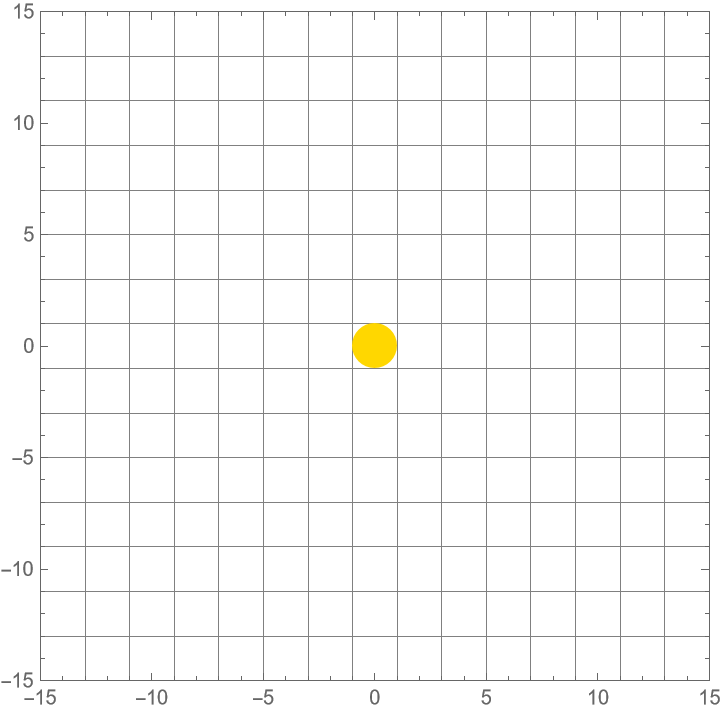
In traditional PacMan games, PacMan moves along a grid with walls allowing for complex maneuvers. This grid-style map allows joysticks and arrow keys to be easy methods of obtaining user input.
Simple Grid code for movement of PacMan with arrow keys:
In[]:=
DynamicModule[{pos={0,0}},EventHandler[Graphics[{RGBColor["Gold"],Dynamic[Disk[pos,1]]},PlotRange->{{-15,15},{-15,15}},Frame->True,FrameTicks->True,GridLines->{Range[-15,15,2],Range[-15,15,2]}],{"UpArrowKeyDown":>If[pos[[2]]<14,(pos+={0,2}),None],"DownArrowKeyDown":>If[pos[[2]]>-14,(pos-={0,2}),None],"LeftArrowKeyDown":>If[pos[[1]]>-14,(pos-={2,0}),None],"RightArrowKeyDown":>If[pos[[1]]<14,(pos+={2,0}),None]}]]
Out[]=
However, as my map is in a different form from the typical grid, it required a new type of movement. Deep analysis of the OSM data let me figure out how each street was made up of a group of nodes. This means that if I could create a function that could move through a list of points, it would move from node to node, therefore simulating movement across my lined map.
Extracting lines without graphing them:
In[]:=
generateLines[openStreetMapData_]:=ValuesLine[ Values[ openStreetMapData[["Nodes",#Nodes,"Position"]]]]&/@ SelectopenStreetMapData["Ways"], MatchQ#[["Tags","highway"]], "residential""primary""secondary""tertiary""motorway""trunk"&/. GeoPosition[{a_,b_}]:> {b,a}
Visualization of lines:
In[]:=
Graphics[line]
Out[]=
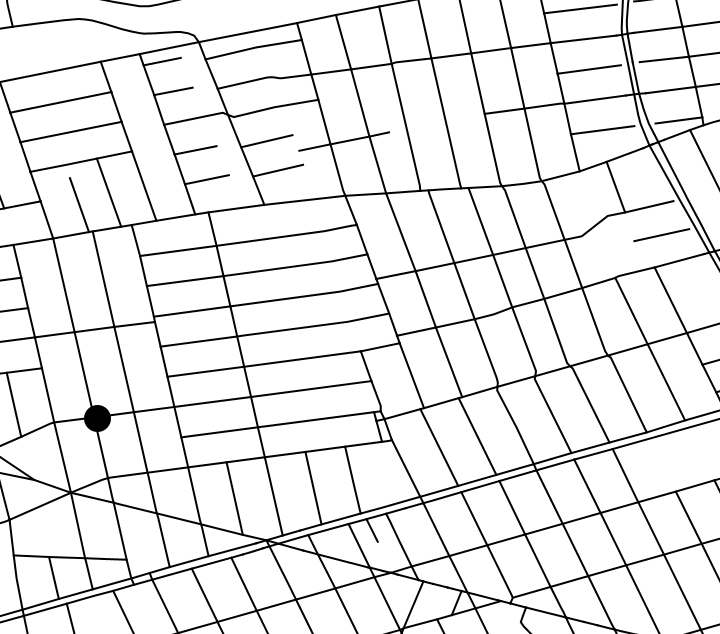
I started by working with diagonal movement by using vectors. The Normalize function helped me to update the position of a dynamic object in a dynamic module every frame with the vector.
Moving PacMan from one random point to another random point using vectors:
vectorMovement[point_]:=DynamicModule[ {pos={-73.859,40.685},movement=False}, EventHandler[ Graphics[line=generateLines[openStreetMapRegion], Dynamic[Disk[pos+= If[ EuclideanDistance[point,pos]>0.0001&&movement==True, Normalize[point-pos]*0.00001,0],0.0003]], PlotRange->{{-73.8668,-73.85069},{40.68272,40.69689}}], {"MouseClicked":>(movement=True)}]]
In[]:=
vectorMovement[{-73.864706,40.687562}]
Out[]=
I then edited this dynamic module to allow a list of points to be inserted and PacMan would bounce between these points.
Continuous movement between points(traffic signals) in a list:
intersections=Values[Values/@Select[openStreetMapRegion["Nodes"],MatchQ[#[["Tags","highway"]],"traffic_signals"]&]]/.{GeoPosition[{a_,b_}],<|___|>}:> {b,a};listMovement[points_]:=DynamicModule[ {pos={-73.859,40.685},movement=False,current=1,line=generateLines[openStreetMapRegion]}, EventHandler[ Graphics[line,Dynamic[ Disk[pos+=Which[ EuclideanDistance[points[[current]],pos]>0.0001&&movement==True, Normalize[points[[current]]-pos]*0.00001, EuclideanDistance[points[[current]],pos]<0.0001&¤t<Length[points], current+=1;0,True,0],0.0003]], PlotRange->{{-73.8768,-73.84069},{40.67272,40.70689}} ],{"MouseClicked":>(movement=True;)}]]
Trajectory and navigation
Trajectory and navigation
To do navigation I experimented with many methods and realized the most effective one would be through clicking. The player would click where they want PacMan to go and it would navigate to that area. To begin this, I used my single point navigation, found the nearest node to the mouse click and navigated there.
List of nodes made by retrieving points off of the OSM lines:
PacMan navigating to the node closest to the mouse position:
From here, I remembered that I had to go from node to node to move across the lines. This inspired me to make a graph by combining my nodes from earlier into edges. The goal of using a graph was to apply the FindShortestPath to navigate between nodes.
Generating a graph:
Using FindShortestPath to make a list of nodes along a path highlighting that path:
This graph would allow me to find the shortest path from node to node and move the PacMan through the nodes using the previous iteration of the movement function involving a list of points.
Combined movement function:
Compiling movement
Compiling movement
Helper function to find the shortest path between points:
Navigation function between two non-node points:
These changes were used to make the final version of the movement function for PacMan.
Final version of movement for PacMan:
I continued to add features onto this function to make the final version of my game.
Movement of Ghosts
Movement of Ghosts
When developing the ghosts into the game, I added them directly on to the movement function as they required interaction with PacMan and specific variables that couldn’t be achieved through helper functions. This means that code below will not run as it’s a part of a larger piece of code.
Individual movement
Individual movement
In PacMan, there are 4 different ghosts: Blinky, Pinky, Inky, and Clyde which are better known as the red, pink, blue, and orange ghosts. As they attempt to track down PacMan, they use different movement patterns in order to corner the player.
Blinky is the chaser and they follow PacMan around directly. However, they can get confused sometimes and has partially erratic movements. To imitate this, whenever PacMan crossed a node, Blinky would calculate the shortest path from its current location to that node and move in that direction. This allowed Blinky to chase PacMan but also experience some confusion.
Blinky’s destination calculation:
Pinky is the ambusher and they navigate 2 - 4 tiles ahead of Pac Man to ambush him. They are more strategic and have a higher chance of catching PacMan. To create Pinky, whenever PacMan’s destination was set by the click of a mouse, Pinky would navigate to PacMan’s final destination— where the mouse was clicked. Once Pinky got to their destination, they would navigate towards PacMan to catch him.
Pinky’s destination calculation:
Inky is a more unusual ghost as they operate off the locations of both PacMan and Blinky. They use Blinky’s distance from PacMan as a multiplier to determine their desired destination. When observing Inky’s movement during a game, I realized that their movement patterns caused it to frequently “Double Up” with another ghost for periods of time.
Unfortunately, I could not implement Inky’s normal movement due to more limited data so I decided to make a new system. This system would have an element of randomness as Inky would navigate to a node near PacMan’s current destination. This meant it had the possibility of doubling up with Pinky or Blinky.
Inky’s destination calculation:
Clyde is the “stupid” ghost who runs away to random locations when they are near PacMan. I implemented this by navigating Clyde to random nodes.
Clyde’s destination calculation:
Below is one full block for a ghost’s movement which contains many similar elements to PacMan’s navigation as it navigates between nodes in a similar way.
Full Block of code for a ghost:
Interactions with PacMan
Interactions with PacMan
The next thing to consider for ghosts was their interactions with PacMan. Whenever they hit PacMan, he loses a life - if he has any - and all positions and destinations are reset along and starting variables.
Reset code if PacMan was hit:
Due to high quantities of variables being reset, I repeated this code for each ghost instead of creating a function.
Additional Game Features
Additional Game Features
Scoring system
Scoring system
To use all of these scoring methods I created a variable called score which handles standard pellets and Power Pellets.
Pellets
Pellets
To generate pellets into my game I placed them on nodes, to ensure that there weren't too many pellets, I only chose 2/3rd of the nodes as pellets with a generatePellets function
Generates pellets using nodes:
These were then placed down as small disks at their locations.
Places pellets down:
Whenever PacMan reached a node, I checked if that node contained a pellet. If it did, I updated the score and removed that pellet from the list of pellets.
Checks if PacMan is on a pellet and updates score accordingly:
Eating ghosts
Eating ghosts
In PacMan, whenever he eats a Power Pellet, he gains the ability to consume the ghosts and gain points. To implement the powerPellets I took a random 7 pellets and made them powerPellets
Making seven Power Pellets:
Displays Power Pellets:
Power mode if PacMan passes over a Power Pellet:
Function to check which ghost PacMan hit:
Checks if PacMan hit a ghost and uses the previous function to find out which ghost and resets the ghosts position and destination. The player gets a score of 100 multiplied by the current multiplier and the multiplier is increased.
Code to check for PacMan and ghost interaction:
Over time, Power mode becomes less so it eventually runs out. I implemented this by subtracting 0.5 from it every time PacMan hits a node.
Power Mode "decaying”:
Display
Display
To show the player their current score and lives I used insets to display text at a location.
Joins the score and lives to strings to inset them:
Win and lose conditions
Win and lose conditions
For either condition I added a boolean named round over whenever either a lose or win condition is met.
For lose conditions I added a part in the interactions between ghosts and PacMan that checks how many lives PacMan has left
Handling roundOver:
To construct win conditions, after PacMan hits a node, it checks if there are any pellets left.
Checks if there are pellets:
Final Game
Final Game
All of the code was combined to create the final function. This contains every aspect of the game I developed and iterated on. At the bottom, I added a couple of locations with their bounding areas but this code can be run on any correctly sized region.
Final game code
Conclusion
Conclusion
Creating this game was a challenge that proved more difficult than I thought initially. Although my final output did not exceed my initial expectations, I am still proud of the game I was able to create. Not only did I learn about the vast mechanics within PacMan, I also learned how to use complex features of the Wolfram Language. With more time I would include more features and find a way to reduce some of the bugs and lag on my game. Going forward, I want to try fixing bugs to improve the game experience. I am interested in trying to gather data about the enjoyment of PacMan levels on different maps. This would require multiple people to help give ratings for different maps. I could compare this data to other statistics about these cities and attempt to find a correlation.
Acknowledgements
Acknowledgements
I would like to thank Kegan for being an awesome mentor who was extremely helpful throughout my entire project. I would also like to thank Sam for being a great teaching assistant. Some other mentors who helped me included Eli, Jeremy, and Isabel. Finally I would like to thank the directors Rory, Eryn, and Megan. Not only for helping me with my project but also for organizing this amazing opportunity.
Citations
Citations
CITE THIS NOTEBOOK
CITE THIS NOTEBOOK
Generating Pac-Man levels from street maps
by Sameer Agarwal
Wolfram Community, STAFF PICKS, July 13, 2023
https://community.wolfram.com/groups/-/m/t/2964621
by Sameer Agarwal
Wolfram Community, STAFF PICKS, July 13, 2023
https://community.wolfram.com/groups/-/m/t/2964621