My question is as follows: I would like to load some financial data and display it on a chart. I can use the InteractiveTradingChart[] function as in the documentation.
In[]:=
InteractiveTradingChart[{"GOOGL",{{2009,1,1},{2009,12,31}}}]
Out[]=
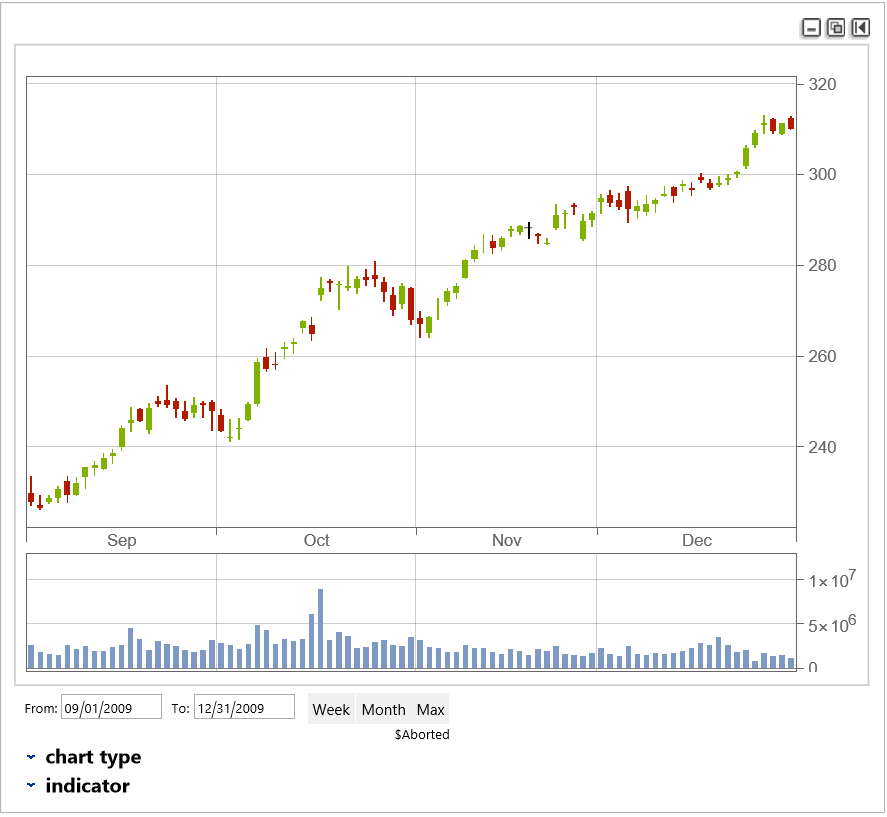
The chart is wonderful. However, I would like to programmatically control the window dates (the date range) that is displayed. For instance, I may be interested in loading a full year’s worth of financial data, but I may want to only look at smaller ranges of dates. For example, I may wish to display only the first 2 weeks of data (e.g 2009,1,1 to 2009,1,15) and then, later on, I might be interested in 2 weeks in July. I don’t want to have to load from the Wolfram Servers every time I change the range I want to display. I want to load my large set of data ONCE and then just slide my display window where I want. Even more specific to my case, I would like to simulate a ticker by loading the whole year first, and then display the data from the 1st day of the range to an increasing end date. I would change the displayed end date by one day (or move it to the next trading day). I would do this at the rate of, say, 1 bar / minute to simulate minute bars. I would perform my calculations and provide some analysis.
I see that at the bottom right of the chart there are two windows named, “From:” and “To:” that allow one to MANUALLY control the amount of data to be displayed. Is there a way to set those 2 dates via some code option so that the display would be adjusted automatically when the options are changed? I suspect that Dynamic would be involved here since changing my “To:” value would update the display of the chart.
I see that at the bottom right of the chart there are two windows named, “From:” and “To:” that allow one to MANUALLY control the amount of data to be displayed. Is there a way to set those 2 dates via some code option so that the display would be adjusted automatically when the options are changed? I suspect that Dynamic would be involved here since changing my “To:” value would update the display of the chart.