Thread art is the process of using thread suspended with pins to recreate an image. I attempted to create this computationally on a circle. In order to generate an algorithm for whether a line should be placed, I developed two different approaches. The first one was to calculate if the black pixels of a binarized image filled more than half of the line. The second was to add the values of all the grayscale pixels in a line and then divide them by the total value of the pixels of a black line. If the result is less than a certain number, the line will not be visualised.
Introduction
Introduction
The Origins of Thread Art
The Origins of Thread Art
The creation of string art includes a wooden circle and placing about a hundred pins around it. Then, you take a very long piece of thread and criss-cross it around the pins to fill in the blank space. This results in a recognizable picture.Its origins go back to the 19th century. It is the brainchild of Mary Everest Boole who was looking for a way to introduce children to mathematical ideas. I think it is such a special opportunity to be able to create such complex art using the Wolfram language. I personally do not have the slightest idea how to create one by hand, so I am happy to be able to do it computationally. Here are some examples of string art:
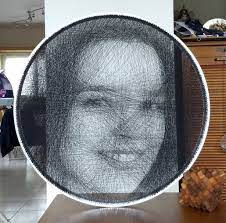
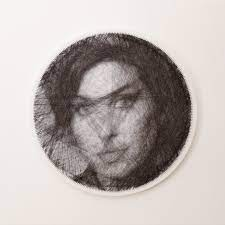
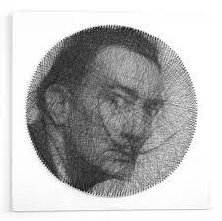
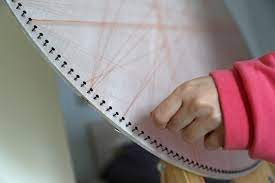
Motivation and Applications
Motivation and Applications
Converting an image to thread art is a challenging task with in impressive result. I haven’t seen Wolfram being used for this cause, so I has happy to introduce this unique approach.There are many ways someone can use this code or idea. From making a gift to a loved one to decorating your room. Additionally, thread art can take hours to make and not everyone has the time and the patience to make their own. This code makes thread art accessible to a wide range of people.
Developing the Algorithm
Developing the Algorithm
Image Manipulation
Image Manipulation
In order to be able to convert the image to thread art I manipulated it in two ways. The first was to fit it into a circle and binarize it, meaning the pixels would only have values of zero and one.The second one manipulated it in a similar way except it formatted it in grayscale.
This function fits an image into a circle and binarizes it.
In[]:=
circleimage_::=Binarize[ImageAdd[Graphics[Disk[{1,1}]],ImageResize[image,1190]]]
In[]:=
circle[]
Out[]=
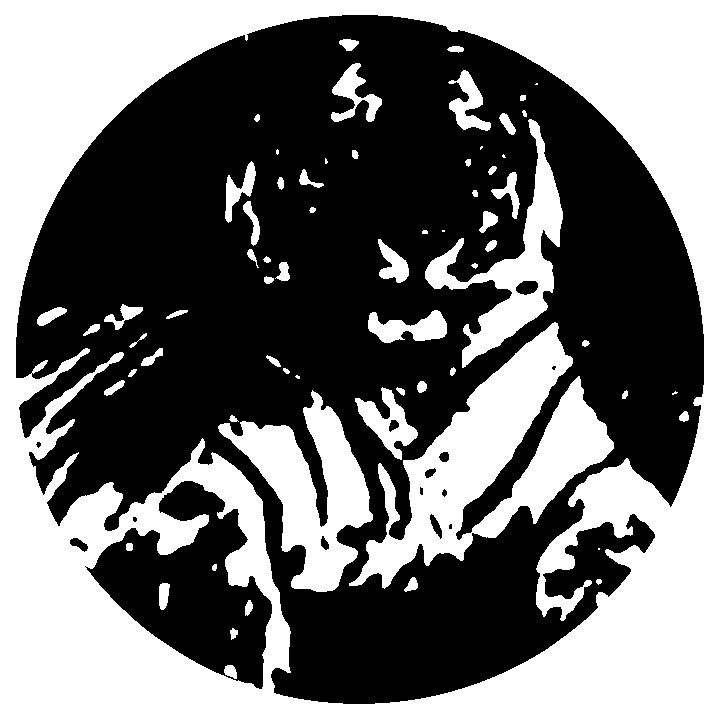
This function fits an image into a circle and makes it black and white.
In[]:=
finalformimage_::=ColorConvert[ImageAdd[Graphics[Disk[{1,1}]],ImageResize[image,1190]],"Grayscale"]
In[]:=
finalform[]
Out[]=

Finding The Co-ordinates of the Manipulated Image
Finding The Co-ordinates of the Manipulated Image
Next, string art has pins placed at the beginnings of the string. To find the co-ordinates of the points I created an equilateral polygon.
This makes a polygon using points around a circle.
In[]:=
pol:=Polygon[CirclePoints[100]]
This code creates a polygon with a hundred sides.
In[]:=
Graphics[{Gray,pol}]
Out[]=
Furthermore, I wanted to visualise the lines made from those co-ordinates.To do that, I took the “i” and “k” co-ordinates of the first 20 lines and made a Table with those. It was mandatory to flatten those to level one as too many lists cannot be made into lines. Finally, using Graphics I created lines with those co-ordinates. The output is a visualisation of all the possible lines between 20 points. It is a crucial step to achieving decent thread art. It is also an intriguing and completely symmetric shape.
Here, I am naming the points.
In[]:=
points[n_]:=CirclePoints[n]
In[]:=
Graphics[Line[Flatten[Table[{points[20][[i]],points[20][[k]]},{i,20},{k,20}],1]]]
Out[]=
Then I had to have my code running as efficiently as possible. In order to achieve this I had to create a function which would give me the set of all possible beginning co-ordinates for lines. You may notice that this does not have a visualisation as an output. If we visualize this function we will only see a black circle. This reassured me I was going the right way.
A function that returns a list of line co-ordinates for “p” points.
In[]:=
coordinates[p_]:=Module[{cpoints=points[p]},Flatten[Table[{cpoints[[n]],cpoints[[m]]},{n,p-1},{m,n+1,p}],1]]
Figuring out the algorithm for a binarized image
Figuring out the algorithm for a binarized image
Using the co-ordinates I made two functions.The first one creates a line with “coord” co-ordinates it with the image circle (gapline). The black pixels are replaced where there are white pixels in the corresponding parts of the image (blackline). The second one is just a regular line with the same co-ordinates. Then, in order to decide whether I have to visualise each line I found the amount of black pixels “gapline” has. Then I compared it to “blackline”. If the black pixels of the first line are half as many as the second one the line will appear.
Making a line with gaps corresponding to the white pixels of the image.
Making a line with “coord” co-ordinates
A function that decides whether the line will be placed.
A function that tests tests all the lines and outputs an image.
Figuring out the algorithm for a black and white image
Figuring out the algorithm for a black and white image
The second method is quite similar to the first one. I made an line whose lightness was taken from the corresponding pixels in the grayscale image. Then, I also made a line with same co-ordinates. Subsequently, a function was needed to test whether the line should be placed. If the average pixel value of the first line is less than the average pixel value of the second line divided by four the line will be placed. This algorithm works with a grayscale image while the previous one with a binarized image.
A function that overlays a line to the grayscale image and replaces the pixels of the line with the lightness of those of the image.
A function that creates a line with “coord” co-ordinates.
A function that checks if each line will be visualised or not depending on the relative lightness of the line.
A function that tests tests all the lines and outputs an image.
Conclusion
Conclusion
To summarize the outcome of this project, I am proud to say it is now possible to make computational string art using Wolfram. However, if anyone decides to use my code, be aware that it needs many hours to evaluate. This project has been highly beneficial in many ways. I learned so much about the Wolfram language and its capabilities. In the future I would like to make the code run faster and make it work for images with transparency data (like PNG files). Right now it is also highly impractical for many pictures as when they are resized important parts of the images are cut off. It would also be impressive if I could add color in certain areas of the picture or make a video of the process.
Acknowledgments
Acknowledgments
◼
Noemi Chulo
◼
Megha Narayanan
◼
Megan Davis
◼
Kurt Gimbel
◼
Rory Foulger
◼
Nicolò Monti
Citations
Citations
◼
McDougall,C.(2020,September 11).Computational thread art.Medium.Retrieved July 21,2022,from https://medium.com/@cal.s.mcdougall/computational-thread-art-a9e46ecf34de
◼
String of the Art. (n.d.). What is string art? String of the Art. Retrieved July 21, 2022, from https://www.stringoftheart.com/pages/what-is-string-art