Goal
Goal
I see an very interesting plot posted on twitter today about Sierpinski Gasket.I would like to create this exact plot from Mathematica with RegionPlot function in this post and here is the result:
Out[]=
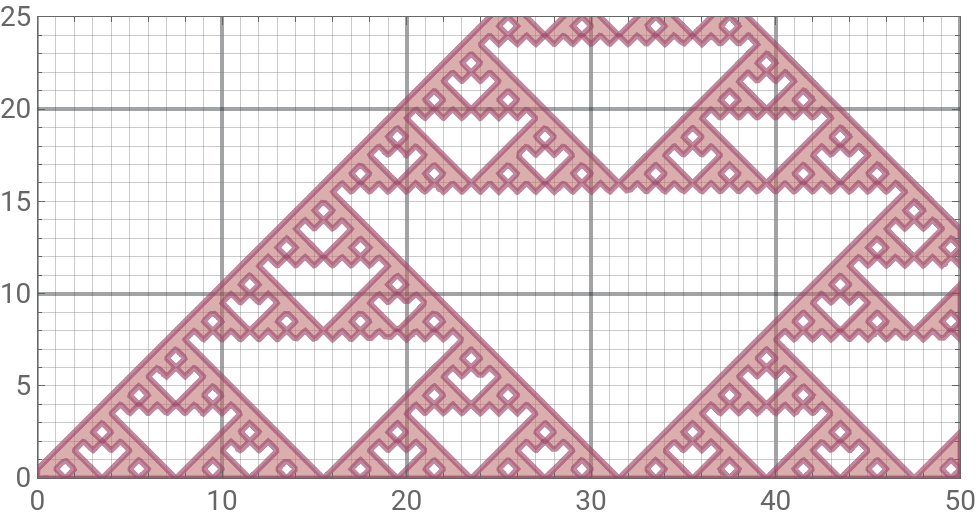
Content from Twitter
Content from Twitter
First we can use the built-in ServiceConnect to extract the content of specific the twitter
In[]:=
twitter=ServiceConnect["Twitter","New"];
In[]:=
Framed[twitter["UserData","Username""apu_yokai"][[1]]//Normal//Column]
Out[]=
The user uses a formula combining several elementary function in number theory and combinatorics to generate a Sierpiński Gasket in Desmos.
In[]:=
twitter["GetTweet","TweetID"1298758190071312386]//Rasterize
Out[]=
the image I have shown in the beginning is found with “Elements” option
In[]:=
twitter["GetTweet","TweetID"1298758190071312386,"Elements""Images"]〚1〛
Out[]=
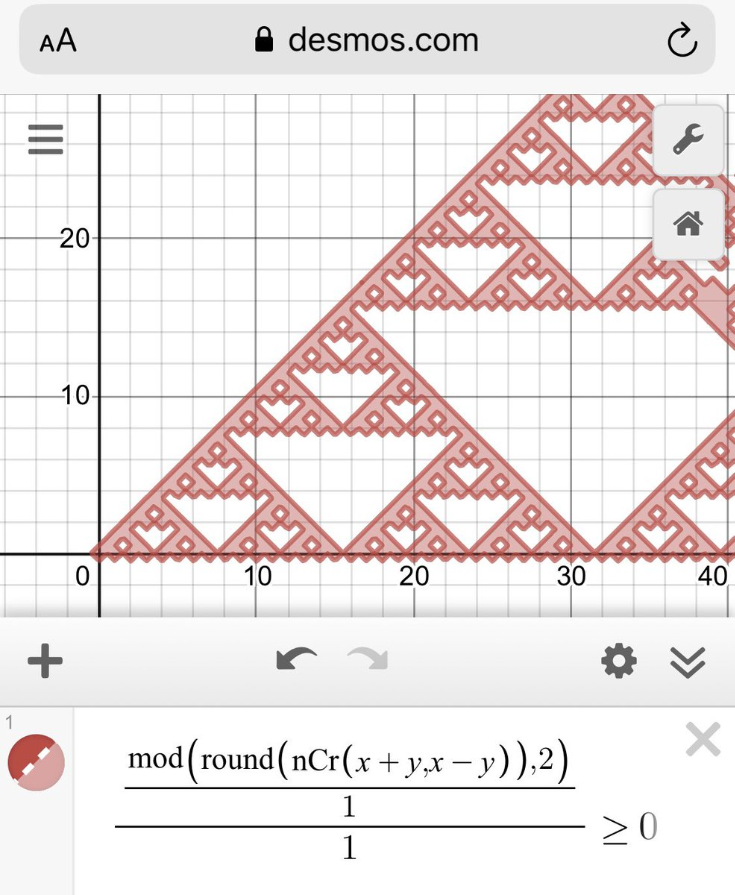
Create the Plot in Mathematica
Create the Plot in Mathematica
To use the formula in Wolfram Language we need to adjust the formula a little bit
◼
nCr(n, r) -> Binomial[Round[n],Round[r]]
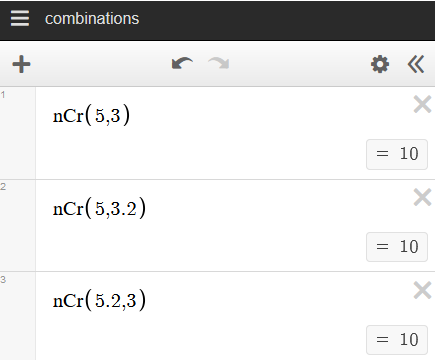
The Round function is crucial in our code because in our case Binomial is defined over the entire complex domain, meanwhile nCr of Desmos takes the floor value of each argument before doing combinatorics operation (so I do not think round is useful in original post). Here is a quick comparison
◼
Desmos
◼
Wolfram Language/Mathematica
In[]:=
{Binomial[5,3],Binomial[5,3.2],Binomial[5.2,3]}
Out[]=
{10,9.22792,11.648}
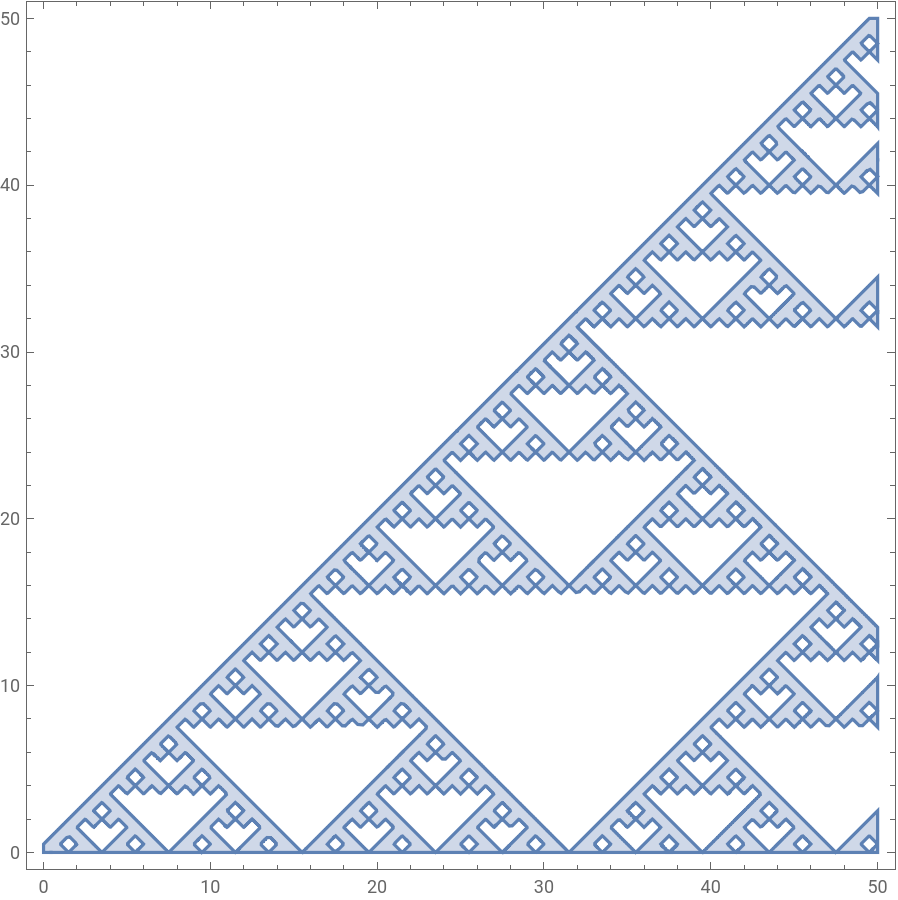
After we modify the function in the post and call RegionPlot, we have a nice Sierpiński Gasket with default appearance setting.
In[]:=
RegionPlot[Mod[Binomial[Round[x+y],Round[x-y]],2]-1≥0,{x,0,50},{y,0,50},PlotPoints15,MaxRecursion7]
Out[]=
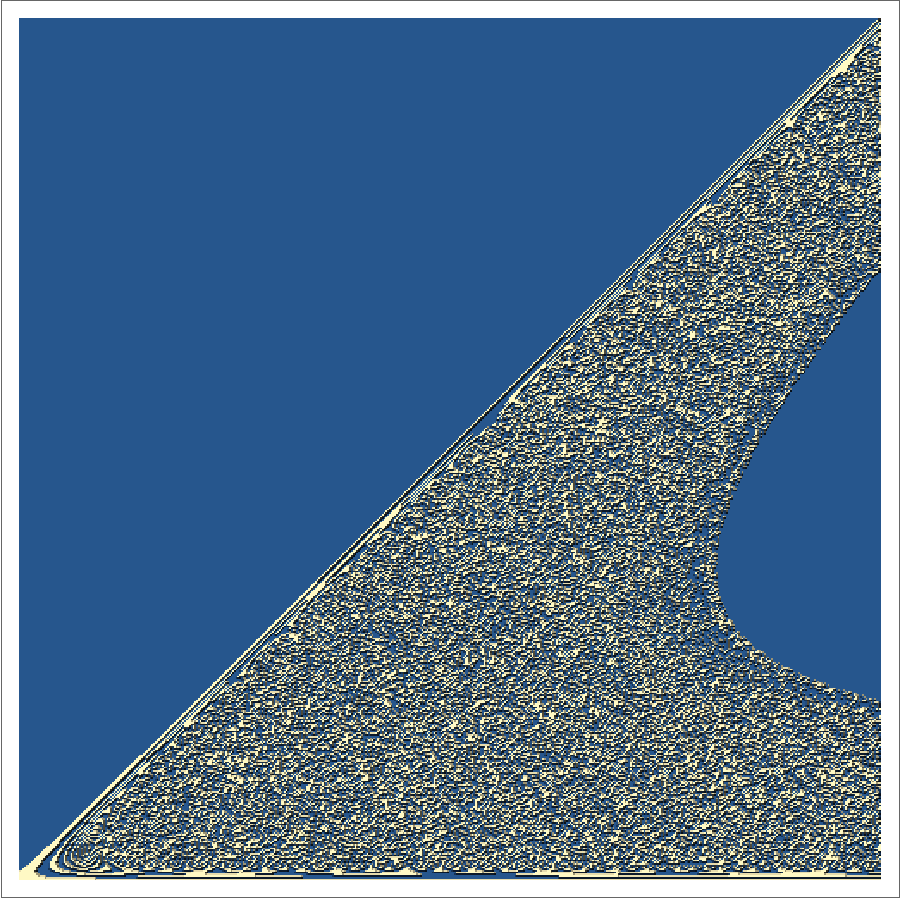
Otherwise, we will see a very different plot (maybe this function is dense? ) if Round is not used on the arguments of Binomial
In[]:=
ReliefPlot[Transpose@Table[Mod[Round@Binomial[x+y,x-y],2],{x,0,50,0.1},{y,0,50,0.1}]]
Out[]=
Style Modification
Style Modification
The following part is about how create a plot with the given Desmos style. I use Paint app coming with Windows 10 to pick the color in the interested region and click Edit Color to reveal the HSL value for our Hue function in Mathematica.
To your convenience, I have listed the color used in each part for my final plot here. Note that we need to convert Paint’s color value from 0-255 range to 0 -1 scale for each argument in Hue.Opacity is added based on my preference to fine tune the result.
◼
Color used in Boundary
◼
Color used in filling
◼
Color used for thick grid lines at multiples of ten (eg. 10, 20, 30 ... )
Create grid lines. We want to add the above color and thickness option to grid lines at multiples of ten. This is done by pattern matching and RuleDelayed
Finally, put everything above into RegionPlot to match the plot in the origin twitter post
Summary
Summary
◼
ServiceConnect is handy to extract content from valid public social media account
◼
Binomial is more general than nCr in Desmos
◼
ReliefPlot shows the actual plot over a given real domain with discrete samples, which Desmos failed to show
◼
RegionPlot supports options to change styles in filling, boundary, frame ticks and so on and more flexible to do batch change than in Desmos