Introduction
Introduction
Remark: We use "Spring" since its licencing allows copies of it to be (publicly) played via YouTube.
Remark: The notebook follows closely a previous post of mine about making Nightcore version of the song "Schweine".
The Nightcore transformation of the song was fairly straightforward with Mathematica / WL. The video transformation and combination are also fairly straightforward or easy.
Get movies
Get movies
I downloaded the videos from after searching yandex.ru (dzen.ru). Alternatively, one can find and download videos in Firefox or Google Chrome via relevant plugins. (Or use VLC; or utilize the paclet described in the post "Playing with YouTube from Mathematica", [BMI1].)
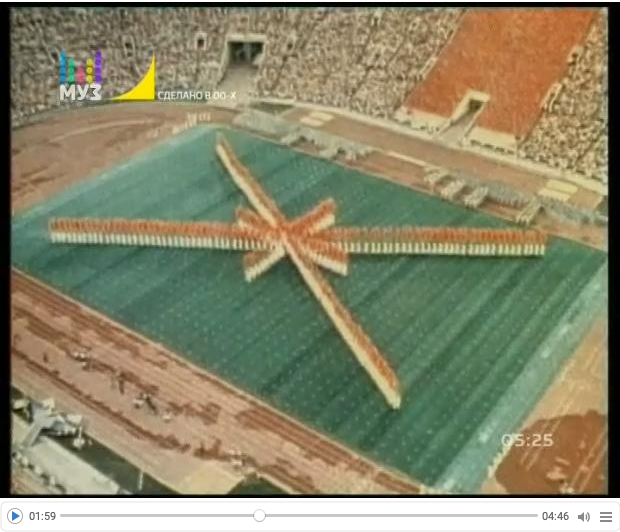
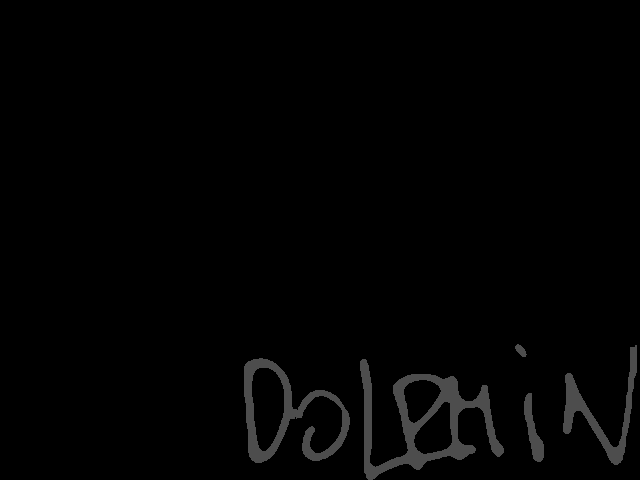
At this point I have a small official video and larger one. This gives the opportunity to demonstrate transferring of the "Dolphin" signature from the "official" video to the larger one. (See the frame manipulation below.)
Here we import the downloaded small "official" video:
In[]:=
vdSpring0=Import["~/Downloads/Dolphin-Spring-videoclip.mp4"]
Out[]=
Here we import the larger downloaded video:
In[]:=
vdSpring=Import["~/Downloads/Дельфин — Весна.mp4"]
Out[]=
Getting Dolphin's "signature"
Getting Dolphin's "signature"
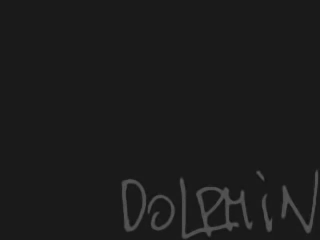
Here we is the first frame from the "official" video:
In[]:=
frameSign=VideoExtractFrames[vdSpring0,0]
Out[]=
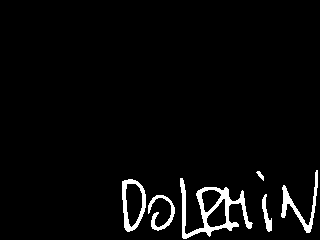
Here we binarize the image:
In[]:=
frameSignBW=Binarize[frameSign]
Out[]=
Before adding that image to video frames it is resized, darkened, and "smoothed." Something like this:
In[]:=
ImageEffect[#,"OilPainting"]&@Darker[ImageResize[frameSignBW,2*ImageDimensions[frameSignBW]],0.7]
Out[]=
Make Nightcore audio
Make Nightcore audio
The process for making a song Nightcore is described in Wikipedia, [Wk1]. Basically, we just make the tempo 20-30% faster and raise the pitch with, semitones.
≈5.5
Remark: An alternative of the process shown in this section is to use audio transformation programs like Audacity and AmadeusPro.
Here we get the audio from the video:
In[]:=
auSpring=Audio[vdSpring]
Out[]=
Here we change the tempo to be 20% faster:
In[]:=
AbsoluteTiming[auSpringFaster=AudioTimeStretch[auSpring,1/1.2]]
Out[]=
Here we raise the pitch with semitones:
5.5
In[]:=
AbsoluteTiming[auSpringNightcore=AudioPitchShift[auSpringFaster,Quantity[5.5,"Semitones"]]]
Get lyrics
Get lyrics
Although, we have a video with English subtitles, it would be interesting to experiment with adding subtitles to the video or "discovering" the subtitles in the video frames.
Instead of just copy-&-pasting the text I took screenshot of lyrics here: https://lyrics-on.net/en/1096839-vesna-vesna-lyrics.html
Here the image above is split into two halves and they displayed in a grid:
Here we recognize the lyrics within each half:
Remark: Because we found a video with subtitles, we do not use further the extracted lyrics in this notebook.
Direct video styling
Direct video styling
If we only wanted to change how the video looks we can directly manipulate the video frames with VideoFrameMap, [WRI6] :
Remark: Since we want to make both the audio and video shorter we have to use video frames.
Make Nightcore video
Make Nightcore video
Get the frames of the video:
Show the number of frames:
Change all the frames to have the "ColorBoosting" image effect:
Here we resize the "signature" image, "smooth" it, and then add it to all of the "boosted" frames:
Here is how the 10-th frame looks like:
Generate (audio-less) video from the list of frames that have the same length as the generated audio:
Combine the video and audio (into a new video):
Remark: Here we do not export the video, since Mathematica saves it in a "standard" location of the host operating system.
References
References
[WRI1] Wolfram Research (2010), TextRecognize, Wolfram Language function, https://reference.wolfram.com/language/ref/TextRecognize.html (updated 2020).
[WRI2] Wolfram Research (2016), Audio, Wolfram Language function, https://reference.wolfram.com/language/ref/Audio.html (updated 2020).
[WRI3] Wolfram Research (2016), AudioTimeStretch, Wolfram Language function, https://reference.wolfram.com/language/ref/AudioTimeStretch.html (updated 2020).
[WRI4] Wolfram Research (2016), AudioPitchShift, Wolfram Language function, https://reference.wolfram.com/language/ref/AudioPitchShift.html (updated 2020).
[WRI5] Wolfram Research (2020), VideoExtractFrames, Wolfram Language function, https://reference.wolfram.com/language/ref/VideoExtractFrames.html.
[WRI6] Wolfram Research (2020), VideoFrameMap, Wolfram Language function, https://reference.wolfram.com/language/ref/VideoFrameMap.html (updated 2021).
[WRI7] Wolfram Research (2008), ImageEffect, Wolfram Language function, https://reference.wolfram.com/language/ref/ImageEffect.html (updated 13).
[WRI8] Wolfram Research (2020), VideoGenerator, Wolfram Language function, https://reference.wolfram.com/language/ref/VideoGenerator.html (updated 2021).
[WRI9] Wolfram Research (2020), VideoCombine, Wolfram Language function, https://reference.wolfram.com/language/ref/VideoCombine.html.
CITE THIS NOTEBOOK
CITE THIS NOTEBOOK
Nightcore restyling of Dolphin's "Spring”
by Anton Antonov
Wolfram Community, STAFF PICKS, May 10 2023
https://community.wolfram.com/groups/-/m/t/2917329
by Anton Antonov
Wolfram Community, STAFF PICKS, May 10 2023
https://community.wolfram.com/groups/-/m/t/2917329