This is going to be my first post on a series of computational explorations on different animal species and biodiversity related topics. Last week on a late night walk, during the Wolfram Tech Conference, I got lucky and I heard one great horned owl singing on the parking lot of Champaigns football stadium. That’s why I’m going to start the series with this species. Listen to my recorded sound on SoundCloud here.
Since this post is actually a cloud embedded notebook, we can easily display a cool intro video using EmbeddedService:
In[]:=
EmbeddedService[{"YouTube","bt3X8MJgJWo"}]
Out[]=
Species Built-in Data
Species Built-in Data
In[]:=
gHornedOwl=Interpreter["Species"]["Great Horned Owl"]
Out[]=
Once we have the entity of the species, we can check its associated properties, like its, “ScientificName”, “SpeciesAuthority”, and “Image”:
In[]:=
Column[{"ScientificName","SpeciesAuthority","Image"}]
Out[]=
Bubo virginianus |
Gmelin, 1788 |
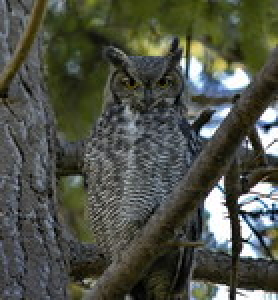
A quick way to check all properties available for a species is by using “Dataset”:
In[]:=
Out[]=
| |||||||||||||||||||||||||||||||||||||||||||


In[]:=
length=SpeciesData,"Length"
Out[]=
In[]:=
EntityValue,"Length"
Out[]=
Since I’m not American, I need to convert the units to metric system in order to get a picture of the size of great horned owls:
In[]:=
UnitConvert[length,"Centimeters"]
Out[]=
Oh, Wow! They are actually bigger than I expected.
We can also easily get other eagle owl species using “Siblings”:
In[]:=
otherEagleOwls=SpeciesData[gHornedOwl,"Siblings"]
Out[]=
,,,,,,,,,,,,,,,,
In[]:=
eagleOwls=Append[otherEagleOwls,gHornedOwl];
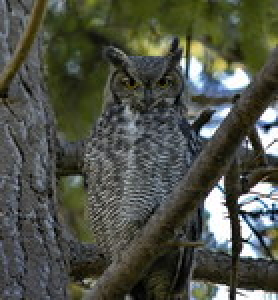
Now, we can easily create a MenuView with most of existing eagle owls species around the globe:
In[]:=
MenuView[DeleteMissing[Thread[Rule[eagleOwls,SpeciesData[eagleOwls,"Image"]]],2],13]
Out[]=
Or what other subspecies of Great Horned Owl do exist using “SubEntities”:
In[]:=
subspecies=gHornedOwl["SubEntities"]
Out[]=
,,,,,,,,,,,,
Visualizing a Taxonomic Graph for Eagle Owls
Visualizing a Taxonomic Graph for Eagle Owls
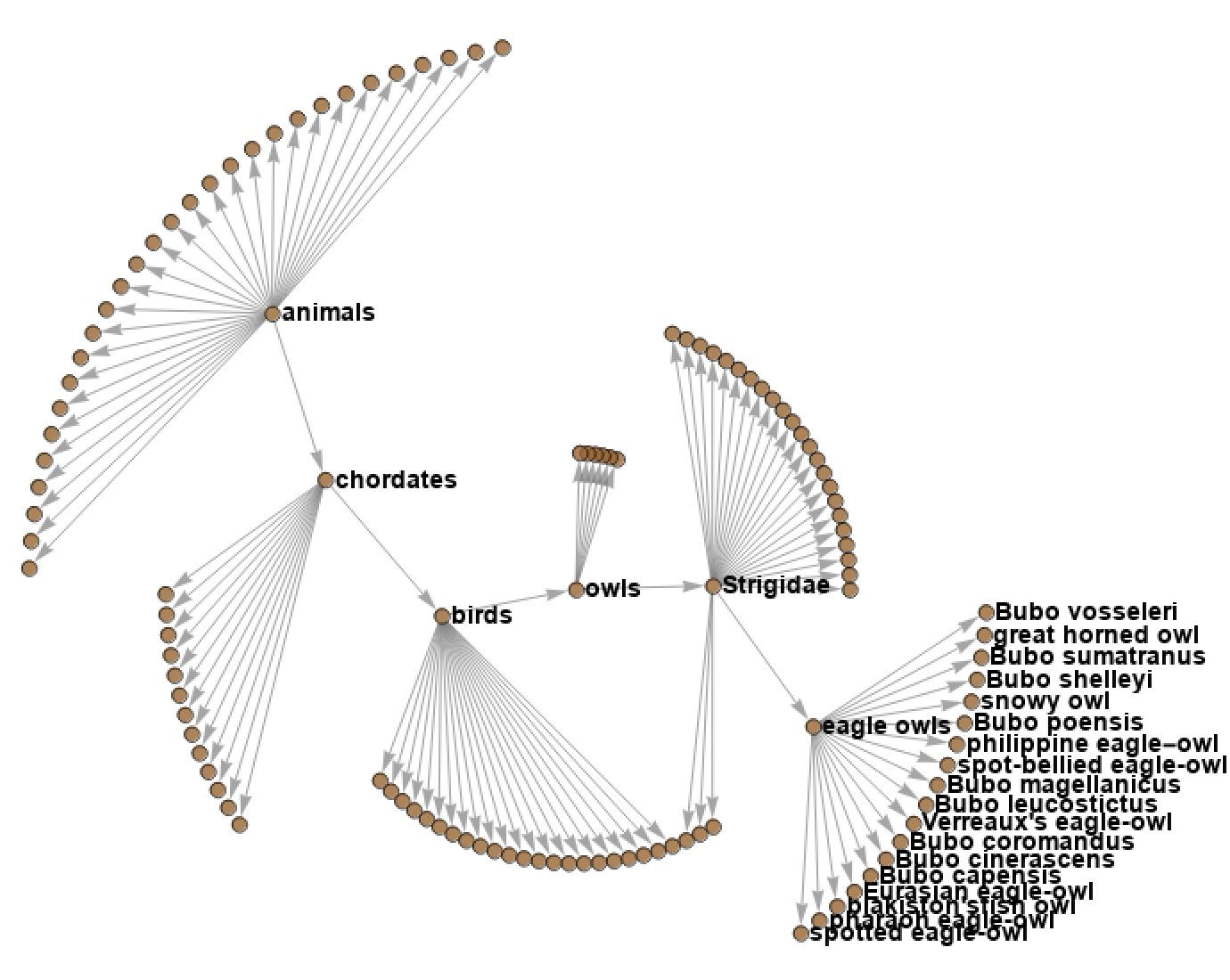
We can easily create a customized taxonomic graph for eagle owls using “TaxonomyGraph” and Graph directives:
In[]:=
{taxonomyGraph,taxonomicSequence,siblings}=SpeciesData[gHornedOwl,{"TaxonomyGraph","TaxonomicSequence","Siblings"}];
GraphtaxonomyGraph,ImageSize800,VertexLabels,VertexStyleDirective[Brown,Opacity[0.8]],VertexSize2,EdgeStyleGray,VertexLabelStyleDirective[FontSize13,Bold]
Map of occurrences of Great Horned Owls using iNaturalist data
Map of occurrences of Great Horned Owls using iNaturalist data
Once you create an iNaturalist account (free), it’s fairly easy to import a CVS file with all owl observations from Illinois state and we need to setup the directory where we stored the CSV file:
In[]:=
$path="/Users/jofre/species-functions-and-data/iNaturalist/Imported files from Platform";SetDirectory[$path];
In[]:=
data=SemanticImport["owls_observations_Illinois.csv"];
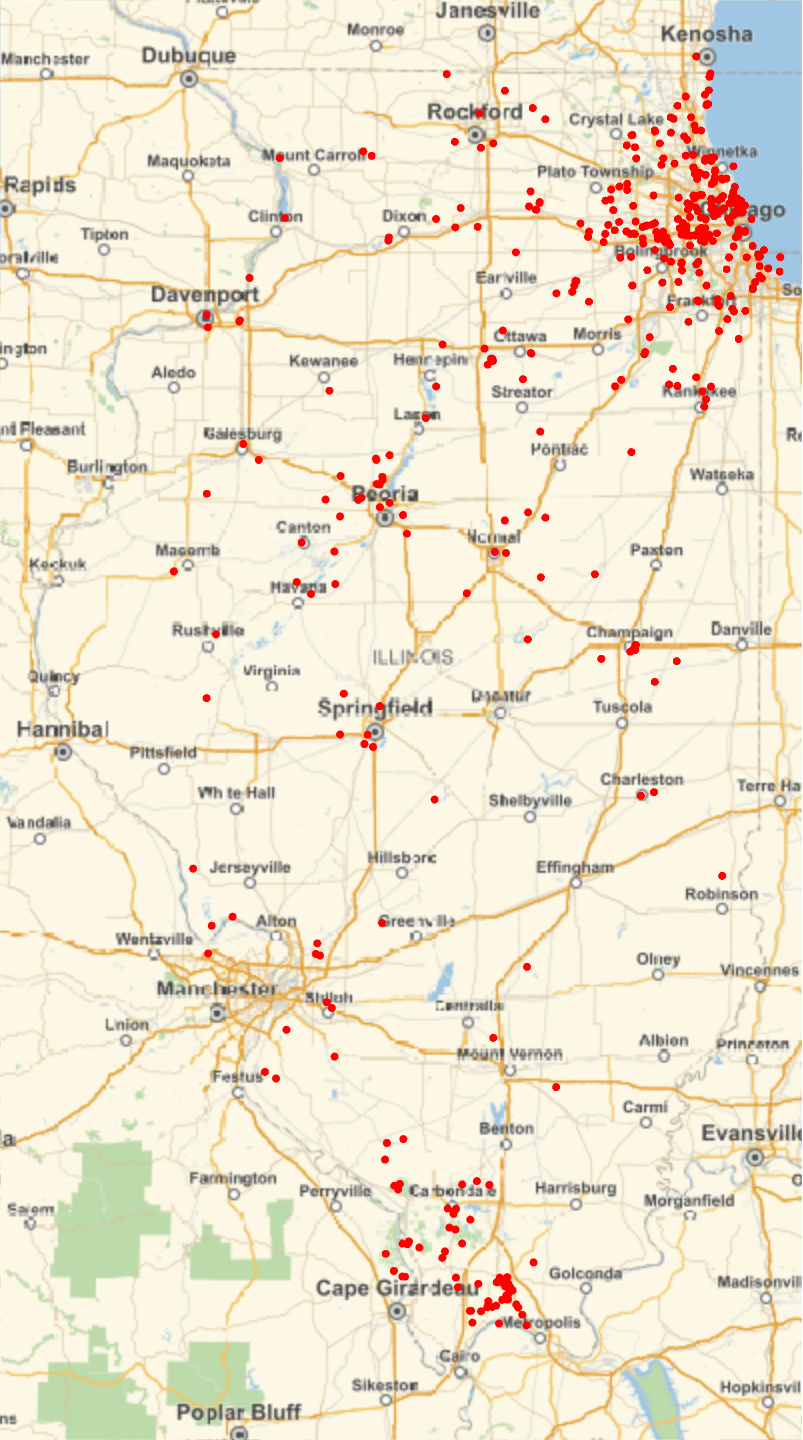
Using GeoGraphics creating a map of Illinois with all owls observations is pretty straightforward:
In[]:=
owlsDistribution=GeoGraphics{Red,PointSize[0.01],Point@GeoPosition[Values@Normal@data[All,{"latitude","longitude"}]]},GeoRange,ImageSizeLarge
Out[]=
Let’s create a MenuView with all different species:
Let’s create a MenuView with all different species:
Get list of owl species on the dataset and exclude the sub-species:
Combining data from different Maps:
Combining data from different Maps:
Here, my original idea was to explore multiple geographical data by combining it on a same map, just to show some of the GeoGraphics capabilities that Wolfram Language offers. We will create a density map of Illinois wind farms, a wind vector map and finally combine them with the one from owls occurrences:
Illinois wind farms
Illinois wind farms
Here, I’m going to use some code from Emmanuel Garcés Medina’s WTC19 presentation on Geo Visualizations:
Wind Vector Map of Illinois
Wind Vector Map of Illinois
Combine all outputs
Combine all outputs
Identify Great Horned Owl species via audio samples
Identify Great Horned Owl species via audio samples
We can try to automatically identify the great horned owl song that I recorded using my phone near Champaign’s Football Stadium:
We can use a high and a low pass filter to improve the quality of the audio:
Import audio files from iNaturalist of the most common owls found in Illinois:
Import audio files from iNaturalist of the most common owls found in Illinois:
As we previously did, it’s fairly easy to import a CSV file with all owl observations with audio from North America:
Define classes for the two most observed owls in the area:
Define classes for the two most observed owls in the area:
Define classes according to scientific names:
Scrape available owl sounds with a duration below 10 seconds:
Scrape available owl sounds with a duration below 10 seconds:
We can use Feature Space Plot to visualize the two different species sounds:
Choose a (first) net to try:
Use this net as a feature extractor into a bigger net that classifies sequence (using max pooling):
Train with early stopping and monitor a set of acknowledged classification performance measurements:
Finally, we can test our trained Neural Network with our original recorded sound:
Other Useful Resources with Species Audio Samples:
Other Useful Resources with Species Audio Samples:
◼
◼
Xeno-canto (XC) www.xeno-canto.org is a website for sharing recordings of sounds of wild birds from all across the world.
◼
Wolfram Language built-in function WebAudioSearch gives a dataset of the top web audio search results for the specified literal string.
Two of our owl species are missing though: