Hit by volcanic ashes flight from Tenerife (TFS) to Charleroi (CRL) returns to departure airport at Monday Oct, 11, 2021
The flight normal geo points, the entities can be found using Ctrl + = at Mathematica user interface and giving the air port code (TFS or CRL) or the air port name, Wolfram Language will do the best to find a good fit, that usually works well... to know more about Entities please check:
https://reference.wolfram.com/language/ref/Entity.html
https://reference.wolfram.com/language/ref/Entity.html
GeoGraphicsGeoMarker,GeoMarker,"Color"Green
Out[]=
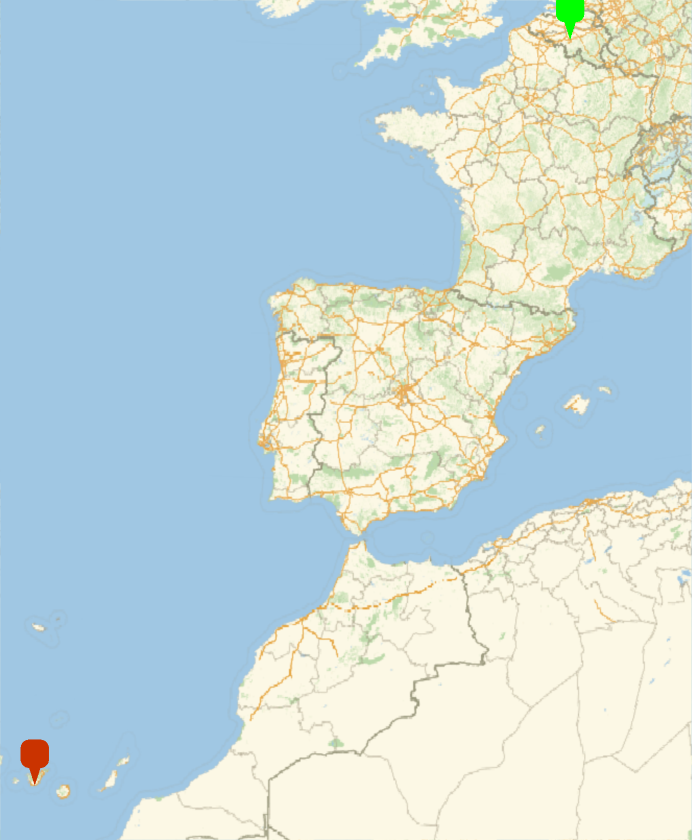
Departure and volcano geo points, we can see the origin air port and the volcano:
GeoGraphicsGeoMarker,GeoMarker,"Color"Blue
Out[]=
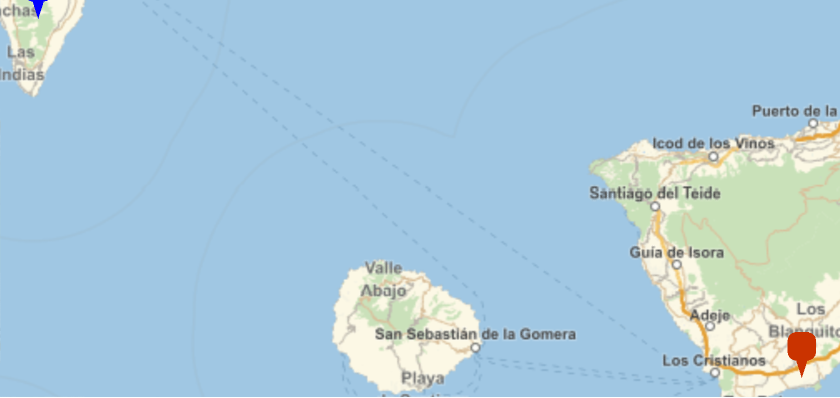
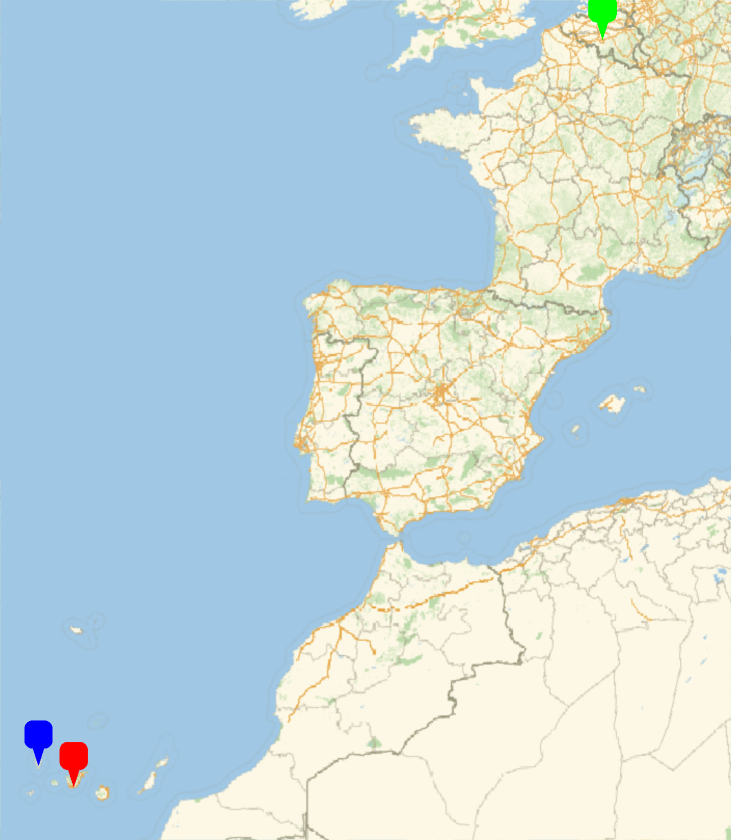
We can see the 3 points,departure flight airport (TFS) in red, the volcano in blue and the destiny air port in green (CRL):
In[]:=
GeoGraphicsGeoMarker,"Color"->Red,GeoMarker,"Color"Green,GeoMarker,"Color"Blue
Out[]=
WEB scraping to visualizing fight data
In[]:=
flightdata=Import["https://pt.flightaware.com/live/flight/RYR8179/history/20211011/1630Z/GCTS/GCTS/tracklog","Data"]
Out[]=
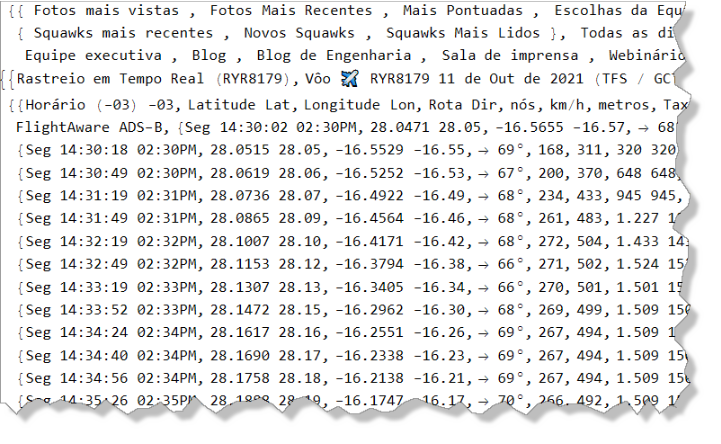
In the webpage we have a table with all the fight data, we have it as a list, but not just the table, data from the entire webpage.
In[]:=
Head[flightdata]
Out[]=
List
Checking list dimentions:
In[]:=
Dimensions[flightdata]
Out[]=
{2}
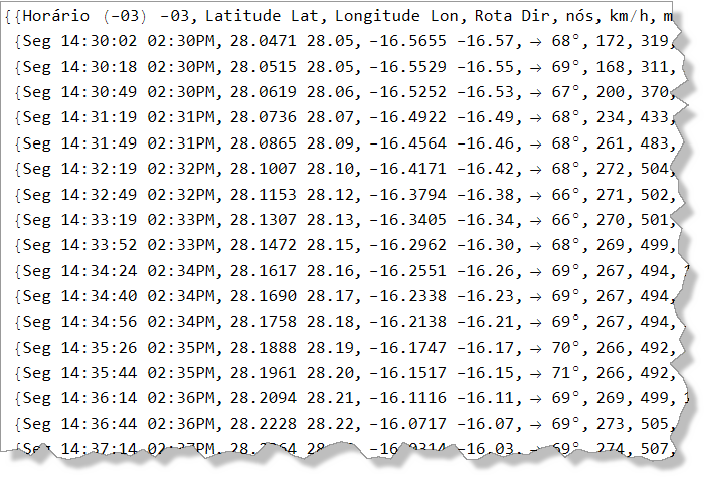
Getting and cleaning data, with a quick inspection in the list we can figure out the position of the table with the flight data and get just this useful info:
In[]:=
info=Drop[flightdata[[1,2,2]],{2}]
Set my local working director...
In[]:=
SetDirectory[NotebookDirectory[]]
Out[]=
/work/math
Check how to export the data, just in case...
In[]:=
?Export
Out[]=
In fact websites change a lot, and so I usually save the data locally, when the size permits of course...
In[]:=
Export["flightdata.dat",flightdata,"Table"]
Now a little data process to breakdown, convert and get just the latitude and longitude data in a simple list,
and visualize it as points and the points in the map,
notes that the points are geo referenced, and because of that can be combine it with the map:
and visualize it as points and the points in the map,
notes that the points are geo referenced, and because of that can be combine it with the map:
We can separate too the data about speed and altitude from the original list, and plot them:
For convenience we can breakdown the original list as a dataset, it make it easy to explore the data, for a multiparadigm data science process:
And now, plot the data from the dataset (data frame), with a more clean code...
The air plane tour, with the geo location:
Here we can see the speed for the air plane tour:
View the altitude in meters, notes that there are some noise in the data when the airplane is at the ground...
View the altitude data sorted:
Check the max altitude, of course the airplane didn’t go to 921 600 meters!!
Cleaning the noise data we can have a better altitude visualization for the air plane tour:
As it is a discrete data, here we have a view of points...
Lets see what Wolfram|Alpha can show about TFS airport data:
In[]:=
TFS air port
And check info about the volcano:
In[]:=
Cumbre Vieja volcano
References:
https://www.aviation24.be/airlines/ryanair/a-ryanair-flight-from-tenerife-to-charleroi-hit-by-volcanic-ashes-returns-to-departure-airport/?fbclid=IwAR1d4VhQ1SH414ikaEhowJteolNadDXdlqDeXw2hS-lAURNmzriFjtoRRFM
https://pt.flightaware.com/live/flight/RYR8179/history/20211011/1630Z/GCTS/EBCI
https://pt.flightaware.com/live/flight/RYR8179/history/20211011/1630Z/GCTS/GCTS/tracklog
https://www.aviation24.be/airlines/ryanair/a-ryanair-flight-from-tenerife-to-charleroi-hit-by-volcanic-ashes-returns-to-departure-airport/?fbclid=IwAR1d4VhQ1SH414ikaEhowJteolNadDXdlqDeXw2hS-lAURNmzriFjtoRRFM
https://pt.flightaware.com/live/flight/RYR8179/history/20211011/1630Z/GCTS/EBCI
https://pt.flightaware.com/live/flight/RYR8179/history/20211011/1630Z/GCTS/GCTS/tracklog