Video Showcase
Video Showcase
I made each frame twice with different mappings of the Mandelbrot Set and then combined the two.
This is based on MandelbrotSetRemap from Wolfram Function Repository:
- https://community.wolfram.com/groups/-/m/t/2342501
- https://resources.wolframcloud.com/FunctionRepository/resources/MandelbrotSetRemap
This is based on MandelbrotSetRemap from Wolfram Function Repository:
- https://community.wolfram.com/groups/-/m/t/2342501
- https://resources.wolframcloud.com/FunctionRepository/resources/MandelbrotSetRemap
ro=ResourceObject["MandelbrotSetRemap"];msr=ResourceFunction[ro];AbsoluteTiming[Parallelize@AnimationVideo[img1=msr[-.81230216+.20183896I,1.175^(z/2),MaxIterations->Round[.9z+12],MappingFunction->"Filigree",ColorFunction->"SunsetColors",ImageSize->1080];img2=msr[-.81230216+.20183896I,1.175^(z/2),MaxIterations->Round[.9z+12],MappingFunction->"Smooth",ColorFunction->ColorData[{"PlumColors","Reverse"}],ImageSize->1080];ImageMultiply[img1,img2],{z,1,144},DefaultDuration->10]]
Out[]=
Introduction
Introduction
The Mandelbrot Set is binary by nature, points either lie inside the set or not — the familiar black, left-facing bumblebee shape on a white background. With the function MandelbrotSetPlot in the Wolfram Language, each point that lies outside the set is colored by how many iteration it takes to exceed a certain threshold, giving a rippled gradient effect around the black bumblebee.
In[]:=
MandelbrotSetPlot[Frame->False]
Out[]=
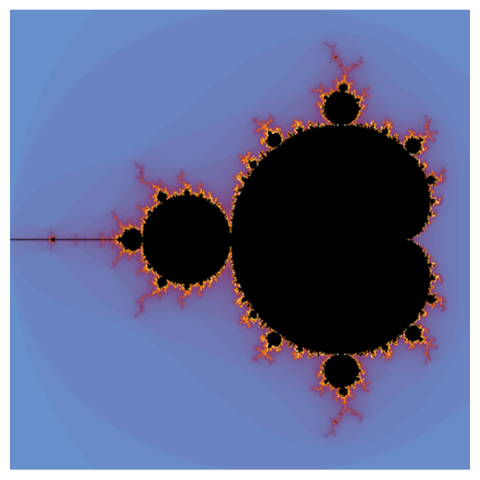
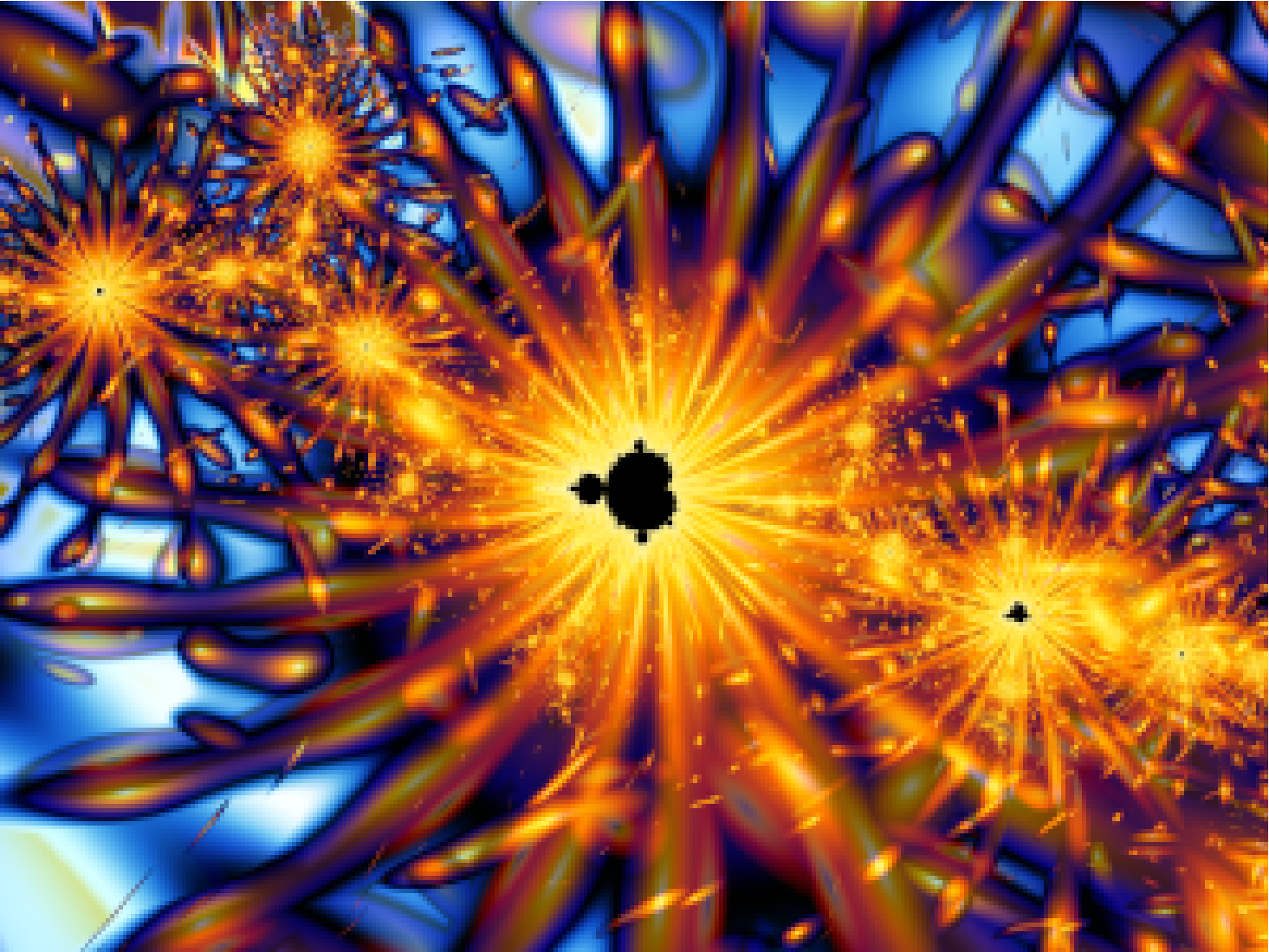
There’s a lot of fun to be had with the MandelbrotSetPlot[], zooming to various parts of the frontier and assigning different color functions. However, if you have ever played with a fractal generator like Ultra Fractal or Frax, you may be wondering whether such brilliantly exotic fractal art is possible in the Wolfram Language too. I made this example in Ultra Fractal:
Going Further with the Built-in Function
Going Further with the Built-in Function
MandelbrotSetPlot does have more flexibility than the documentation indicates. Its ColorFunction option can take five different inputs to determine the color of each pixel:
1
.the pixel’s x coordinate
2
.the pixel’s y coordinate
3
.how many iteration it took that point to exceed the threshold
4
.whether the point lies inside or outside the Mandelbrot Set (1 or 0)
5
.the magnitude of z when the point iterates beyond the threshold
This information can bring you a bit closer to making fractal art.
In[]:=
MandelbrotSetPlot[ColorFunction->(If[#31,White,If[Im[#5]>=0,RGBColor[#1,1-#1,],Hue[#1,1,1]]]&),Frame->False]
2
#2
Out[]=
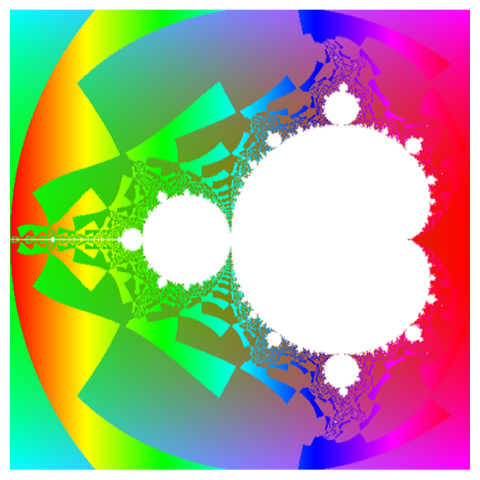
With some imaginative tweaking, one could produce impressive images using MandelbrotSetPlot, but the tool has its limitations. For one thing, the inside part of the set is always one solid color. In addition, ColorFunction inputs #3 and #5 are both calculated only when the iterated z-value exceeds the threshold.
Custom Mandelbrot Set
Custom Mandelbrot Set
To create more interesting art, we should calculate what the value of z is doing on its way towards the threshold and allow the inside part to vary in color. To do that, we need to roll our own Mandelbrot Set function:
In[]:=
mbPlain[size_,canvasX_,canvasY_,posX_,posY_,zoom_,maxIter_]:=Module[{x,y,z,c,hue,newZ},(*scaledposition*)x=4zoom*canvasXsize-2zoom+posX;y=4zoom*canvasYsize-2zoom+posY;(*initialvalues*){z,c,hue}={0,Complex[x,y],Exp[-Abs[c]]};(*iteration*)newZ=NestWhile[(hue+=Abs[#];+c)&,z,Abs[#]≤4&,1,maxIter];(*hue/color*)hue/=maxIter;Hue[hue,1,1.2-hue]];mb[size_,posX_,posY_,zoom_,maxIter_]:=Image[Array[mbPlain[size,#2,#1,posX,posY,zoom,maxIter]&,{size,size}]];mb[360,-.7,0,.7,48]
2
#
Out[]=
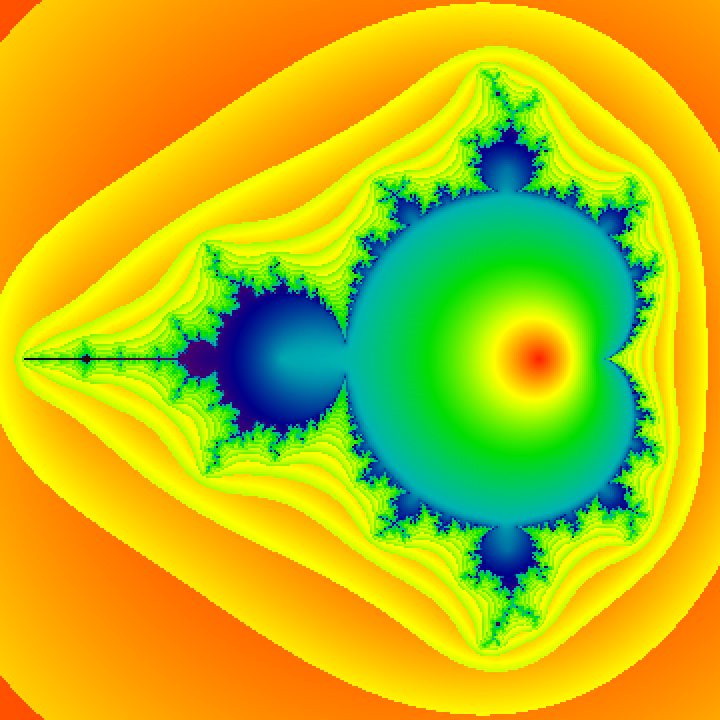
Our Mandelbrot Set function works, producing an outside color mapping similar to MandelbrotSetPlot but with an effect on the inside too.
Warning, the custom functions I’m demonstrating in this article are slow. Depending on the calculations in the iteration and color parts of the function, it can take very long to evaluate one fractal image. Perhaps someone reading this can help speed things up.
Warning, the custom functions I’m demonstrating in this article are slow. Depending on the calculations in the iteration and color parts of the function, it can take very long to evaluate one fractal image. Perhaps someone reading this can help speed things up.
Smooth Mandelbrot Mapping
Smooth Mandelbrot Mapping
The next technique is what they call “smooth” in fractal art circles. Rather than stair-step gradients, it will have a smooth gradient from the edge of the Mandelbrot Set outward. Notice that smoothness results from just a slight change in the iteration part of the code; changes to the hue/color part of the code are my own adjustments to produce pleasing colors:
Decomposition
Decomposition
This variety of fractal art mapping is called decomposition. The iteration part of the code is now calculating the vector angle between a fixed vector and the current point.
Orbit Traps
Orbit Traps
My personal favorite fractal art mapping method is called an orbit trap. For that, some shape — a line, a circle, etc. — is placed in the complex plane. As each tested point ricochets around on its way towards the threshold, it nears that shape. The pixel’s coloration is based on its path’s minimum distance to the shape. Measuring the Euclidean distance between points is fairly quick. Finding the distance from a point to a 2D shape is slow, so I’ll show you just the point orbit trap. Other shapes do work if you are willing to wait an hour or more to see the results.
Notice that the top half of the image is not a mirror reflection of the bottom half, something that you won’t see when using MandelbrotSetPlot. I also included a variable that tells whether a point is inside or outside the Mandelbrot Set, in this case to make the inside have more vibrant colors.
Making Art
Making Art
Unlike using Ultra Fractal or another fractal generator, if you’re going to make art in the Wolfram Language, you will need to do it with code and math. In a way, that’s limiting because you won’t have the intuitive interface that’s optimized to create certain kinds of images. On the other hand, it is empowering because you are free to create without constraints and you will have the world’s best toolbox at your fingertips.
Here I’ve built on the basic framework presented above to create some original works. I’ve included the render times as they can be rather long. For instance, the last example below took 3409 seconds, almost an hour on my machine. If you want to see the code that made one of the examples, double click on its cell bracket.
This first example zooms into the neck area of the Mandelbrot Set and combines the orbit trap and decomposition methods:
Here I’ve built on the basic framework presented above to create some original works. I’ve included the render times as they can be rather long. For instance, the last example below took 3409 seconds, almost an hour on my machine. If you want to see the code that made one of the examples, double click on its cell bracket.
This first example zooms into the neck area of the Mandelbrot Set and combines the orbit trap and decomposition methods:
This second example makes use of the point orbit trap in the outside, the smooth distance estimator on the inside, and the ImageEffect function.
And finally the example below mimics a process I usually follow in fractal generators combining two layers with similar fractals. This was from the part of the Mandelbrot Set called Elephant Valley (the extreme right end) and uses the orbit trap mapping with an ellipse.
Conclusion and Credits
Conclusion and Credits
It is possible to take the Wolfram Language into the realm of fractal art generation. Countless unexplored delights await. I barely revealed an entry to this realm. These techniques can be used with Julia Sets and other kinds of fractals, with hundreds of mathematical functions in the Wolfram Language, and with scores of image processing algorithms. Explore where your heart takes you.
I have, at times, encountered the objection that this is not art because the patterns are automatically generated. I disagree. The artistry is in controlling the medium, bending it to suit the artist’s sense of aesthetics. Think of photography: Anyone can take a photo, but few engage in photographic art.
In closing, I must acknowledge that a fellow programmer, Ryan Bell, got me started with some code to generate a plain Mandelbrot Set and a smooth Mandelbrot Set. Without that to start with, I may not have explored this creative space.
I have, at times, encountered the objection that this is not art because the patterns are automatically generated. I disagree. The artistry is in controlling the medium, bending it to suit the artist’s sense of aesthetics. Think of photography: Anyone can take a photo, but few engage in photographic art.
In closing, I must acknowledge that a fellow programmer, Ryan Bell, got me started with some code to generate a plain Mandelbrot Set and a smooth Mandelbrot Set. Without that to start with, I may not have explored this creative space.
CITE THIS NOTEBOOK
CITE THIS NOTEBOOK
Fractal art: custom Mandelbrot set functions
by Mark Greenberg
Wolfram Community, STAFF PICKS, August 16, 2021
https://community.wolfram.com/groups/-/m/t/2342501
by Mark Greenberg
Wolfram Community, STAFF PICKS, August 16, 2021
https://community.wolfram.com/groups/-/m/t/2342501