Introduction
Introduction
The National Football League, or NFL, contains 32 individual teams each with their own unique playstyles. Though there is a general rule that most teams follow in terms of decision making, each team generally has a distinct way of getting the ball across the field. This is caused by a multitude of variables including coach staffing, player skills and interaction, and preferences of the head coach. In my project, I use statistical analysis to “fingerprint” every NFL team, extracting features from their individual playstyles that distinguish them from each other. Additionally, I look into seven years' worth of data to see how these aspects of a team may have changed over time. The final product was a FeatureSpacePlot that plotted every team in every year analyzed in an abstract space. Teams that were closer to each other graphically would have features of their playstyle that made them more similar to each other.
Data Filtering
Data Filtering
I obtained a detailed dataset of every play that every team in the NFL made for the years 2013-2019 from http://nflsavant.com/about.php. The data was formatted in a .csv file, which I imported as a list of lists for each statistic. After importing, I filtered the data to only include any cases where an actual play was made, eliminating any situations when there was a penalty or other non-relevant statistics.
Importing and filtering the play-by-play data to eliminate any non-play data:
In[]:=
rawPlayData=Table[Import[FileNameJoin[{NotebookDirectory[],"pbp-201"<>ToString[i]<>".csv"}]],{i,3,9}];filterData[rawData_List]:=Select[rawData,(#[[22]]"PASS"&&(StringExtract[#[[27]],1]"DEEP"||StringExtract[#[[27]],1]"SHORT")||#[[22]]"RUSH")&&#[[6]]≠""&]filteredRawData=filterData/@rawPlayData;
Data Organization
Data Organization
Each row of data (representing a single play) in each spreadsheet contained 45 columns. Many of these columns were irrelevant for the scope of my project, for example statistics such as GameDate and PenaltyYards. As my project is focused on the decision-making process of each team, the only useful variables would be anything indicative of the current situation the team was at in one moment and what decision they made as a result of it. For speed and visualization purposes, I tried to narrow down the variables as much as I could. For example, the original data consisted of three variables: Quarter, Minute, and Second, which I then condensed into MinToGoInHalf (minutes until the half is over) and Half (represented by a 1 or 2 to indicate which half of the game they were playing in).
After narrowing down the data, I resulted in five independent variables — MinToGoInHalf, Half, Down, ToGo, and YardLine. These five variables essentially describe a situation a certain team was in at one instance. The dependent variable, "PlayType," represents what play the team chose to follow through with. I categorized the value of this variable into one of three groups: a deep pass, short pass, or rushing play.
After narrowing down the data, I resulted in five independent variables — MinToGoInHalf, Half, Down, ToGo, and YardLine. These five variables essentially describe a situation a certain team was in at one instance. The dependent variable, "PlayType," represents what play the team chose to follow through with. I categorized the value of this variable into one of three groups: a deep pass, short pass, or rushing play.
This function creates associations of the list data and narrows down the variables relevant to my project:
In[]:=
makeAssociations[filtered_List]:=<|"MinToGoInHalf"(1-Mod[ToExpression[#[[3]]]-1,2])*15+(15-ToExpression[#[[4]]]),"Half"Mod[ToExpression[#[[3]]]-1,2]+1,"OTeam"If[#[[6]]"SD","LAC",#[[6]]],"Down"#[[8]],"ToGo"#[[9]],"YardLine"#[[10]],"PlayType"Which[StringExtract[#[[27]],1]"DEEP",1,StringExtract[#[[27]],1]"SHORT",2,#[[22]]"RUSH",3]|>&/@filtered
Creating a dataset to group the data by each NFL team:
In[]:=
perTeamData=Drop[GroupBy[Dataset[#][All,{#OTeam&,#MinToGoInHalf&,#Half&,#Down&,#ToGo&,#YardLine&,#PlayType&}],First],None,None,1]&/@makeAssociations/@filteredRawData;
Shown below is a set of all of the 32 NFL teams represented by initials:
In[]:=
Keys[perTeamData[[1]]]
Out[]=
Here is one column of data representing a single play. The first five numbers describe a certain situation in a game while the sixth number indicates the play chosen by the team:
In[]:=
perTeamData[[1]]["MIN"][[1]]
Out[]=
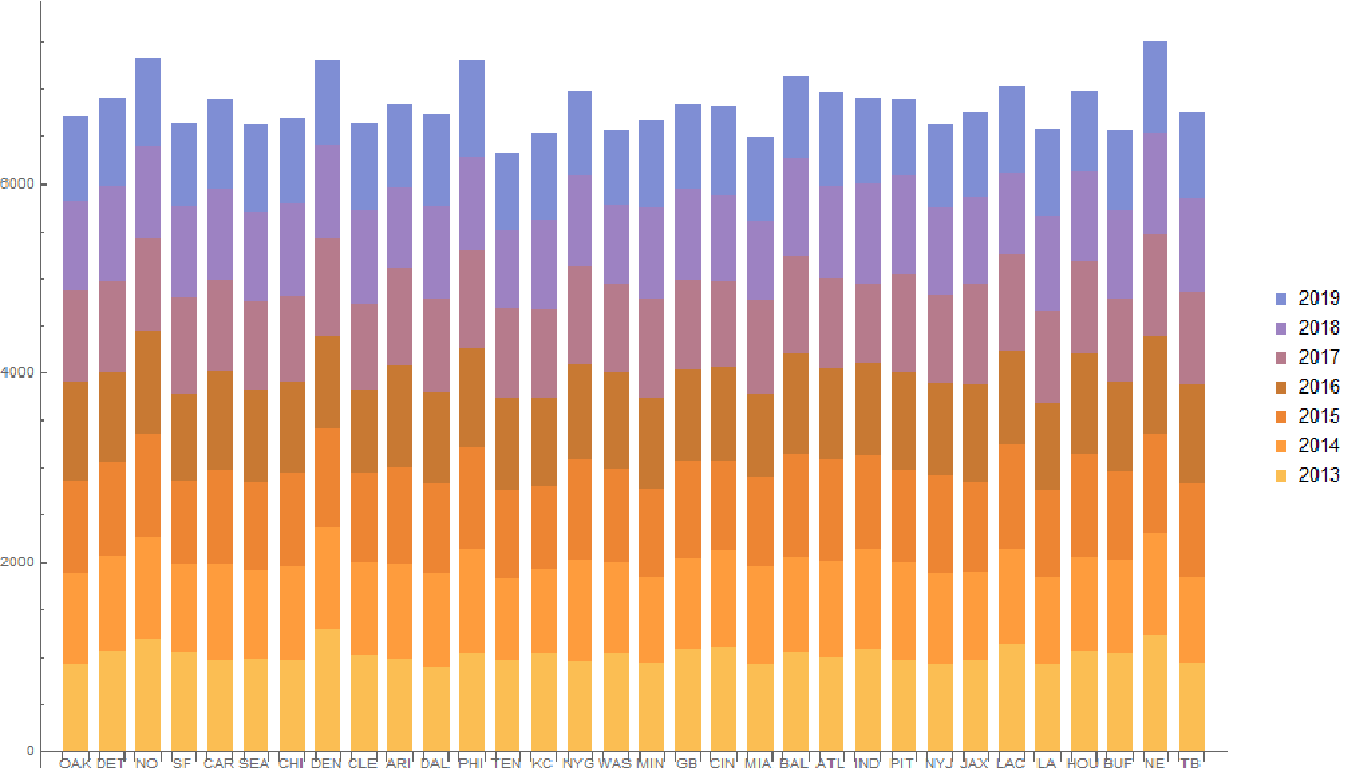
To visualize how much data I had for each team per year, I created a stacked bar chart. Seeing that there was roughly the same amount of data available for each team, I knew the size of data would not be much of a factor for my final product.
In[]:=
BarChart[Table[perTeamData[[i]][#]//Length,{i,7}]&/@Normal@Keys[perTeamData[[7]]],ChartLayout"Stacked",ChartLabels{Normal@Keys[perTeamData[[7]]],None},ChartLegendsTable[i,{i,2013,2019}]]
Out[]=
Initial Analysis
Initial Analysis
After formatting and organizing the data, I gathered the data for each team and year and plotted it all on a FeatureSpacePlot. The resulting graph shows the result of this feature extraction, with each team represented by a random color. There are no axes to a FeatureSpacePlot, as it is more abstract of a plot. The only thing that can be observed from two points in such plot is the relative proximity they have to each other, which indicates the number of similar features they have.
teamColors=AssociationThread[Normal@Keys[perTeamData[[7]]],RandomColor[32]];toPlotDataOld=(team(Table[Style[Labeled[Normal[perTeamData[[i]][team]],StringJoin[team,"201",ToString[i+2]]],teamColors[team]],{i,7}]))/@Normal@Keys[perTeamData[[7]]];FeatureSpacePlot[Join[Sequence@@(Join[toPlotDataOld])],Method"PrincipalComponentsAnalysis"]
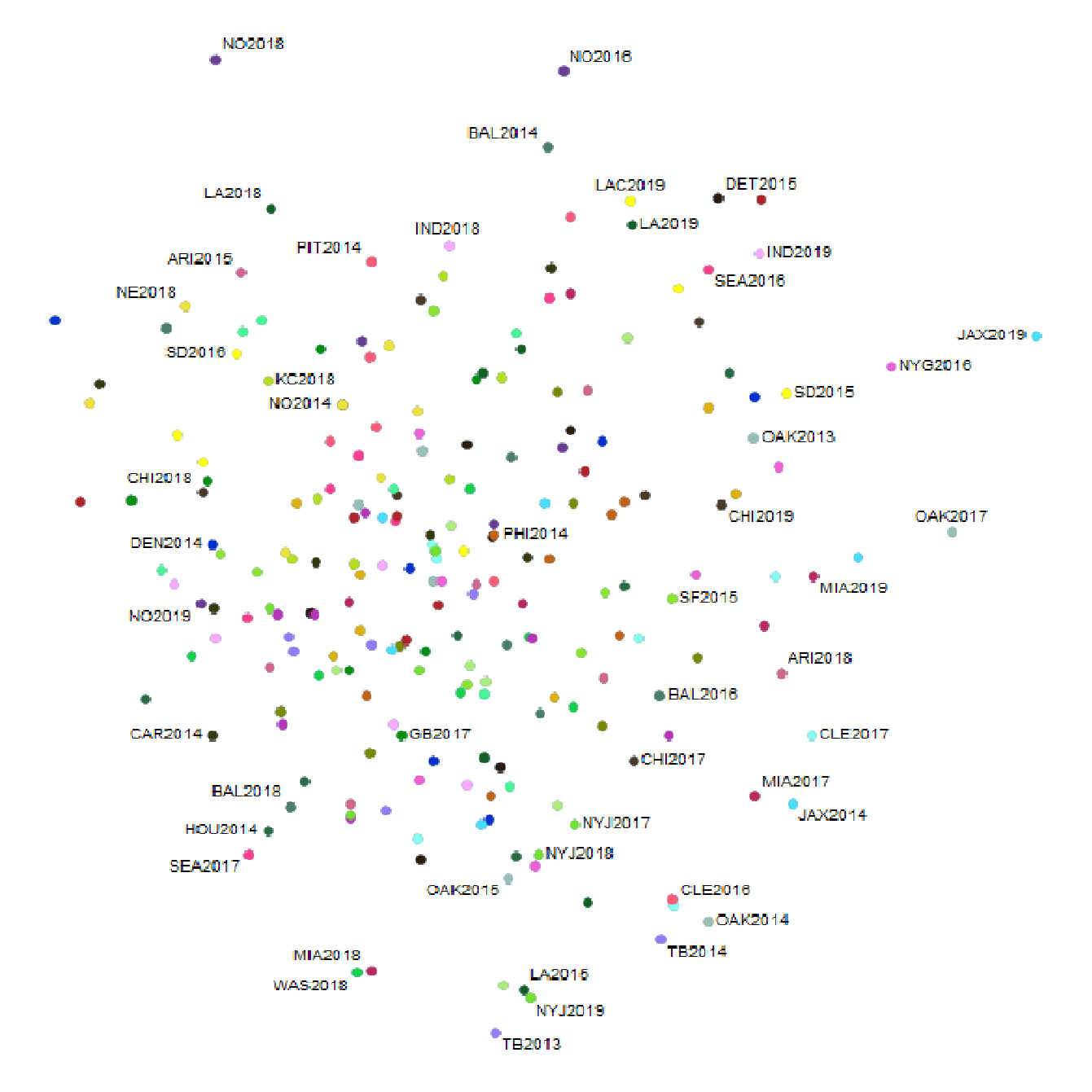
One problem with this method, however, is that it is not clearly representative of the cause-and-effect relationship between the first five situation variables and the final PlayType variable. Instead, each number in the list representing a single play is treated the same way by the feature extraction function, resulting in a graph with seemingly no correlation. I would need a more accurate way to format the data to run a feature extraction function on it.
Graphing the Feature Space Plot
Graphing the Feature Space Plot
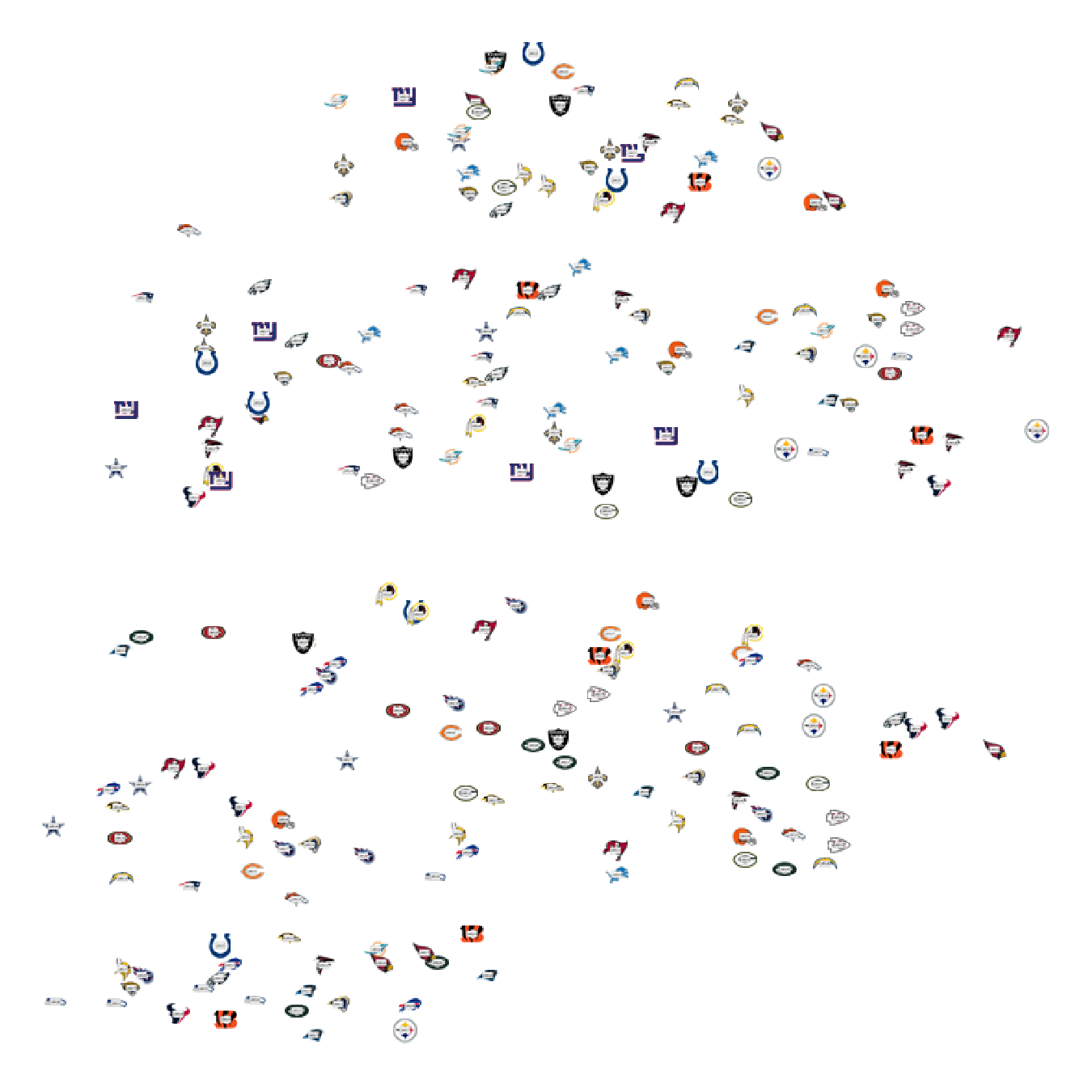
To resolve the aforementioned issue of not highlighting a clear relationship between the independent and dependent variables, I ran a Classifier function on each team's data for each year. This produced a ClassifierFunction for each team, which could then be used to predict what PlayType a certain team would use given a certain situation. To quantify the difference between each team's respective ClassifierFunctions, I ran a confusion function on each and extracted the values from their confusion matrices. This would then be analyzed via feature extraction and plotted on the graph shown below. Additionally, I replaced the random colors representing each team with their actual team logos.
Training and generating the updated FeatureSpacePlot:
teamIcons=AssociationThreadNormal@Keys[perTeamData[[7]]]
,

,

,

,

,

,

,

,

,

,

,

,

,

,

,

,

,

,

,

,

,

,

,

,

,

,

,

,

,

,

,

//KeySort;dat=makeAssociations/@filteredRawData;features=Join@@Flatten[Table[GroupBy[dat〚year-2〛,{2010+year,#OTeam}&KeyDrop["OTeam"],With[{c=Classify[#"PlayType",Method"GradientBoostedTrees",PerformanceGoal"Quality",TrainingProgressReportingNone]},With[{cm=ClassifierMeasurements[c,#"PlayType"]},Flatten@Values@Values[KeySort/@KeySort@cm["ConfusionFunction"]]]]&]//KeySort,{year,3,9}],1];imgfeatures=KeyMap[ImageCompose[teamIcons[#〚2〛],Rasterize@Framed@Style[#〚1〛,25]]&,features];featurePlot=FeatureSpacePlot[imgfeatures]

Final Product
Final Product
With the obtained FeatureSpacePlot, I then worked to trends in the data more visible. This included overlaying a ListLinePlot on top of each team's coordinates to show a change in the position over time (from 2013 to 2019). The ListLinePlot would better help visualize how a certain team's playstyle changed over time relative to other teams.
Creating a ListLinePlot for each team to connect their individual positions in the feature space plot chronologically:
Example ListLinePlot output for four teams:
From the FeatureSpacePlot, I noticed a small divide between the teams running horizontally. To confirm my suspicion, I overlaid a ConvexHull graphic on the graph for each cluster detected by the the FindCluster method. Sure enough, there were two clear clusters detected by the function, each represented by a different background hue. I then made the graph more interactive to allow a user to change which team's ListLinePlots would be visible. This would avoid having a cluttered graph with 32 ListLinePlots overlaid simultaneously.
Finding clusters in the final plot:
Layering all the graphs on each other in a Manipulate function and pushing to the cloud:
*For higher quality images, create your own copy of the notebook
Conclusion and Analysis
Conclusion and Analysis
Though there is no way to easily confirm the accuracy of this graph, I was able to visually identify patterns that stayed consistent with my knowledge of the NFL. When looking at Kansas City Chiefs plot, one can see that the first five years (2013-2017) of the Chiefs were grouped in the same relative area near the bottom of the graph. In the most recent two years, however, the Chiefs can be seen in much more geographically distant area of the graph. One possible explanation for this inconsistency is the swap from quarterback Alex Smith to Patrick Mahomes. Mahomes's more athletic nature and explosive arm strength allowed the Chiefs to diversify their plays and make deeper passes. Granted, patterns like these cannot be explained by one reason, and there are many other changes a team may make over the years to result in a change of playstyle.
Furthermore, when looking for a reason for the two clusters of teams, I concluded that as a general trend, those in the top group (represented by a green background) tended to be more passing-focused. The teams in the bottom (yellow) cluster appeared to be more rushing-oriented. I came to this conclusion after analyzing the passing and rushing play percentages per team as found in the following website: https://www.teamrankings.com/nfl/stat/rushing-play-pct. Additionally, the New England Patriots, a team known for its consistent passing schemes, was almost always found in the top cluster. However, this is in no way a definite conclusion as there are thousands of other factors that may have led to a divide in the data.
Furthermore, when looking for a reason for the two clusters of teams, I concluded that as a general trend, those in the top group (represented by a green background) tended to be more passing-focused. The teams in the bottom (yellow) cluster appeared to be more rushing-oriented. I came to this conclusion after analyzing the passing and rushing play percentages per team as found in the following website: https://www.teamrankings.com/nfl/stat/rushing-play-pct. Additionally, the New England Patriots, a team known for its consistent passing schemes, was almost always found in the top cluster. However, this is in no way a definite conclusion as there are thousands of other factors that may have led to a divide in the data.
Extensions
Extensions
This project lends itself to a multitude of possible extensions. One such extension is to create an automated method for explaining anomalies in the graph. Namely, this program would search online to identify how changes in head coaches, team rosters, star players, etc. may have affected a team's position on the FeatureSpacePlot over time. An additional step could be to analyze similarities between the teams in each of the two clusters to explain their graphical proximities. I could also expand more on the Classify aspect of my project. Specifically, I could add additional independent variables — such as point difference and number of timeouts — to make a more accurate predictor function of how a certain team would act in a certain situation. Though these variables were not available in the dataset I used, I could possibly find additional datasets to add on to my base data.