Introduction
Introduction
If you hang around Wolfram events enough, you will end up with a deck of playing cards showcasing visuals generated in the Wolfram Language. Each card is different and includes the code that made the visual. They’re pretty cool.
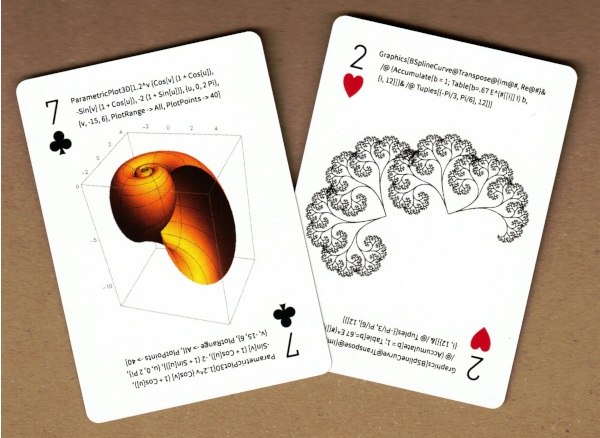
Always searching for fun things to do with the Wolfram Language, I set out to make a similar showcase, but in electronic form. Here’s what I came up with.
General Format
General Format
I dispensed with the suit and number identifiers of playing cards, but kept the rectangular shape and rounded corners. Each of my cards — which I came to call Facets because they are like individual sparkling facets in the Wolfram Language gem — would simply have a title at the top, a subtitle, a graphic, and some code. My goal was to make something where a viewer would look at the visual, wonder how it was made, and then copy the code to try it.
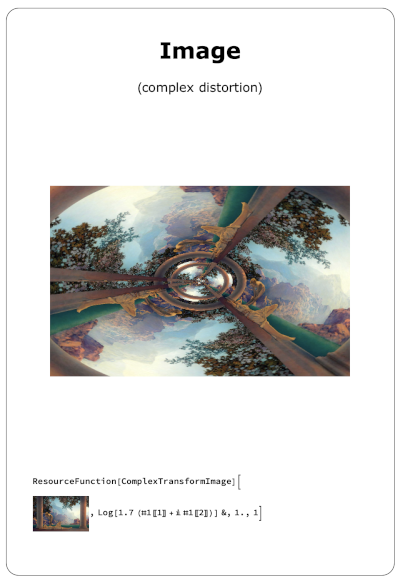
A card appears in a new notebook, followed by two more related cards, each for four seconds. These three cards repeat so the viewer can see them a second time. Then another randomly selected trio of related cards does the same thing. The display finishes after ten sets of cards.
Random Generation
Random Generation
I currently have seven categories of cards: mandalas, countries, air temperature, polyhedra, integers, images, and tilings. Of course this list can go on and on to all the many corners of the Wolfram Language... molecules, curves, bones, cellular atomata, stars, graphs, system models, circle packings, etc.
Within each category, I have different senarios for sets of three. In the Polyhedra category, for example, the scenarios include the 3D graphic of three different polyhedra; the same polyhedron shown whole, decimated, and in wireframe; and the same polyhedron shown with its insphere, midsphere, and circumsphere. The cards are shown one after the other in the same space, like an animation.
For me this next part is the key. The sets of three cards are randomly generated with as much variability as possible. It is not the same polyhedron every time, but one of the 142 in PolyhedronData. The sets draw from hundreds of countries, millions of mandalas, etc. Air temperatures come from current real-time data around the world. When other parameters like color can vary, they are also randomly chosen. This means that every run through the Facets stack presents new, never-seen-before cards.
Within each category, I have different senarios for sets of three. In the Polyhedra category, for example, the scenarios include the 3D graphic of three different polyhedra; the same polyhedron shown whole, decimated, and in wireframe; and the same polyhedron shown with its insphere, midsphere, and circumsphere. The cards are shown one after the other in the same space, like an animation.
For me this next part is the key. The sets of three cards are randomly generated with as much variability as possible. It is not the same polyhedron every time, but one of the 142 in PolyhedronData. The sets draw from hundreds of countries, millions of mandalas, etc. Air temperatures come from current real-time data around the world. When other parameters like color can vary, they are also randomly chosen. This means that every run through the Facets stack presents new, never-seen-before cards.
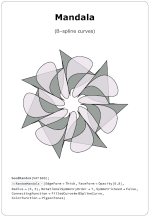
One time a trio of cards might look like this:
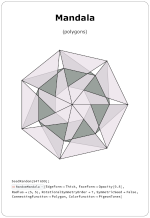
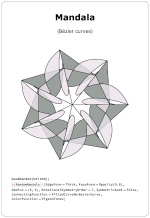
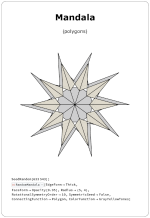
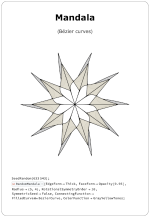
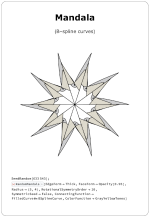
The next time the same trio might look like this:
Interactivity
Interactivity
Each card is only displayed for four seconds, so the viewer doesn’t have much time to interact with it. Sometimes interactivity still can add a little life to the graphic. For instance, in the Image category one scenario applies three different filters to the same image. I use ResourceFunction[“ImageSplitCompare”] so the viewer can quickly scrub left and right to see what each filter does.
A resource function adds a touch of interactive life to the graphics:
In[]:=
img=[img,ImageAdjust[DerivativeFilter[img,{1,0},0.25`]]]
;

Out[]=
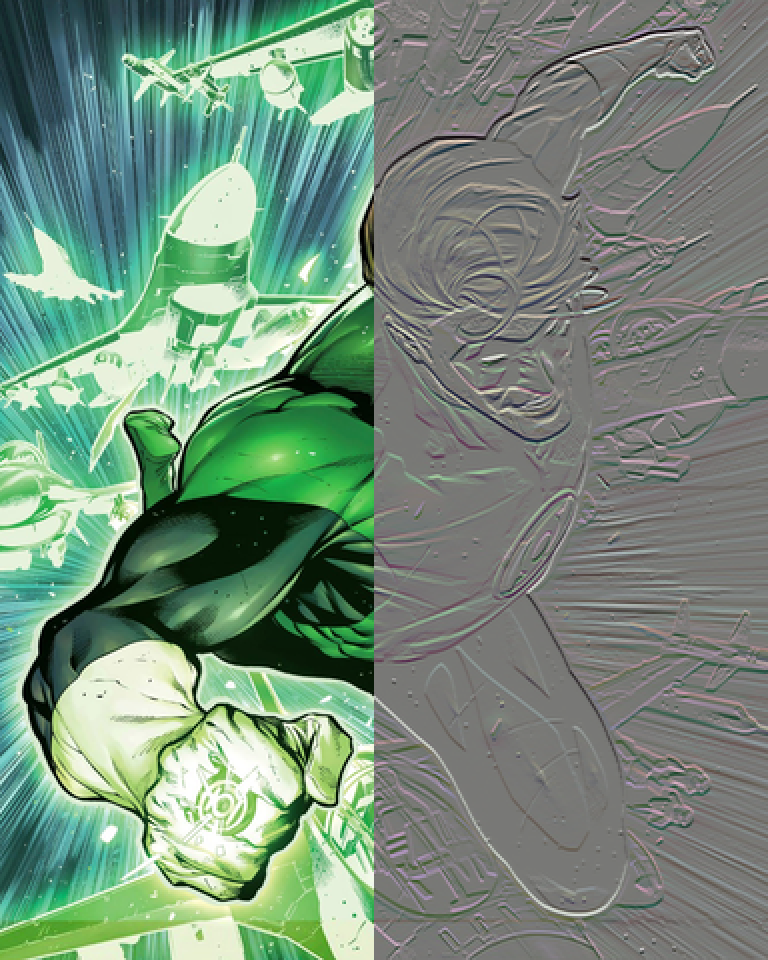
In the Polyhedra category, all 3D graphics rotate when the user grabs them. I imagine building in more interactivity in future Facets, perhaps with Manipulate.
The ClickToCopy function allows the user to grab code with just one click. After some experimenting, I found the best combination is to wrap the code first in DisableFormatting and then in Defer:
The ClickToCopy function allows the user to grab code with just one click. After some experimenting, I found the best combination is to wrap the code first in DisableFormatting and then in Defer:
In[]:=
ClickToCopy[Defer[DisableFormatting[Style[BaseForm[225,16],64]]]]
Out[]=
Lessons Learned
Lessons Learned
In hindsight, this is obvious. The graphics need to be visually interesting. Text, numbers, and basic line plots just don’t cut it. I have some of these in Facets at the moment, but will weed them out in time.
Another misstep was in the timing mechanism. At first I imagined a clock behind the scenes counting the four-second intervals and triggering the changing of the cards. That was a mistake. Some of the code takes time to evaluate or gather resources, so the timer would get out of sync with the card changes. Eventually I went with a much simpler plan: show — pause — show — pause.... (see the code below). The viewer doesn’t care whether a card stays visible for a few seconds longer while some code is trying to catch up.
Future Development
Future Development
At this point, Facets is only a minimal viable product or proof of concept. That it is fun to play with (at least for me) is usually a sign that it is worth developing further. The obvious direction to go is to make more category modules. I invite anyone interested to try making a category module and share what you have made here. You can model new category modules on the code below, but basically it needs to return four expressions:
1
.string title that applies to all three cards
2
.{card 1 subtitle, card 2 subtitle, card 3 subtitle}
3
.{card 1 graphic, card 2 graphic, card 3 graphic} (doesn’t have to be Graphics head)
4
.{card 1 code, card 2 code, card 3 code}
Another possibility for future development is to make it work in the cloud. I don’t develop for the cloud much, so after a weak attempt to make a cloud version of Facets, I decided it wasn’t worth the frustration. However, I believe that it could be done by someone more patient or more adept with cloud deployment... perhaps you?
The Code
The Code
There is really nothing tricky here — no fancy math, obscure data sources, or convoluted code. To make it work for you, you’ll have to put the files on your machine and then, in Facets_Main, change the file path in the line that begins goods = NotebookImport[...]. If you have questions, comments, improvements, feel free to post them here.
Facets_Main.nb
Facets_Main.nb
Facet0001.nb
Facet0001.nb
Facet0002.nb
Facet0002.nb
Facet0003.nb
Facet0003.nb
Facet0004.nb
Facet0004.nb
Facet.nb0005
Facet.nb0005
Facet0006.nb
Facet0006.nb
Facet0007.nb
Facet0007.nb
CITE THIS NOTEBOOK
CITE THIS NOTEBOOK
Facets: random Wolfram Language visuals
by Mark Greenberg
Wolfram Community, STAFF PICKS, April 1, 2024
https://community.wolfram.com/groups/-/m/t/3150430
by Mark Greenberg
Wolfram Community, STAFF PICKS, April 1, 2024
https://community.wolfram.com/groups/-/m/t/3150430