Neural Cellular Automata
Differentiable Model of Morphogenesis
( based on https://distill.pub/2020/growing-ca/ )
Differentiable Model of Morphogenesis
( based on https://distill.pub/2020/growing-ca/ )
Introduction
Introduction
I've been meaning to play around with the (relatively) new so-called Higher-Order Network Construction Neural Network functionality such as , , and I recently stumbled upon this excellent blog post about a differentiable model of morphogenesis using neural networks and cellular automata, and figured it's just the project to try these tools on.
Problem Statement
Problem Statement
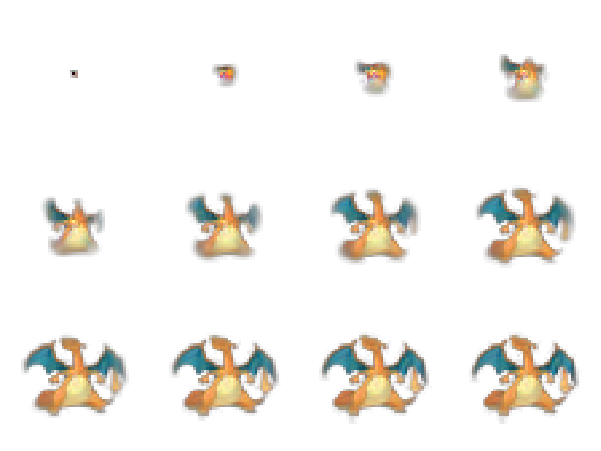
I recommend reading the blog post above, but essentially we're trying to teach a neural network to learn the update rules for a continuous state cellular automaton on a 3x3 Moore neighborhood in order to grow and reproduce a pattern. While the blog above uses emojis, we'll query the Wolfram Knowledgebase and use first-generation Pokemon characters instead.At the end, we'll end up with cellular automata models of the sort:
Target Images
Target Images
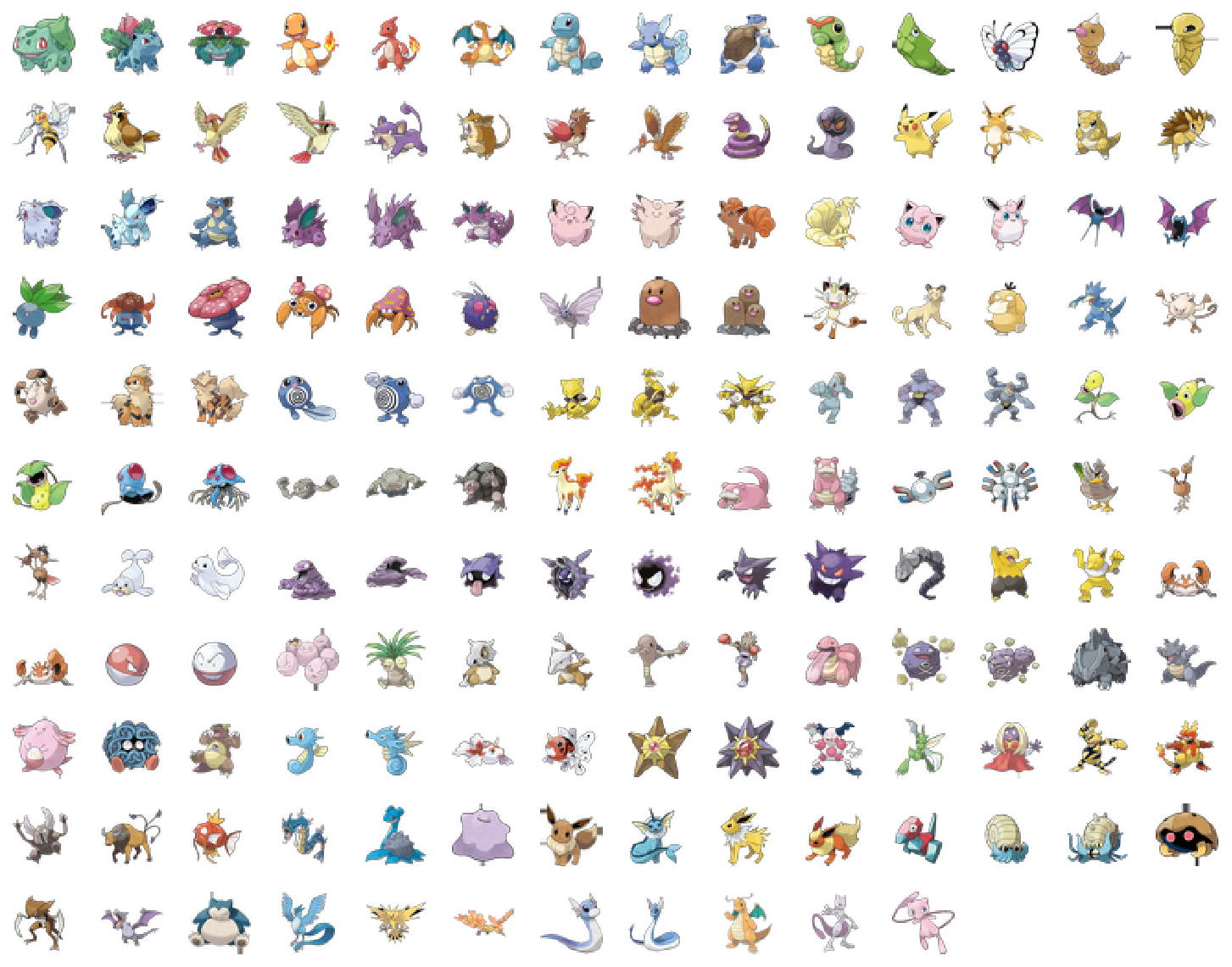
Like we said - we’ll use the Generation I pokemon as our target images.
We set some parameters, and query the Knowledgebase for standardized images:
We set some parameters, and query the Knowledgebase for standardized images:
In[]:=
numChannels=16;prepaddedWidth=prepaddedHeight=40;padding=8;width=height=prepaddedWidth+2padding;
In[]:=
standardize[img_Image]:=Block{width,height},ImagePadImageResizeImagePadimg,{width,height}=ImageDimensions[img];TableRoundRamp[height-width],2,TableRoundRamp[width-height],2,"Fixed",{prepaddedWidth,prepaddedHeight},padding
1
2
1
2
In[]:=
generationOnePokemonClass=FilteredEntityClass"Pokemon",EntityFunctionp,p["Generation"]==;EntityValuegenerationOnePokemonClass=ComplementedEntityClassgenerationOnePokemonClass,,,"EntityCount"generationOnePokemonNames=EntityList[generationOnePokemonClass];generationOnePokemonImgs=standardize/@EntityValue[generationOnePokemonClass,EntityProperty["Pokemon","Image"]];ImageCollage[generationOnePokemonImgs,BackgroundNone]
Out[]=
151
Out[]=
Cell State
Cell State
◼
We’ll represent each cell (or pixel) by 16 channels
◼
The first four are ‘visible’ and represent the RGBA values
◼
Layers 5-16 are ‘hidden’ layers and allow the neural net to learn our self-assembly or growth pattern
◼
The Opacity (α) channel further encodes our cell’s state
◼
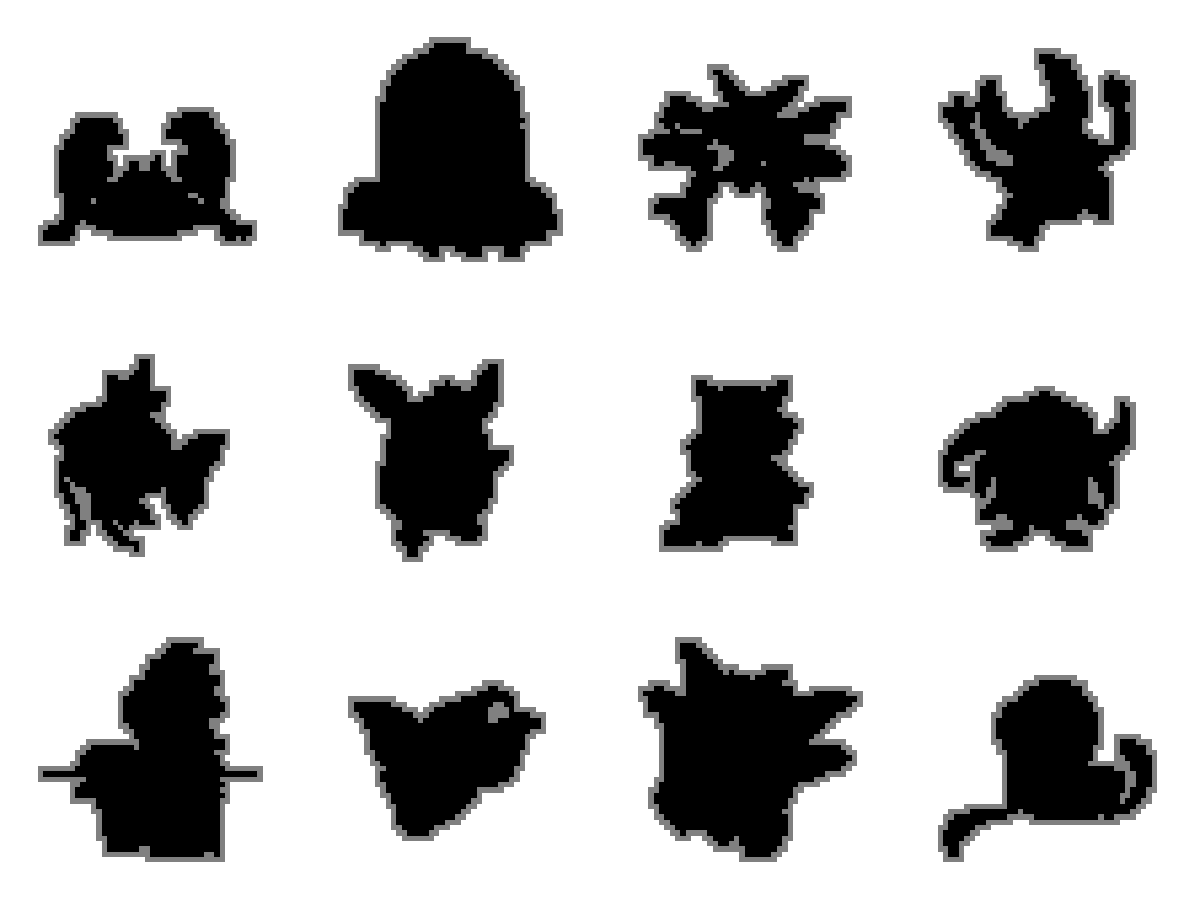
If α > 0.1, the cell is considered ‘mature’
◼
If α < 0.1, but at-least one of the cell’s 3x3 neighbors is ‘mature’, the cell is considered ‘growing’
◼
If none of the cell’s 3x3 neighbors are ‘mature’, the cell is considered ‘dead’
Note the pokemon images we have use the same scheme (i.e. use a transparent background or α channel for ‘whitespace’).
For visualization purposes (we’ll use a below to achieve the same effect), we can code this as:
For visualization purposes (we’ll use a below to achieve the same effect), we can code this as:
In[]:=
Moore[func__,lat_]:=MapThread[func,Map[RotateRight[lat,#]&,{{0,0},{1,0},{0,-1},{-1,0},{0,1},{1,-1},{-1,-1},{-1,1},{1,1}}],2];
In[]:=
cellStateVisualization[self_,east_,south_,west_,north_,southEast_,southWest_,northWest_,northEast_]:=Which[self>0.1,2,Or@@Thread[{east,south,west,north,southEast,southWest,northWest,northEast}>0.1],1,True,0]
In[]:=
ImageCollage[ArrayPlot[Moore[cellStateVisualization,Map[Last,ImageData[#],{2}]],FrameFalse]&/@RandomSample[generationOnePokemonImgs,12],BackgroundNone,ImageSize600]
Out[]=
Neural Network (Single Update Step)
Neural Network (Single Update Step)
We follow the prescription from the blog above quite closely.A single update step for our cellular automaton can be summarized graphically by:
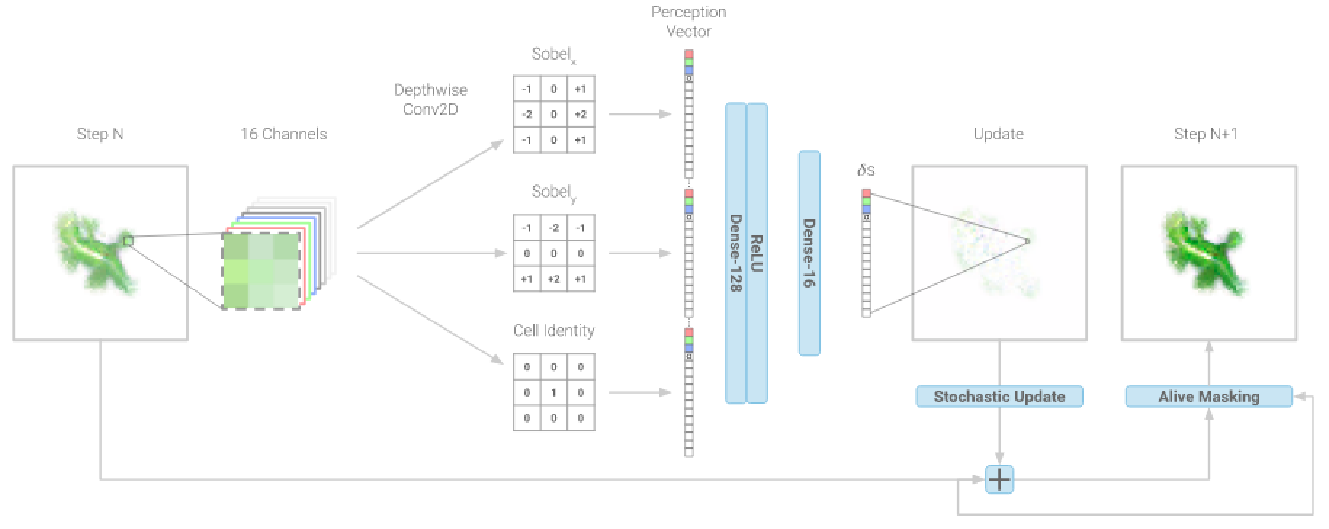
Which consists of the following steps:
◼
1. Perception
◼
We use three fixed kernels to allow the cell to perceive its ‘local’ environment
◼
In particular we use Sobel kernels to encode the gradient
◼
and concatenate them with the cell’s identity to give a 16*3 = 48 dimensional vector (for each cell)
◼
Note this part is fully-initialized (i.e. has no trainable parameters)
◼
Also note that we use Interleaving for convenience (and keep the channels as the last tensor dimension)
◼
2. Update Rule
◼
For each cell, we then apply a dense feed-forward network to go from this perception vector back to a state vector
◼
In particular we use a 128 Dense layer, followed by a ReLU activation layer, and a final 16 Dense layer
◼
Note we’ve initialized the weights of the last dense layer to 0. This is to ensure ‘do-nothing’ initial behavior and keep the gradients low.
◼
Also note this is the only layer with trainable parameters
◼
3. Dropout layer (per cell)
◼
Next, we apply a per cell Dropout layer to simulate the lack of a global clock in self-organizing systems (see blog post for more details)
◼
4. Living cell mask
◼
And finally, we apply a pre-update and post-update living cell mask
◼
where we’ve defined ‘living’ as either ‘mature’ or ‘growing’
Putting it all together, we have our single update cell net:
Nested Network
Nested Network
◼
Note that after we iterate n times, we drop the hidden layers (to allow direct loss comparison with the visible channels of the target image)
Training
Training
We could now train this starting from a single seed against a single target Image:
Parallel Nesting
Parallel Nesting
However, while this will likely learn the target image well - the fixed number of iterations will mean it’ll have very little predictive power beyond the 64 number of iterations. I.e. the growth pattern will not be stable.
The authors of the blog post deal with this in two ways:
The authors of the blog post deal with this in two ways:
◼
Using a Pool/Batch technique in their second ‘persistent’ experiment
◼
Nesting for a random number of iterations between 64 and 96 iterations
◼
This should at-least ensure the system is stable for a limited number of iterations
We’ll nest three nets in parallel for 50, 64, and 78 iterations each and assign the maximum deviation as the current loss function.
◼
This should at-least ensure the system is stable for a limited number of iterations
We must ensure our parallel nested nets will share trainable parameters:
We ensure we only have the one set of trainable parameters (which only amount to ~8k)
We train a net for each target image (~1hr per net on my GPU) and obtain:
As we can see - while some growth patterns are stable (like Charizard, Venusaur, and Arbok), others like Rattata, Caterpie, and Spearow are not
Folded Network
Folded Network
I gave this a go, the growth patterns showed good stability b/w the ‘seen’ training set (i.e. 64-96 iterations), but were unstable afterwards.
Any advice on how to proceed would be greatly appreciated!
Any advice on how to proceed would be greatly appreciated!