Since its introduction in 2014, GeoGraphics in the Wolfram Language has supported the NightHemisphere “primitive” that is time dependent and shows where it is night on the Earth.
In[]:=
GeoGraphics[{NightHemisphere[DateObject[{2026,6,30,12}]]}]
Out[]=
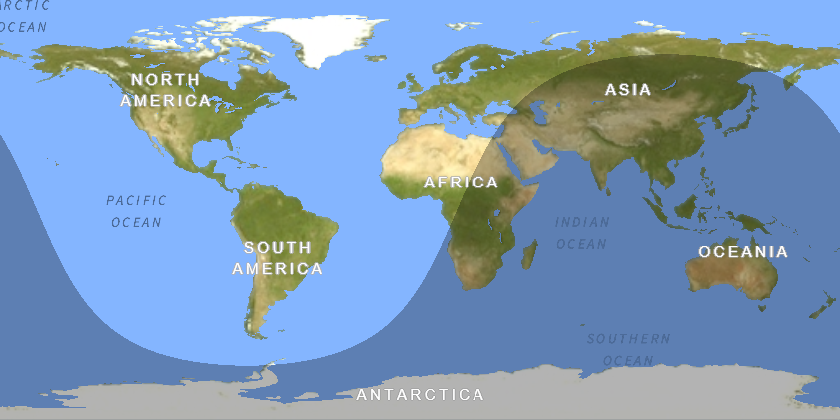
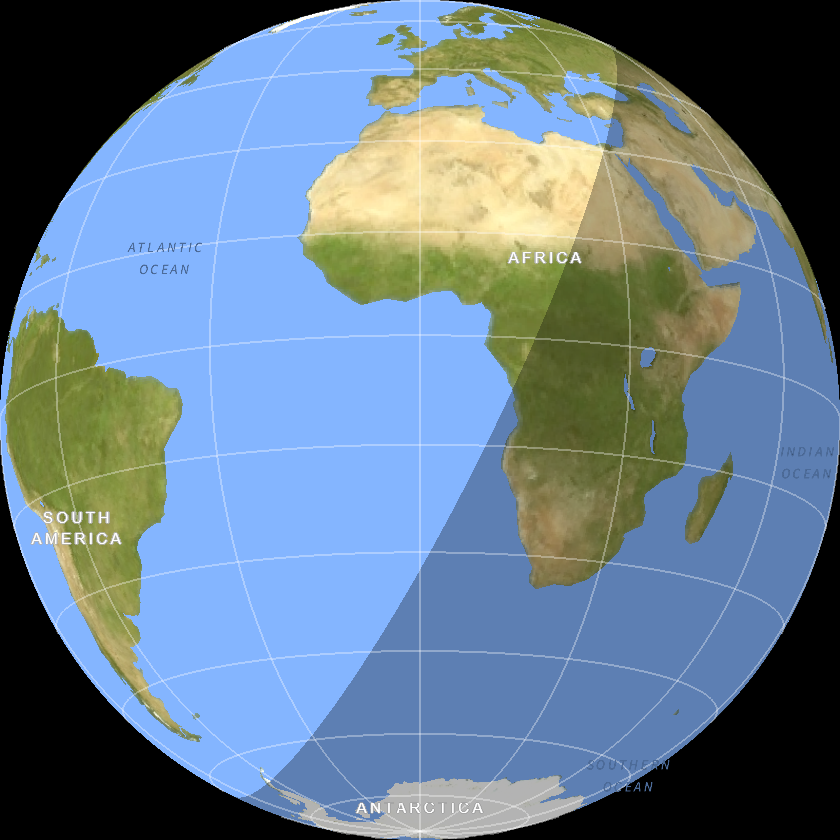
Switching to the orthographic projection and adding a black background, we can simulate the Earth as seen from space. By default, the “night side” isn’t as dark as it would be in reality, but it illustrates the point without obscuring the underlying map data underneath it.
In[]:=
GeoGraphics[{NightHemisphere[DateObject[{2026,6,30,12}]]},GeoProjection->"Orthographic",Background->Black,GeoGridLines->Automatic]
Out[]=
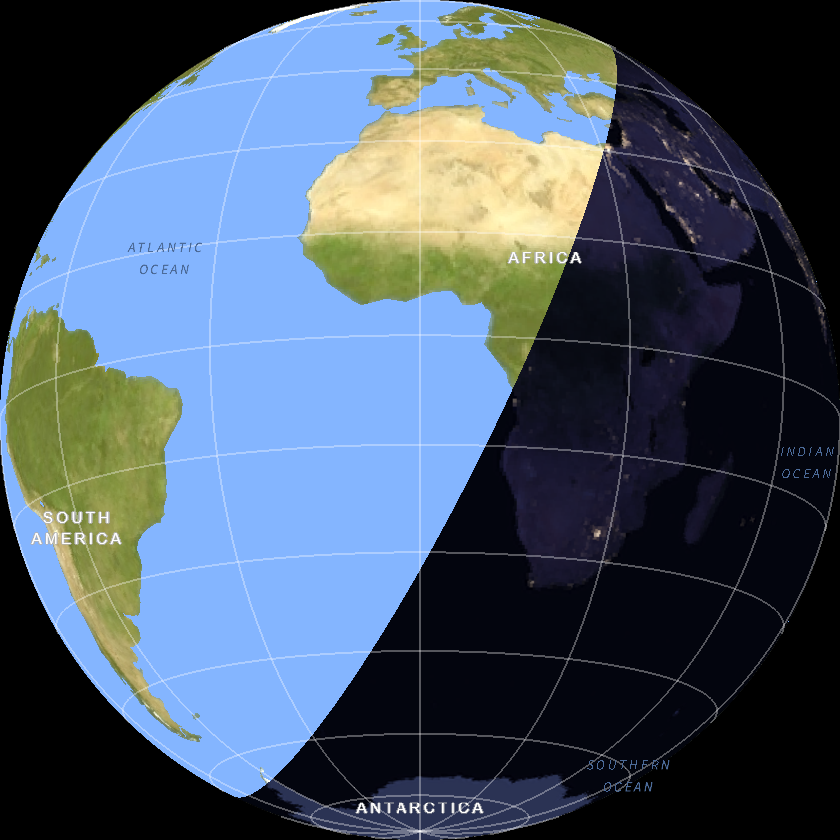
We can even texture the night hemisphere using the “SatelliteNight” background which shows areas illuminated by man-made lights at night which makes this a bit more realistic compared to the above.
In[]:=
GeoGraphics[{GeoStyling["SatelliteNight"],NightHemisphere[DateObject[{2026,6,30,12}]]},GeoProjection->"Orthographic",Background->Black,GeoGridLines->Automatic]
Out[]=
Moon
Moon
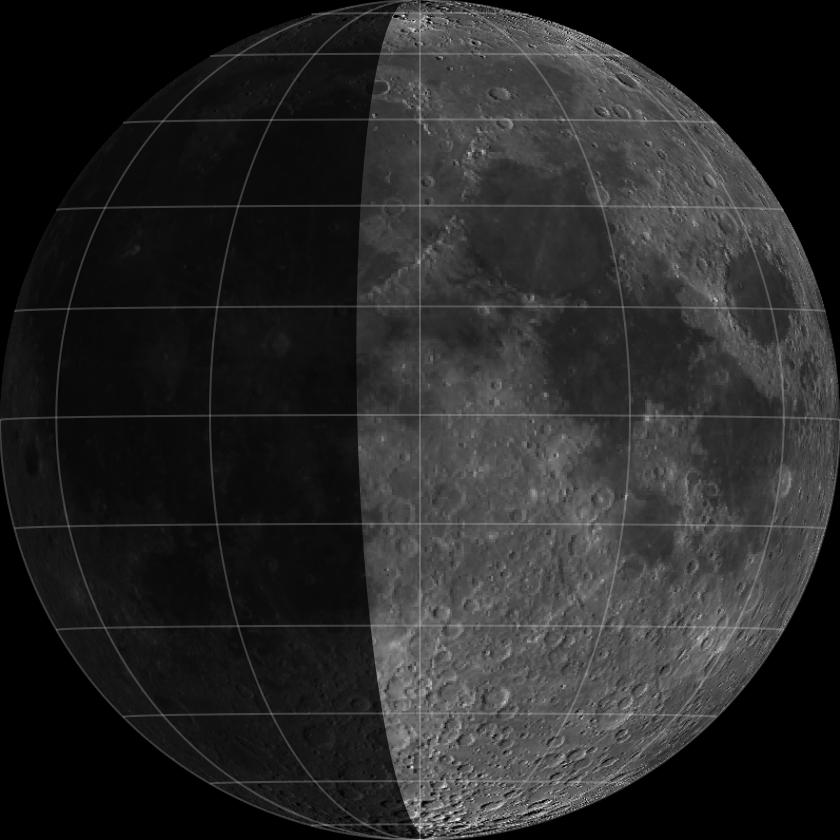
In version 15.0, NightHemisphere has been extended to bodies other than Earth, like the Moon. In this example, I specified a higher opacity to make the dark side darker than it would otherwise be by default.
In[]:=
GeoGraphics{GeoStyling[Opacity[.75],Black],NightHemisphere[Today]},GeoModel->,GeoProjection->"Orthographic",Background->Black,GeoGridLines->Automatic
Out[]=
The NightHemisphere primitive is date-dependent, so evaluating this input using Tomorrow should show a difference from the previous input.
In[]:=
GeoGraphics{GeoStyling[Opacity[.75],Black],NightHemisphere[Tomorrow]},GeoModel->,GeoProjection->"Orthographic",Background->Black,GeoGridLines->Automatic
Out[]=
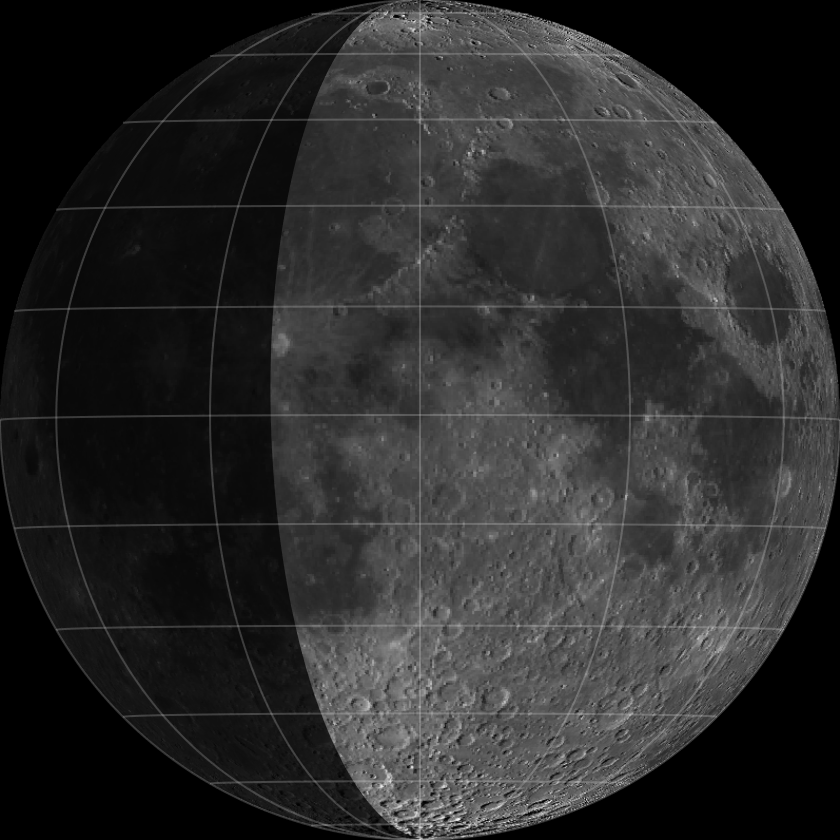
The default GeoCenter for non-Earth astronomical bodies is latitude 0°, longitude 0°. But, we can create a more precise representation of the view of the Moon from Earth by specifying that the center of the view should be on the lunar location where Earth is directly overhead at the specified instant in time, using AstroSubpoint.
In[]:=
With{date=Now+Quantity[3,"Days"]},GeoGraphics{GeoStyling[Opacity[.75],Black],NightHemisphere[date]},GeoModel->,GeoProjection->"Orthographic",GeoCenter->AstroSubpoint,,date,Background->Black,GeoGridLines->Automatic
Out[]=
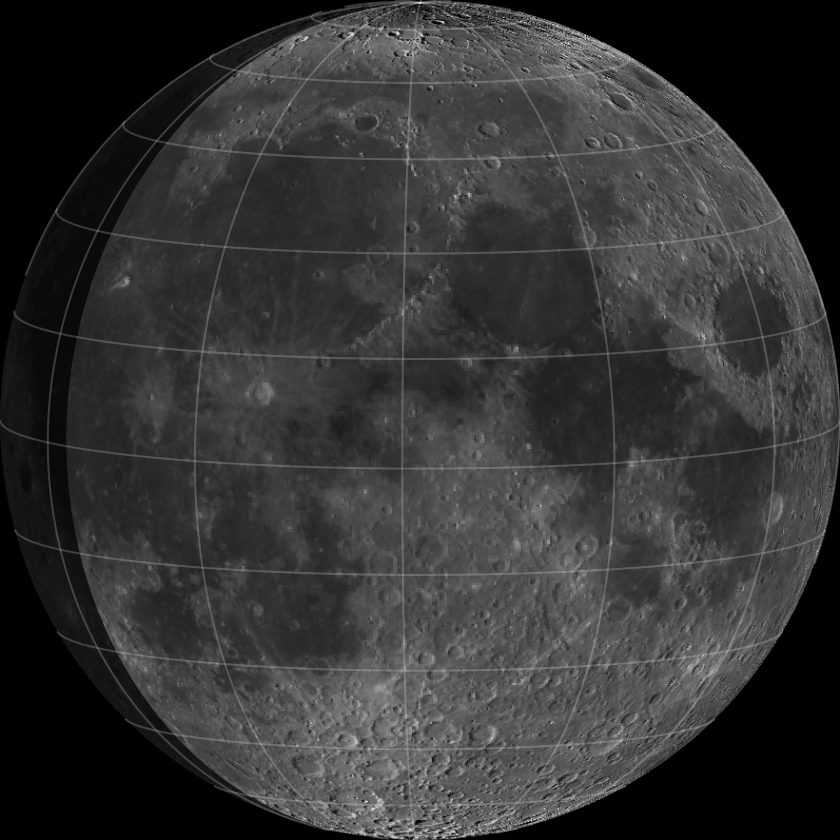
Combining all of these concepts together, we can observe how astronomical bodies go through phases as seen from Earth (or any other location in the solar system). To make a more precise determination of how long it takes for a given body to go through a full phase as seen from Earth, some utility function are used.
In[]:=
phaseRangeplanet:,date_:=FindAstroEvent[{"InferiorConjunction",planet},date]-FindAstroEvent[{"InferiorConjunction",planet},date,TimeDirection->-1]
In[]:=
phaseRange,date_:=FindAstroEvent"Opposition",,date-FindAstroEvent"Opposition",,date,TimeDirection->-1
With these utility functions defined, its easy to simulate a given object going through a full phase cycle. Here we start the simulation at the current time and go through one full cycle of the Moon. We allow the NightHemisphere to be partially transparent to simulate a bit of Earth-shine that illuminates the “dark side of the Moon”. In addition, the PlotRange is hard coded to a fixed value that allows you to see the apparent size change of the Moon as seen from Earth due to its elliptical orbit. As a result, the Moon appears to change phases, grow and shrink in apparent size and “wobble” as it orbits the Earth.
Mercury
Mercury
As we said, in version 15.0 the new functionality of NightHemisphere isn’t just limited to the Moon and Earth, but applies to other planets as well. Here, we can do the same exploration of Mercury (which looks similar to the Moon).
The distance between Earth and Mercury changes far more than the distance to the Moon so the apparent size of Mercury changes much more over the course of one cycle.
Venus
Venus
Venus provides an interesting example. By default, GeoGraphics shows you the surface of the body along with satellite images of the features. So, for Venus with NightHemisphere, we get a view like the following:
But, from Earth we can’t see the surface of Venus due to a complete cloud cover making Venus look a brilliant white color. To simulate this, not only can we make use of NightHemisphere, but also, we can obscure the day side using a solid white color using DayHemisphere.
Because the distance to Venus from Earth varies tremendously from being on the far side of the Sun to being the nearest planet to Earth, its apparent size changes accordingly. Venus goes from a nearly “new” phase or tiny crescent (nearly large enough to see with the naked eye) when near the Earth to a small nearly “full” phase when on the opposite side of the Sun from Earth.
Its interesting to note that Venus rotates backwards which can be seen in the above view. But, as noted above, the daytime side of Venus is obscured by clouds so we can’t see this from Earth so the actual appearance would be more like the following.
Mars
Mars
Objects that orbit Earth or that have solar orbits interior to Earth’s orbit show the most extreme phase changes as shown above. As you move into the outer solar system, we mainly see only the sunlit side of those objects. The further away from Earth you move outward, the less of the night hemisphere you see. But Mars is close enough to the Earth’s orbit that it does allow us to see around the side of Mars a bit to see Mars show a “gibbous” phase some times.
Similar to Venus, Mars goes through extremes when viewed from Earth. Going from a small disk when far from the Earth to a large disk when close. Unlike Venus, the phase changes are minimal through its cycle due to its orbit being beyond Earth’s orbit. We almost always see the sunlit side of Mars since we are looking outward from the Sun. But, Mars is close enough to Earth that we can see around the edge just a bit to see part of the night side. In addition, because of its larger orbit, Mars rotates on its axis many more times per phase cycle than Mercury, Venus, or the Moon.
You can continue these explorations with the additional outer planets, but it becomes an exercise with diminishing returns. Because these planets are so far beyond the Earth’s orbit, they show almost no phase change as seen from Earth. But, you can choose observation locations other than Earth to get a different vantage point. For example, the following shows Jupiter’s volcanic moon Io as seen from its icy moon, Europa. I manually computed the “phase cycle” of Io as seen from Europa to be about 3.55 days.
CITE THIS NOTEBOOK
CITE THIS NOTEBOOK
Phases of Solar System objects using GeoGraphics: new features in V15
by Jeffrey Bryant
Wolfram Community, STAFF PICKS, June 24, 2026
https://community.wolfram.com/groups/-/m/t/3739001
by Jeffrey Bryant
Wolfram Community, STAFF PICKS, June 24, 2026
https://community.wolfram.com/groups/-/m/t/3739001