CITE THIS NOTEBOOK: Video feedback synthesis by Phileas Dazeley-Gaist. Wolfram Community JAN 26 2023.
In this brief computational essay, I construct a video feedback synthesis function based on a diagram provided by José María Castelo in his project at https://github.com/jmcastelo/MorphogenCV.
Introduction
Introduction
What is video feedback?
What is video feedback?
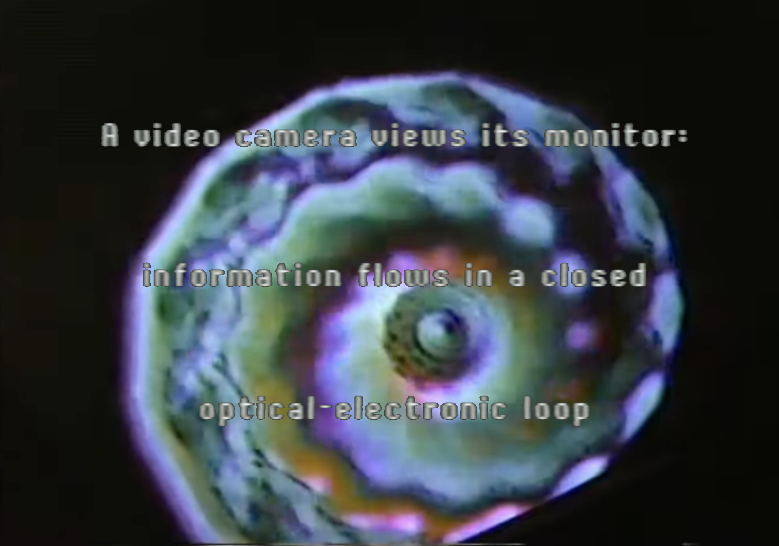
Video feedback is a unique visual phenomenon that occurs when a video camera is pointed at a monitor displaying the camera’s own output. This creates a feedback loop, resulting in a pattern of video distortion and abstraction. Initially often considered a nuisance, video feedback was quickly adopted by video artists such as Nam June Paik, starting in the 1960s, or the Bush video group, starting in the 1970s.
From Chris Meigh-Andrews' A History of Video Art (2013): "Bush Video produced hundreds of hours of recordings which explored and investigated the abstract potentials of vision-mixing and electronic image college using a complex blend of video feedback, image synthesis and live and recorded video sources.”.
The dynamics of video feedback systems were explored in one of my favourite papers: James P. Crutchfield's 1984 ‘Space-Time Dynamics in Video Feedback’ https://doi.org/10.1016/0167-2789(84)90264-1, accompanied by this excellent video.
My experience playing with video feedback
My experience playing with video feedback
I've experimented with video feedback at various points in my life. As a teenager, I enjoyed making visual effects and discovered video feedback making home movies with my friends.
In my first year of college, I recorded some video feedback with some friends for an art project using my DSLR connected to a projector, facing the projection. We used mirrors to force elements of the feedback in certain directions and prisms to roughly control the colour dynamics.
In my second year, using my laptop webcam, a flat-screen TV and Python OpenCV, I recorded another video exploring video feedback dynamics for a college introductory course on Chaos and Fractals, and reflecting on the beauty and poetry of the process' morphing patterns.
In my third year, I produced a new media art exhibit which incorporated a blend of video feedback and time-warping to deform, stretch and fold the subjects of prerecorded videos (my exhibit also had a soundscape element which incorporates similar practices.
Video feedback synthesis and MorphogenCV
Video feedback synthesis and MorphogenCV
MorphogenCV is a tool designed by José María Castelo. The project's readme on Github describes as: "An interactive tool to simulate video feedback. … A feedback loop is established. Out of this arrangement intriguing shapes and patterns of light emerge that evolve in time and space. … The use of MorphogenCV is to generate these patterns or forms, which may seem to be endowed with life."
A little esoteric, but the feeling of aliveness from some of the feedback patterns you can get is really striking, and I'm partial to the wonder that this characterisation evokes for me.
The readme also includes a very helpful diagram, which I will use to accomplish the goal of this short essay: to simulate video feedback in Mathematica.
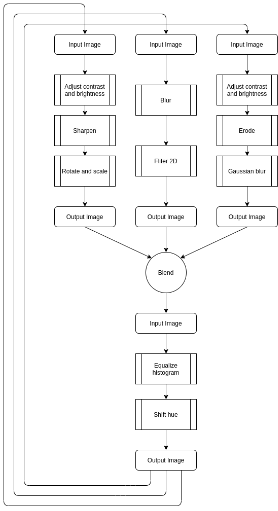
Mission: By following the above diagram, I will build a simple WL function that can simulate video feedback and produce interesting video feedback patterns. Let’s begin.
Building a video feedback synthesis function
Building a video feedback synthesis function
Understanding the process
Understanding the process
We can divide the process into the following steps:
In[]:=
input=
;
Image preparation:
In[]:=
prepareImage[image_,hueshift_:0]:=Module[{img=image,channels},img=HistogramTransform[img];img=ColorConvert[img,"HSB"];channels=ColorSeparate[img,"HSB"];img=ColorConvert[ColorCombine[Join[{channels〚1〛+hueshift},channels〚2;;All〛],"HSB"],"RGB"]](*Preparethesampleimage*)prepared=prepareImage[input]
Out[]=
We apply the following three different processes to three copies of the image, separately:
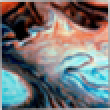
The first process:
In[]:=
processOne[image_,scale_:1,θ_:0,brightness_:0,contrast_:0,sharpening_:0]:=Module[{img=image},img=ImageAdjust[img];img=ImageAdjust[img,{contrast,brightness}];img=Sharpen[img,sharpening];img=ImageRotate[img,θ,Background->Transparent,MaskingFull,PaddingTransparent];img=ImageResize[img,ImageDimensions[img]〚1〛scale]](*Applythefirstprocesstothepreparedimage*)preparedP1=processOne[prepared,.9,.01,-.1,.1,1]
Out[]=
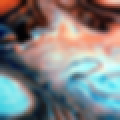
The second process:
In[]:=
processTwo[image_,blur_:0,radius_:0]:=Module[{img=image},img=Blur[img,blur];img=MeanFilter[img,radius]](*Applythesecondprocesstothepreparedimage*)preparedP2=processTwo[prepared,1,1]
Out[]=
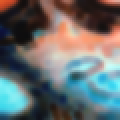
The third process:
In[]:=
processThree[image_,contrast_:0,brightness_:0,erosion_:0,radius_:0]:=Module[{img},img=ImageAdjust[image];img=ImageAdjust[img,{contrast,brightness}];img=Erosion[img,erosion];img=GaussianFilter[img,radius]](*Applythethirdprocesstothepreparedimage*)preparedP3=processThree[prepared,-.1,.1,.5,2]
Out[]=
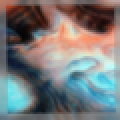
5. Blend images together:
In[]:=
canvas=Max[{ImageDimensions[preparedP1][[#]],ImageDimensions[preparedP2][[#]],ImageDimensions[preparedP3][[#]]}]&/@Range[2]//Image[ConstantArray[0,#]]&//SetAlphaChannel[#,#]&;blend=Blend[{ImageCompose[canvas,{preparedP1,1}],ImageCompose[canvas,{preparedP2,1}],ImageCompose[canvas,{preparedP3,1}]}]
Out[]=
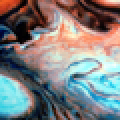
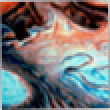
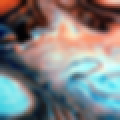
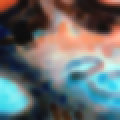
Here is a visualisation of the steps of one iteration of the process:
In[]:=
{preparedP1,preparedP2,preparedP3};ToExpression[StringReplace[ToString[HoldForm[{prepared,%,blend}]],{","->" ->"}]]
Out[]=
,
,
Now, all that is left to do is tie it all together as a function which will carry out the process:
In[]:=
applyFeedback[image_,hueshift_:0,scale_:1,θ_:0,brightness_:0,contrast_:0,sharpening_:0,blur_:0,radius_:0,erosion_:0]:=Module[{img,p1,p2,p3,canvas},img=prepareImage[image,hueshift];p1=processOne[img,scale,θ,brightness,contrast,sharpening];p2=processTwo[img,blur,radius];p3=processThree[img,contrast,brightness,erosion,radius];(*Properlyscaleimagesbeforeblending*)canvas=Max[{ImageDimensions[p1][[#]],ImageDimensions[p2][[#]],ImageDimensions[p3][[#]]}]&/@Range[2]//Image[ConstantArray[0,#]]&//SetAlphaChannel[#,#]&;img=Blend[{ImageCompose[canvas,{p1,1}],ImageCompose[canvas,{p2,1}],ImageCompose[canvas,{p3,1}]}];img=ImageResize[img,ImageDimensions[image][[1]]]]Graphics[applyFeedback[input],ImageSize->Tiny]
Video feedback synthesis function
Video feedback synthesis function
Here is a demonstration of the final function:
Lets see the result after many iterations:
Some closing notes
Some closing notes
You'll note if you try running this code at home that it is really quite slow. I wrote the code the way I did so that it would be easy to read, but should you like to use WL for live visuals or something requiring a higher refresh rate, I would recommend you mostly start over.
For one, the use of Nest, in combination with image manipulation commands is very costly, and I'm sure you can think of many ways to improve it! Here's one obvious change you could make: The function should not have to hold all previous steps in memory throughout the computation. Replacing the Nest or NestList functions with Do statements or other constructs in in a way that eliminates this behaviour will likely make the code run already a lot faster.
For myself, I think I am done with this project for now, but I am fairly certain I will return to it one day.
I hope very much that you enjoyed this short read! If you are still here, thank you very much for your time and interest! This was my first blog post on Wolfram Community, and hopefully, there will be plenty more to come!
I will close this essay with a small selection of image outputs of the video feedback function:
For myself, I think I am done with this project for now, but I am fairly certain I will return to it one day.
I hope very much that you enjoyed this short read! If you are still here, thank you very much for your time and interest! This was my first blog post on Wolfram Community, and hopefully, there will be plenty more to come!
I will close this essay with a small selection of image outputs of the video feedback function: