Topological Data Analysis is a suite of data analytics that attempt to summarize data based on its underlying topology. The foremost of these methods in use is Persistent Homology, which applies algebraic machinery to identify “holes” in the data. This project implemented a rudimentary version of Persistent Homology in the Wolfram Language via the function PersistentHomology[].
Introduction via Example
Introduction via Example
To start, let’s acquire some simple data that has an obvious hole (We custom made the hole here, feel free to download this and try it out yourself).
introdata={};ClickPaneFramed@DynamicListPlot[introdata,PlotRange{{-1,1},{-1,1}},PlotLabelLength[introdata]],,AppendTo[introdata,#]&
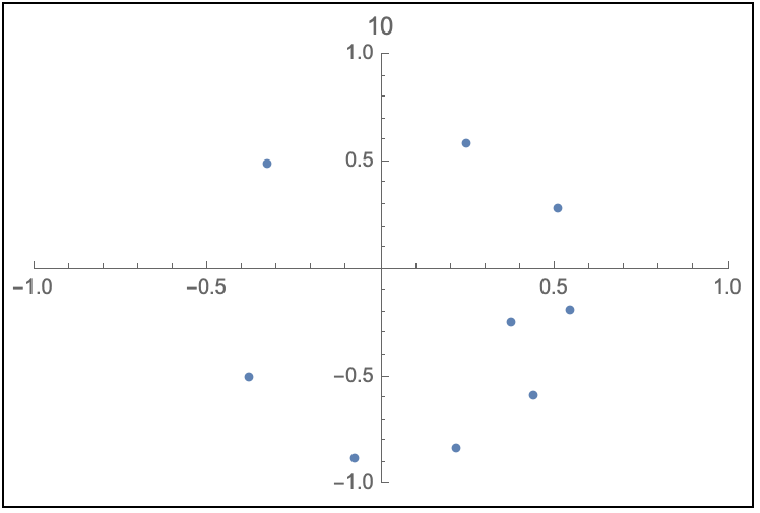
In[]:=
introdata
Out[]=
{{-0.325932,0.492775},{0.248515,0.586103},{0.37219,-0.241173},{-0.378975,-0.495691},{-0.0775311,-0.880462},{0.218887,-0.832153},{0.440218,-0.589167},{0.544773,-0.185915},{0.509137,0.290077},{0.423109,1.0513},{-0.400151,0.314546},{-0.400151,-0.091515}}
Next, let’s apply the new function to our data
In[]:=
pho=PersistentHomology[introdata]
Out[]=
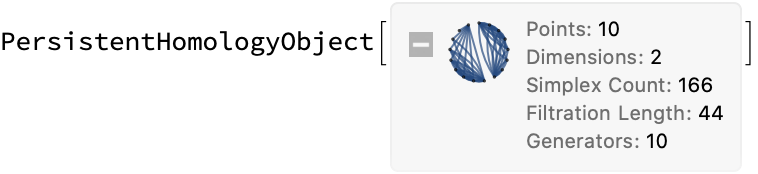
PersistentHomology[] returns, well..., a PersistentHomlogyObject[], which we’ve chosen to save as pho. We can see in the summary box, some features of the analysis already. One of the most important features we can query from the object is its Barcode
In[]:=
pho["Barcode"]
Out[]=
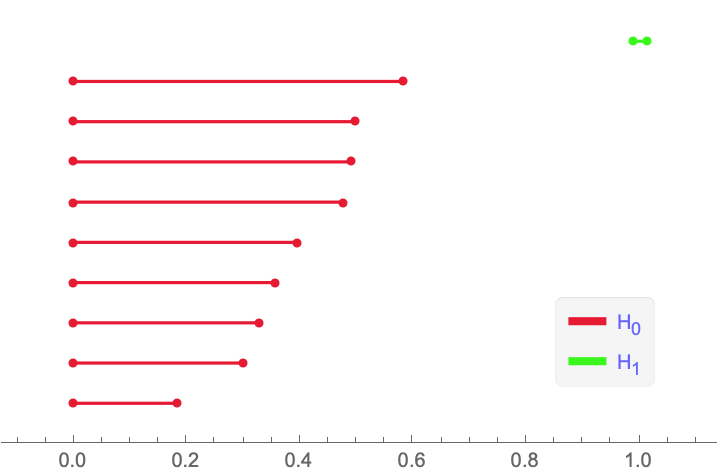
The main thing to take away from this Barcode is the green bar, which says that there’s a “hole”, in particular our “hole” here is a 2-dimensional region with a 1-dimensional boundary (this is partially what the is referring to) . We can visualize this boundary (what we’ll later call a generator) by further querying the object
H
1
In[]:=
pho["GeneratorMeshes"][[10]]
Out[]=
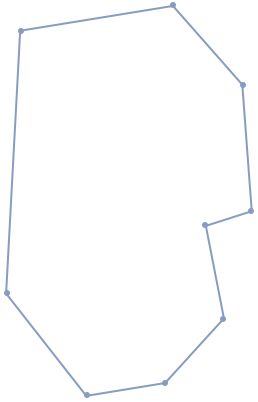
This MeshRegion[] is our representative for the hole in our data. We can do more by further querying pho, but for now let’s see what PersistentHomology[] actually does.
Note: the index “10” in the line above came from mousing over the green bar in the barcode.
Note: the index “10” in the line above came from mousing over the green bar in the barcode.
PersistentHomology[] constructs a sequence of meshes (known as a filtration) around the data and analyzes these to find the holes. The meshes are formed by growing balls of increasing radii around the data points and placing edges, triangles, etc when they overlap pairwise. The filtration for our data is below
In[]:=
Row[Table[pho["FiltrationMeshByIndex",n],{n,1,12}]]
Out[]=

Homology is an algebraic tool that for our purposes constructs groups (S)that describes the holes lying in the simplicial complex (MeshRegion) S. The generators for these groups are essentially the holes in the data. describes 0-dimensional “holes” in the sense that it is generated by the connected components of S, describes 1-dimensional holes in the sense that it is generated by loops of S, and so on. Representatives for these generators can be queried from pho
H
n
H
0
H
1
In[]:=
Row[pho["GeneratorMeshes"]]
Out[]=

Notice that the first nine of these are just points (0-dimensional) while the last one is the loop (1-dimensional) that we called earlier. Also notice, that these are in a 1-1 correspondence with the bars in the barcode. In fact, the barcode provides even more information about these generators
In[]:=
pho["Barcode"]
Out[]=
The axis indicates the radii of the balls grown around our data points and the bars themselves indicate when a generator is formed from this process (its birth) and when it gets filled in and vanishes (its death). Naturally, the red generators are all formed at the same time and individually vanish as points get connected in the filtration.
Note: The length of these bars describes the “persistence” of our generators and as a rule of thumb, the longer the bar, the more significant the corresponding generator.
H
0
Note: The length of these bars describes the “persistence” of our generators and as a rule of thumb, the longer the bar, the more significant the corresponding generator.
The full set of features you can query from pho is found by calling “Properties”
In[]:=
pho["Properties"]
Out[]=
{Barcode,Dimension,Filtration,FiltrationMeshByIndex,FiltrationMeshByRadius,FiltrationRadii,{FiltrationByIndex,n},{FiltrationByRadius,r},GeneratorHighlightMeshes,GeneratorMeshes,Generators,IntervalIndices,Intervals,MaximumDistance,Points,Properties,PropertyDescriptions,SimplexMeshes,SimplexWeights,Simplices}
In particular, you can call “PropertyDescriptions” to see what all of these can do.
Example - More 2D Drawings
Example - More 2D Drawings
We can use ClickPane from before to play around with PersistentHomology[] and see if it can detect everything we can draw
The ∞-Loop (Lemniscate)
The ∞-Loop (Lemniscate)
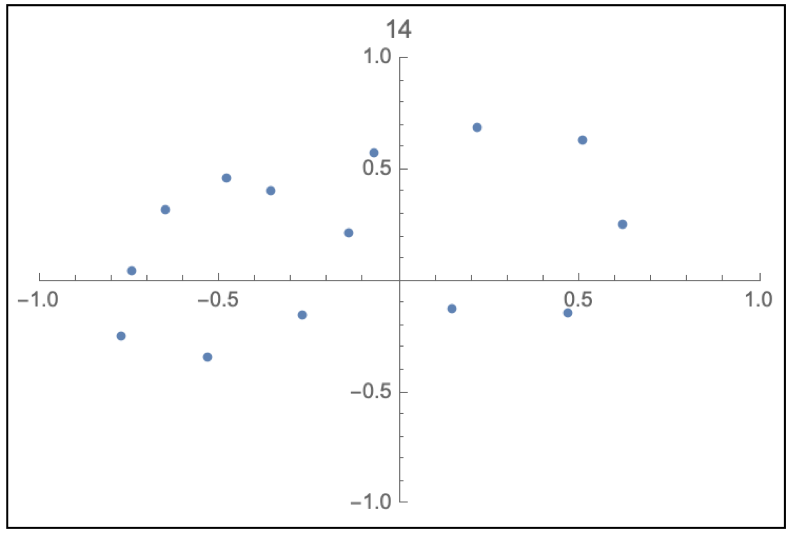
data2d1={};ClickPaneFramed@DynamicListPlot[data2d1,PlotRange{{-1,1},{-1,1}},PlotLabelLength[data2d1]],,AppendTo[data2d1,#]&
In[]:=
data2d1
Out[]=
{{-0.482319,0.463723},{-0.358096,0.410129},{-0.140351,0.218889},{0.147044,-0.124115},{0.470555,-0.135943},{0.621642,0.252931},{0.506191,0.635706},{0.217402,0.690446},{-0.0729395,0.578563},{-0.268869,-0.146847},{-0.530154,-0.34108},{-0.77241,-0.243354},{-0.740177,0.0460933},{-0.648963,0.325671}}
In[]:=
pho1=PersistentHomology[data2d1]pho1["Barcode"]
Out[]=
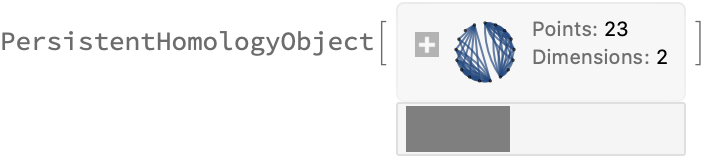
We found both the holes as indicated by the green Generators 18 and 19!
Borromean Rings (Sort of)
Borromean Rings (Sort of)
Several holes were identified from the data, but Generator 20 appears to be the most significant. Let’s highlight the points in the data that form it
Example - Noisy Sphere
Example - Noisy Sphere
We can apply PersistentHomology[] to any type of point cloud data. In particular, 3D data. Let’s sample some data from a sphere and apply PersistentHomology[]
One of the key features of Persistent Homology as a tool is that it is robust against noise. If we introduce noise to our sphere data, we should expect qualitatively the same barcode
Example - 4D data
Example - 4D data
4D and higher data has the setback that there is no way to visualize it quite as well as MeshRegion can visualize 3D and lower data, however, we can nonetheless apply PersistentHomology[] to 4D data.
Let’s first recall the data we first used and what PersistentHomology[] returned
Let’s go even further and rotate the data, so the embedding isn’t utterly trivial (with just zeros at the end)
Keywords
Keywords
◼
Persistent Homology
◼
Algebraic Topology
◼
Topological Data Analysis
◼
Algebra
◼
Topology
◼
Mathematics
Acknowledgment
Acknowledgment
Mentor: Christopher Wolfram
Thanks to Christopher and Stephen Wolfram for help on the project and for helping select Persistent Homology as the final project. It was a blast!
References
References
◼
Zomorodian, Afra. “Fast construction of the Vietoris-Rips complex.” Computers & Graphics 34.3 (2010): 263-271.
◼
Otter, Nina, et al. “A roadmap for the computation of persistent homology.” EPJ Data Science 6.1 (2017): 17.
◼
Ghrist, Robert. “Barcodes: the persistent topology of data.” Bulletin of the American Mathematical Society 45.1 (2008): 61-75.
◼
Zomorodian, Afra, and Gunnar Carlsson. “Computing persistent homology.” Discrete & Computational Geometry 33.2 (2005): 249-274.