A quick functional programming way to visualize an interesting geometry problem discussed on Michael Penn’s channel. Click the link to view the derivation and numeric computation on YouTube.
Nest LucasCircle in WFR
Nest LucasCircle in WFR
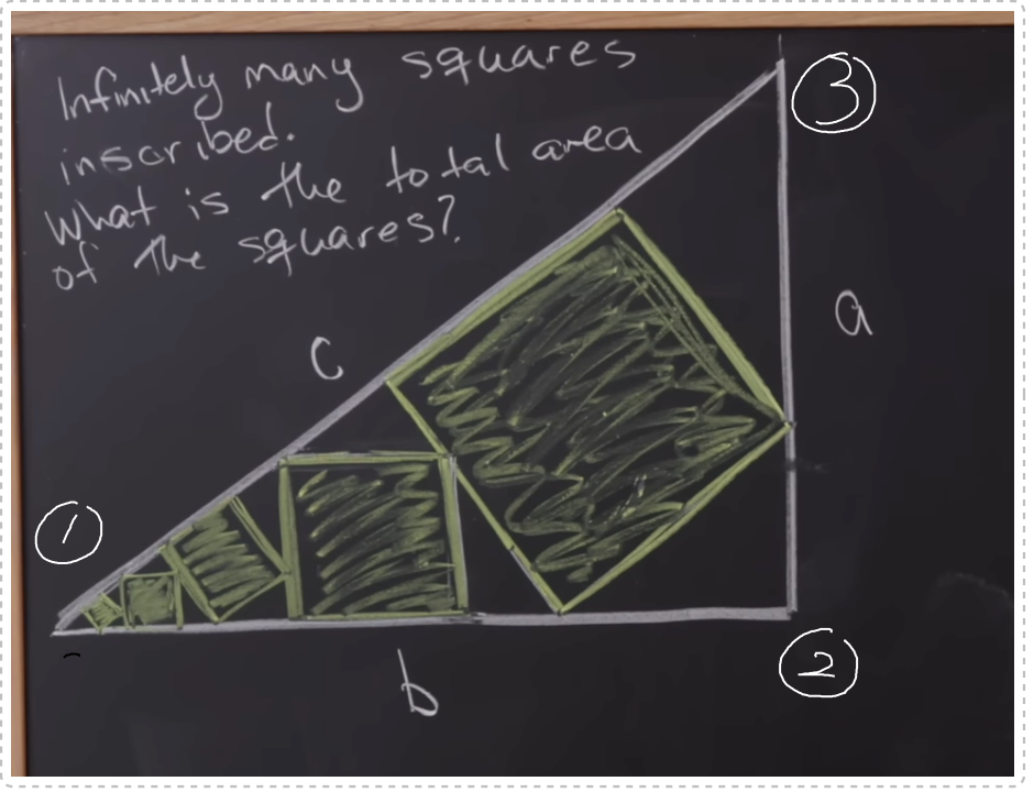
I once added the LucasCircles resource function and thought it would never be useful.I am glad to see its use case online. If we follow the convention (shown in the picture above): the left most corner (origin = {0,0}) is marked as 1, the right angle 2 (for base and all sub-triangle) and the other angle 3, we can use NestList function to find all sub-right triangles with vertex 1:
In[]:=
base=N@Triangle@{{0,0},{5,0},{5,3}};
In[]:=
triList=NestListWithsq=Quiet[#,"InscribedSquares"][[2]],Prepend[Nearest[sq[[1]],{0,0},2],{0,0}]&,base,6;
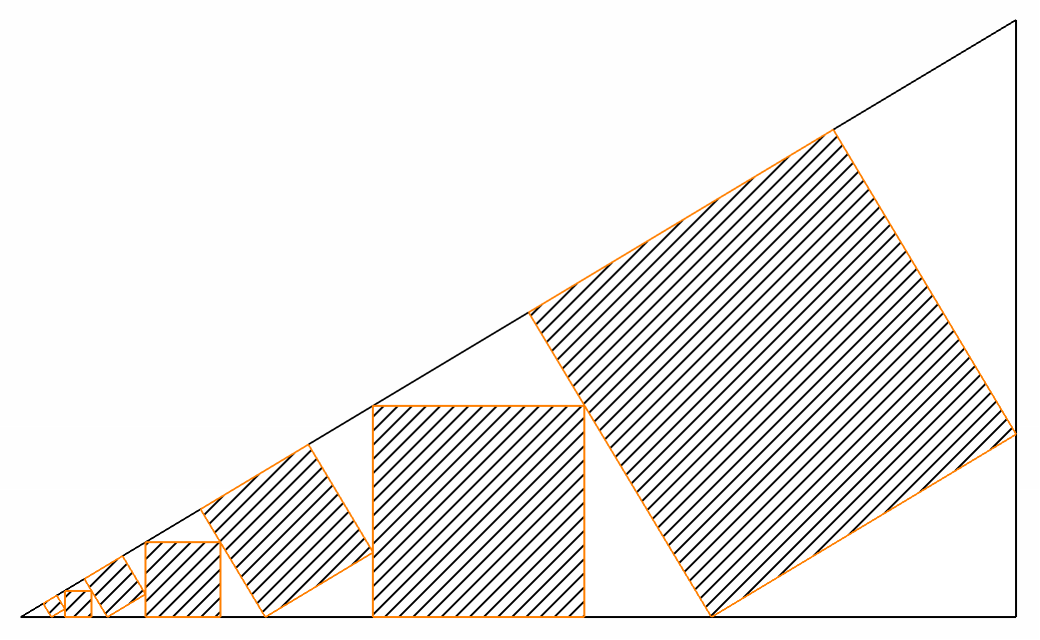
Then find the 2nd Lucas cube (with side parallel to side 1-3) for each sub-triangle:
In[]:=
Graphics{White,EdgeForm[Black],base},HatchFilling[],EdgeForm[Orange],Quiet[#,"InscribedSquares"][[2]]&/@triList
Out[]=
Animation
Animation
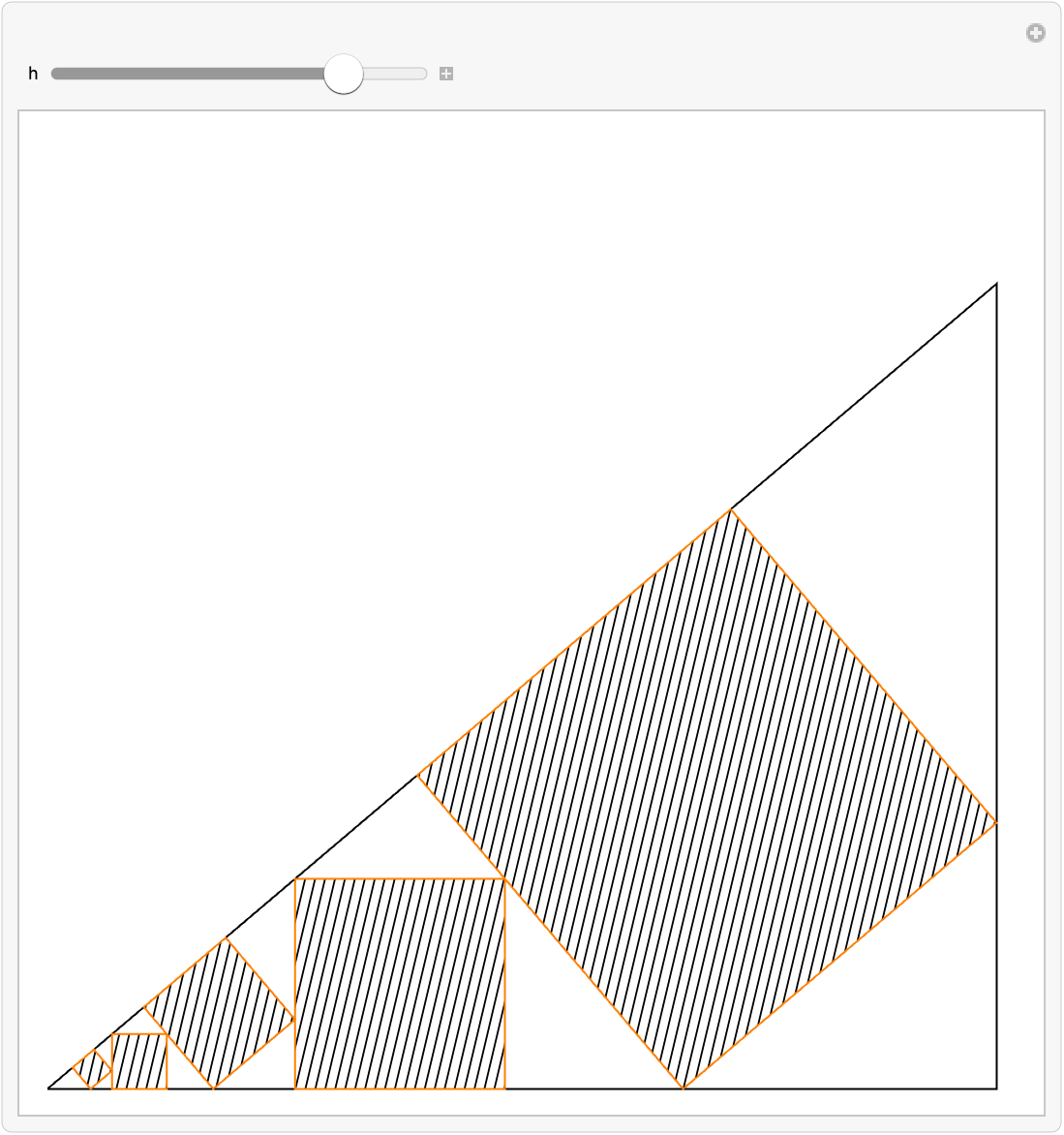
Fix two points of the triangle and change height. Wrap up all functions above and put inside Manipulate function:
DynamicModule{triList,base},Manipulatebase=Triangle@{{0,0},{5,0},{5,h}};triList=NestListWithsq=Quiet[#,"InscribedSquares"][[2]],Prepend[Nearest[sq[[1]],{0,0},2],{0,0}]&,N@base,Floor[12/h]+2;Graphics[{{White,EdgeForm[Black],base},{HatchFilling[ArcTan[h]],EdgeForm[Orange],Quiet[ResourceFunction["LucasCircles"][#,"InscribedSquares"][[2]]]}&/@triList},PlotRange->{{0,5.1},{0,5}},ImageSize->500],{h,1,5}
Out[]=
CITE THIS NOTEBOOK
CITE THIS NOTEBOOK
A chain of Lucas cubes in right triangle
by Shenghui Yang
Wolfram Community, STAFF PICKS, December 3, 2024
https://community.wolfram.com/groups/-/m/t/3331904
by Shenghui Yang
Wolfram Community, STAFF PICKS, December 3, 2024
https://community.wolfram.com/groups/-/m/t/3331904