Abstract
Abstract
When performing syntheses in a lab, it can be challenging to find the shortest path, or to avoid exceptions and pitfalls. A computational system for predicting synthesis pathways can help take the burden off of a chemist, and can allow for more consistent results. By transcribing common reactions computationally, and applying them recursively, a network can be generated to inform decisions in the lab. This project focussed on building the groundwork for this in the Wolfram Language, providing informative and computationally significant results, and paving the way for comprehensive computational synthesis design.
Branching Alkanes
Branching Alkanes
The Simplest Form
The Simplest Form
This project started with manipulating alkanes. Alkanes are some of the simplest hydrocarbons, being bound together entirely by single bonds. Alkanes are particularly easy to represent digitally because of their structure. Since hydrogen always forms one bond, and carbon always forms four, the bonding of the hydrogens doesn't carry significant information about the molecule, and can be recorded implicitly. Hydrogens are implicit if they aren't recorded in the molecule structure, but their presence is known because their adjacent atom must form a given number of bonds. After representing the hydrogens implicitly, the skeleton of the molecule can be represented as a graph, since it is homogenous, being comprised only of carbon-carbon single bonds.
An alkane and its graph:
In[]:=
MoleculePlot[Molecule["isohexane"],ImageSize->Medium]->Graph[{12,13,24,35,36},ImageSize->Small]
Out[]=
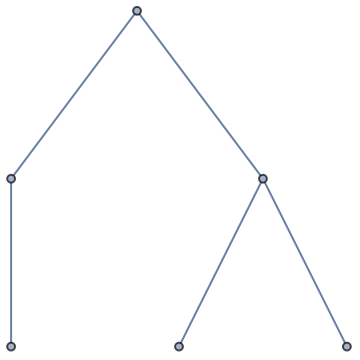
Furthermore, since any alkane can be represented as a graph, any acyclic alkane can be created by starting with a single carbon (methane), and adding carbon atoms in a given order. The order by which the carbon atoms are added determines the resulting structure.
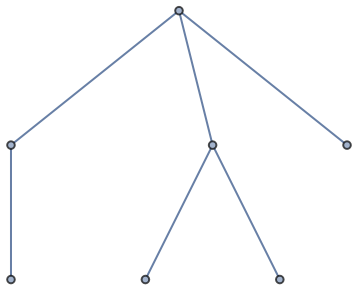
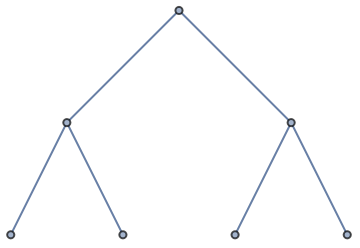
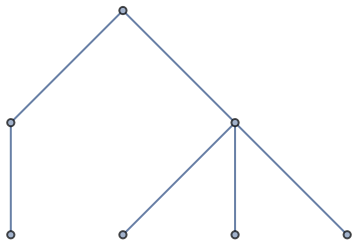
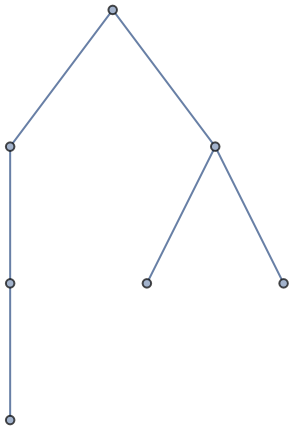
Add a new vertex (carbon atom) at each available position (vertex with less than 4 edges):
In[]:=
With[{g=Graph[{12,13,24,35,36},ImageSize->Small]},Map[EdgeAdd[g,(VertexCount[g]+1)#]&,Select[VertexList[g],VertexDegree[g,#]<4&]]]
Out[]=
,
,
,
,
,
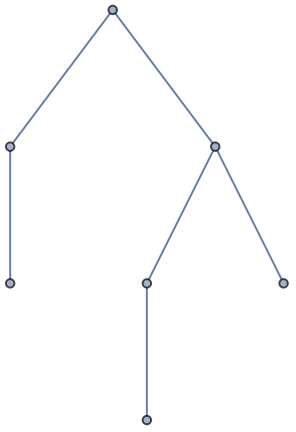
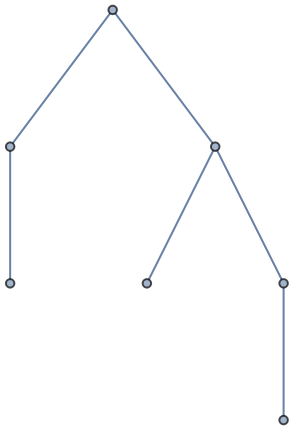
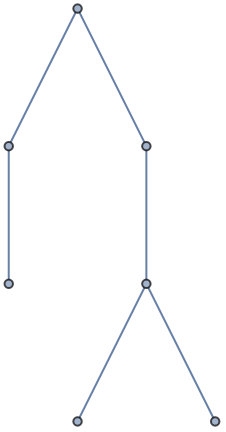
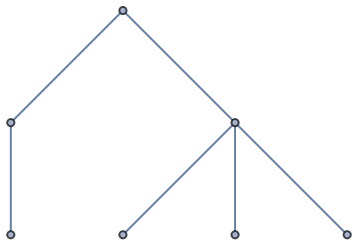
This, however, comes with a problem. There are multiple ways to assemble the same hydrocarbon. Because the graph stores the vertices differently depending on the order which they are added, identically structured (isomorphic) graphs won't be registered as identical. To solve this, an encoding needs to be found which reorders the graph such that isomorphic graphs become identical. This problem is known as canonization, and the Wolfram Language already has built-in tools to canonize graphs.
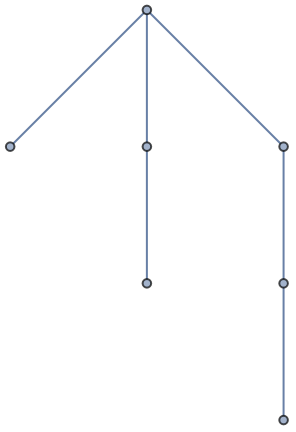
Canonize new graphs, and remove duplicates:
In[]:=
addEdgeList[g_Graph]:=Union[Map[Graph[CanonicalGraph[EdgeAdd[g,(VertexCount[g]+1)#]],ImageSize->Small]&,Select[VertexList[g],VertexDegree[g,#]<4&]]]addEdgeList[Graph[{12,13,24,35,36}]]
Out[]=
,
,
,
,
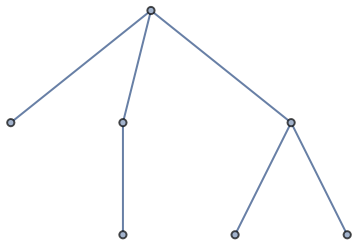
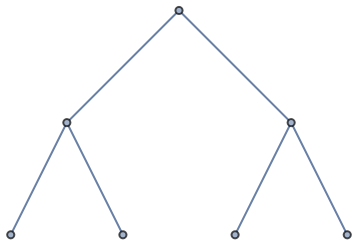
Because this operation takes a single input, it can be represented with a graph.
This operation is nestable:
In[]:=
NestGraph[addEdgeList,{Graph[{1},{},ImageSize->Tiny]},7,VertexLabels->Placed["Name",Tooltip],ImageSize->Large]
Out[]=
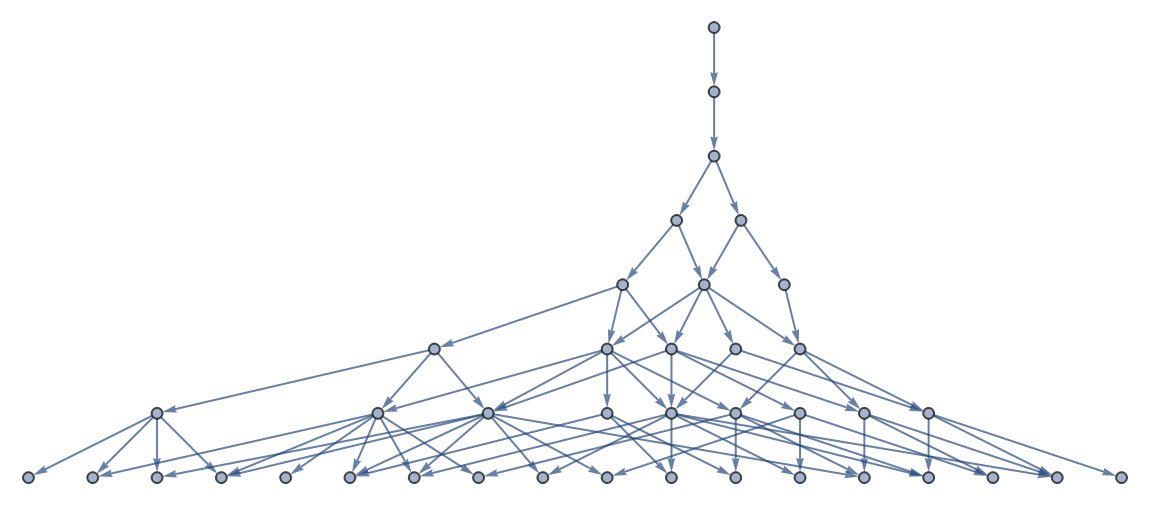
This result seems quite interesting, but can this be done without converting the molecules to graphs?
Modifying Molecules
Modifying Molecules
As it turns out, adding a carbon atom to each available position in a molecule is substantially easier, with the recent addition of MoleculeModify. MoleculeModify has many useful modes which can be used to, as its namesake suggests, modify molecules. The most important modes for this project were ReplaceSubstructure and ReplaceSubstructureList, however other modes such as MakeHydrogensExplicit were quite useful as well. ReplaceSubstructure and ReplaceSubstructureList are both quite similar, since they both find instances of one substructure in a molecule and replace it with another. The core difference between these two modes is that ReplaceSubstructure will return a molecule with every matching substructure altered, while ReplaceSubstructureList will return a list of molecules, where each molecule has one matching substructure altered.
ReplaceSubstructure vs. ReplaceSubstructureList:
In[]:=
MoleculeModify[Molecule["propylene glycol"],#]&/@{"MakeHydrogensExplicit",{"ReplaceSubstructureList",Molecule[{"O"},{}]->Molecule[{"S"},{}]},{"ReplaceSubstructure",Molecule[{"O"},{}]->Molecule[{"S"},{}]}}
Out[]=
Molecule,Molecule,Molecule,Molecule

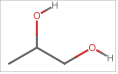
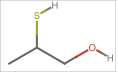
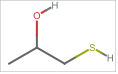
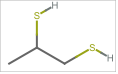
The equivalent of the node-adding rule used on the graph representation is to replace each hydrogen with a carbon atom.
Add a new carbon atom at each position:
In[]:=
MoleculePlot@Molecule["isohexane"]->MoleculePlot/@MoleculeModify[Molecule["isohexane"],{"ReplaceSubstructureList",Molecule[{"H"},{}]->Molecule["Methane"]}]
Out[]=
,
,
,
,
However, this operation too comes with similar issues to the rule applied for graphs. While ReplaceSubstructureList checks for isomorphic molecules, nest graph does not, and it becomes necessary to canonize each molecule. Surprisingly, there is no MoleculeModify mode which canonizes the graph data of a molecule, but it can be done quite easily by exporting the molecule as a canonical SMILES string, and importing it as a molecule. These steps convert all of the hydrogens to implicit hydrogens, so they must be converted back to explicit hydrogens for ReplaceSubstructureList to run correctly on the next iteration. After making these modifications, the operation can be used to generate a similar graph to before, with molecules at the nodes.
The molecule operation is also nestable:
In[]:=
NestGraph[MoleculeModify[Molecule[MoleculeValue[#,"CanonicalSMILES"]],"MakeHydrogensExplicit"]&/@MoleculeModify[#,{"ReplaceSubstructureList",Molecule[{"H"},{}]->Molecule["Methane"]}]&,Molecule["Methane"],6,VertexLabels->Placed["Name",Tooltip]]
Out[]=
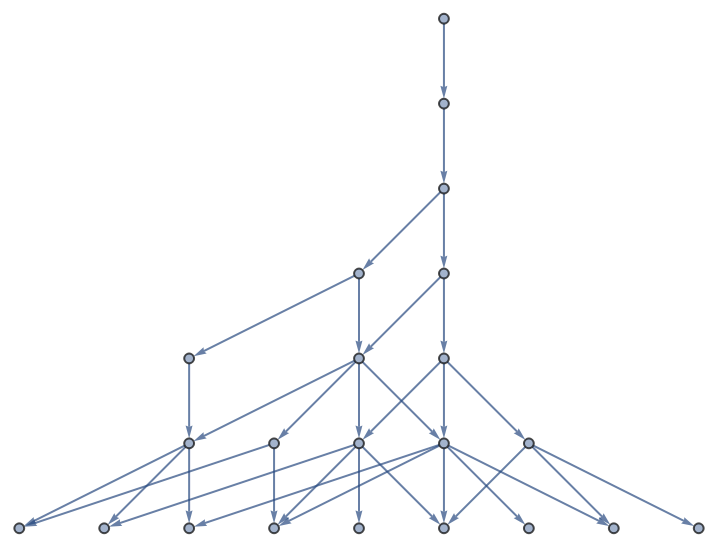
This can be applied to other starting points. Using benzene as a starting point provides particularly interesting results.
Starting with benzene:
In[]:=
NestGraph[MoleculeModify[Molecule[MoleculeValue[#,"CanonicalSMILES"]],"MakeHydrogensExplicit"]&/@MoleculeModify[#,{"ReplaceSubstructureList",Molecule[{"H"},{}]->Molecule["Methane"]}]&,Molecule["Benzene"],3,VertexLabels->Placed["Name",Tooltip]]
Reaction Rules
Reaction Rules
Despite being a good visualization, the branching alkane network gets significantly more difficult to process as the carbon count increases, and it does not provide much substantial information. At this point, the project transitioned over to categorizing real world reactions with ReplaceSubstructure.
Substitution & Elimination
Substitution & Elimination
Two reactions which often come in tandem are substitution and elimination reactions. To perform substitution or elimination, a molecule needs to have a "leaving group", which is removed from the molecule. In a substitution reaction, a nucleophile is used, which attacks the molecule and replaces the leaving group. In contrast, an elimination reaction uses a base, which removes an adjacent hydrogen with the leaving group, forming a double bond. Many chemicals are similarly strong bases and nucleophiles, which can make it challenging to control whether a substitution or elimination occurs. Both substitution and elimination reactions were difficult to implement in this project because they are both highly dependent on the structure of the molecule, and with the current implementation of MoleculePattern, it is very difficult to select for structure dynamically.
Replace bromine with hydrogen sulfide (thiols), but not magnesium bromides (Grignard reagents):
Remove two bromine atoms and two hydrogens to form a new triple bond:
Oxidation & Reduction
Oxidation & Reduction
Certain structures can also be oxidized or reduced. Whenever oxidation or reduction occurs, it comes in pairs; one molecule is oxidized and another is reduced. In a lab, an oxidizing agent is used to oxidize a compound. In turn, the oxidizing agent is reduced by the reaction.
Oxidize alcohols to aldehydes and ketones. In a lab, this is done with PCC (pyridinium chlorochromate):
Since the oxygen in the product has more bonds, which replace hydrogen atoms, the product is more oxidized.
Likewise, a reducing agent can be used to reduce a molecule. Hydrogenation is a form of reduction, which adds hydrogen atoms to double and triple bonds, converting them to single bonds.
Hydrogenate a double bond:
Addition & Cleavage
Addition & Cleavage
When a double bond or triple bond is present in a molecule, this gives an opportunity to add atoms to it. Sometimes this means that the double bond is replaced with a single bond, and sometimes the double bond is broken entirely.
Brominate a double bond:
Ozonolysis of a terminal alkyne; this removes a carbon as carbon dioxide:
Putting it all Together
Putting it all Together
Given a starting point and a list of reactions, each valid reaction is applied to the starting point. This gives a new list of molecules. Extra care needs to be taken to ensure that all of the reactions are applied properly, and to ensure that the molecules are canonized.
Apply the list of reactions to an initial molecule; the reactions are applied in the Fold function:
The starting point of 1-butyne was chosen because of the various reactions which can be done with alkynes, and because smaller molecules were causing issues with substructure recognition and alteration.
This function is also nestable:
Depth 3 iteration:
Data Visualization
Data Visualization
I plotted the molecules by molecular weight, but did not see many noticeable trends. The only trend I do notice is that reactions on carbon-carbon double bonds tend to increase molecular mass. For people familiar with the approximate molecular weight of certain molecules, the following visualizations could prove useful.
Recolor vertices by molecular weights:
Resize vertices by molecular weights:
Likewise, I could not spot many trends with this reaction cascade. The only noticeable trend I see is that molecules with double bonds tend to have more reactions. Some people may prefer this visualization over the original graph.
Reaction cascade:
The following visualization allows us to notice a hierarchy in how many reactions certain molecules participate in. The top six molecules in this graph are 1-butyne, 1-butene, 2-bromo-1-butene, 1,2-dibromobutane, 2,2-dibromobutane, and 1,2-dibromo-1-butene.
Resize vertices by outbound edge count:
The following visualization plotted the molecules in feature space. This shows that many reactions cause large changes in feature space, however some reactions cause little deviation.
Molecular feature space, with and without edges:
The following visualization plotted molecules by their relative masses of carbon and hydrogen. A noticeable gap can be seen between the hydrocarbons and non-hydrocarbon molecules. This gap would be smaller if there were more reactions categorized which added light molecules, like lithium, beryllium or boron, or if the molecules were substantially larger.
Molecules by their percent masses of hydrogen and carbon:
The following visualization uses user input to plot molecules. This method is less thorough, but can provide a deeper dive with relatively low computational power.
Generate a network dynamically; click on a node to add all of its products to the graph:
The Future
The Future
Theorem Solving with Reactions
Theorem Solving with Reactions
The Wolfram Language offers powerful tools for solving theorems. With some compatibility tweaks to allow molecule modify to use symbols as placeholders, this could be applied with molecules and molecule modify to identify synthesis routes.
Limitations with ReplaceSubstructure
Limitations with ReplaceSubstructure
A significant portion of this project was spent on tackling limitations with ReplaceSubstructure and MoleculePattern. Some reactions are dependent on structure in a manner which cannot be easily encoded in a molecule pattern (e.g. Markovnikov addition, Hoffman elimination). Adjacent atoms can add inductive or steric effects which swing reactions one direction or another, while being very difficult to predict or model, especially with molecule pattern. Additionally, ReplaceSubstructure has poor handling for cases where molecule patterns overlap, which can result in incorrect products, or might cause an error.
Dynamic Reaction Computation
Dynamic Reaction Computation
Although the list of reactions used in this project is quite long, it is far from comprehensive. If there were a way to simulate reaction mechanisms in their entirety through arrow pushing mechanisms and energy potential calculations, it would increase the versatility of this system dramatically, but would also increase the computation power required dramatically. Implementing arrow pushing mechanisms may also allow for semi-accurate calculations of rate and yield, as well as highlight certain exceptions. In a lab, these exceptions can prevent reactions from proceeding as expected or can result in tar formation. Implementation of transition states and partial bonds may also help with this endeavor.