This project aims to create a maze exploration game. In this game, the players must escape the maze without getting caught by computer opponents. At the current moment, we set “line of sight” to both the player and the opponents so that they can only find each other when nothing blocking their sight. The computer opponents are set to randomly move until finding the player. After that, the opponents will trace and catch the player. The algorithm we used for catching players is to find the shortest path to the player. In the future, we want to enhance our catching algorithm to make the game even more interesting and harder.
Generate Maze
Generate Maze
There are several functions in There are several Wolfram functions that can generate a maze easily, such as RandomMaze and RandomSierpinskiMaze.
In[]:=
Row[ ResourceFunction["RandomMaze"][15], ResourceFunction["RandomSierpinskiMaze"][3, PixelConstrained->4], " "]
Out[]=
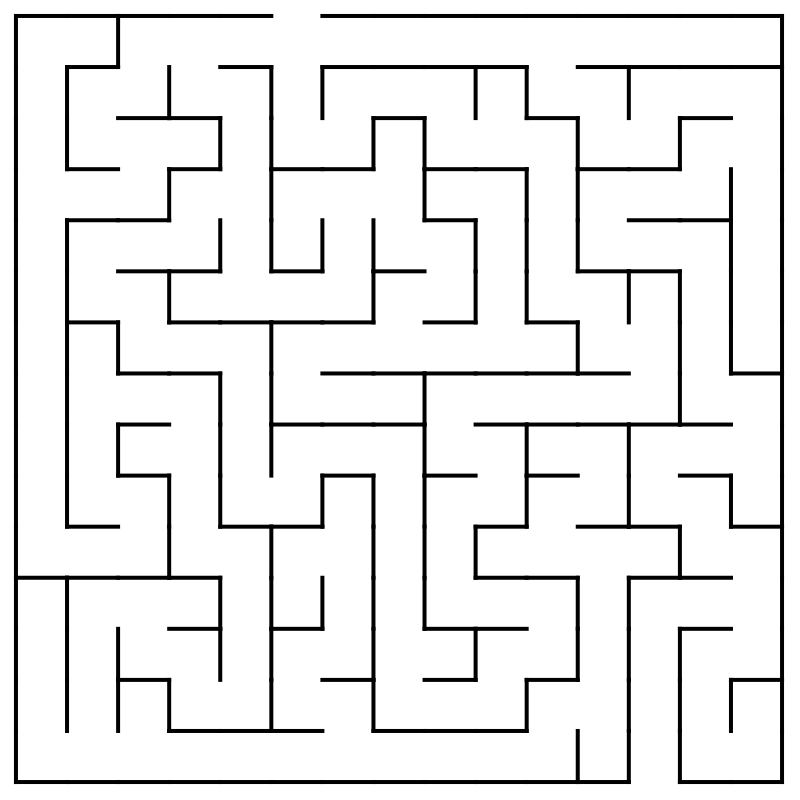
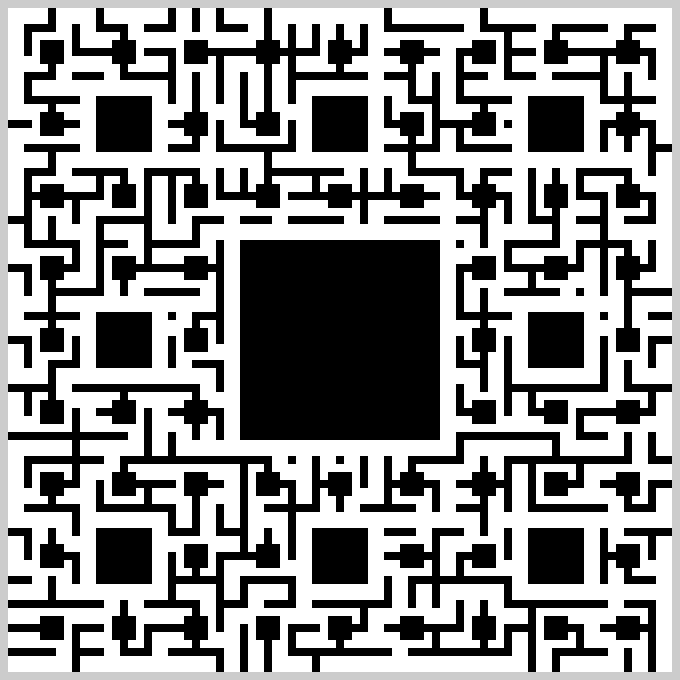
We choose the second type of maze to be the background of this game since it looks more interesting to play with.
For putting characters into the maze, we need more data on the maze, including the array of pixels for the maze, the dimension of the maze, the states adjacency graph, as well as, the vertex list of the walking path.
For putting characters into the maze, we need more data on the maze, including the array of pixels for the maze, the dimension of the maze, the states adjacency graph, as well as, the vertex list of the walking path.
In[]:=
MazeArray1=ReplaceAll[ResourceFunction["RandomSierpinskiMaze"][3][[1,1]],{5->0,0->1}];(*statesadjacencygraph--characterwalkpath*)AdjGraph1=NearestNeighborGraph[Position[MazeArray1,0],{All,1}];(*Dimensionofthemaze*)MazeD1=Dimensions[MazeArray1];(*Vertexlistofcharacterwalkingpath*)vList1=VertexList[AdjGraph1];(*MazeMap*)MazeMap1=ArrayPlot[MazeArray1,ColorRules->{0->White,1->Black,4->LightGray},ImageSize->Large];
Player Control
Player Control
Controller
Controller
Generate a character in the maze that can be controlled by the player. There are two ways that can be used to control the character on the map.
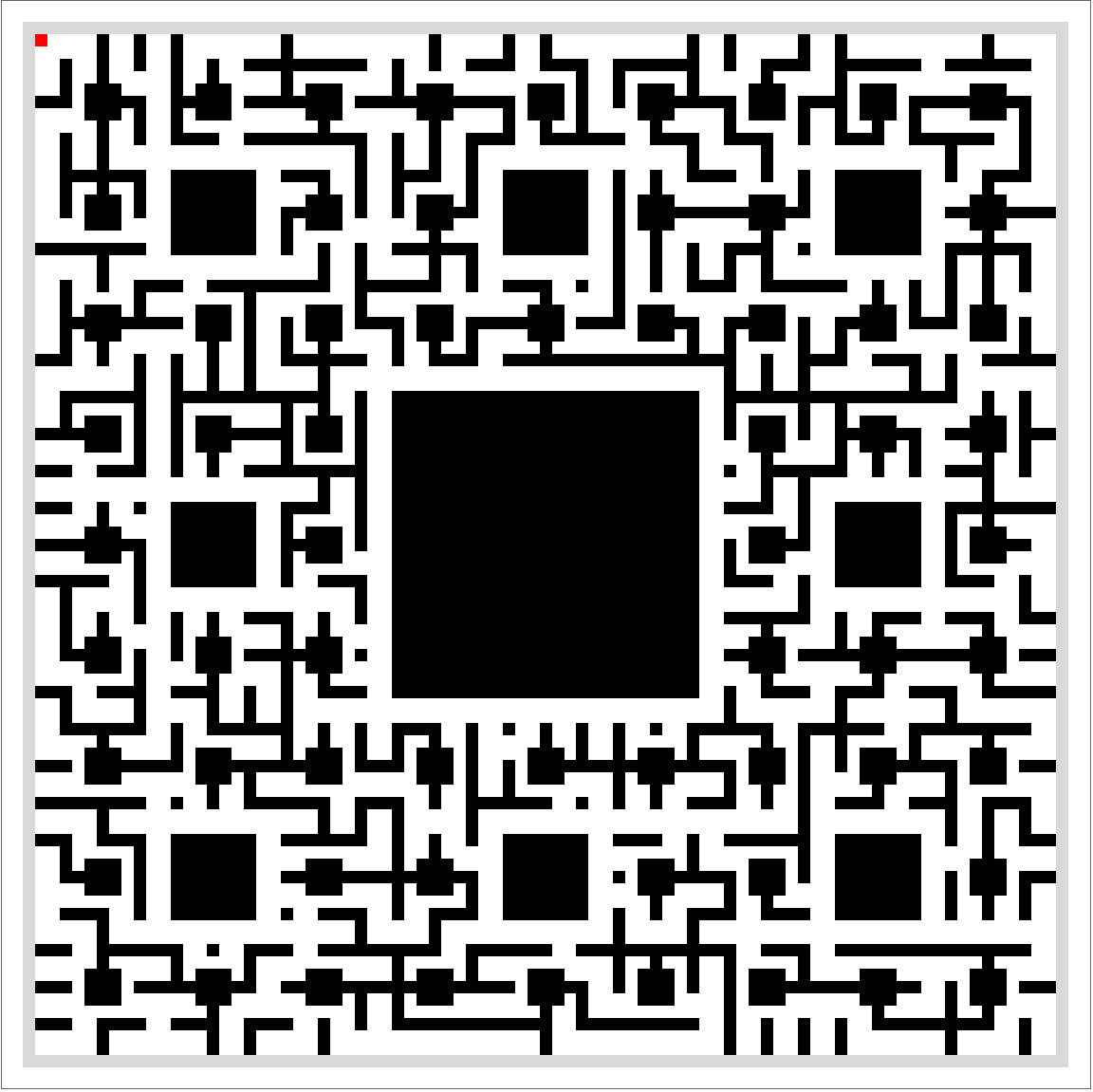
(In this time, the player is represented by a red pixel.)
(In this time, the player is represented by a red pixel.)
Control with Buttons via a Manipulator
Control with Buttons via a Manipulator
Manipulate allows interactive manipulation of a value. In this case, it is used to control the vertex of the player pixel (main character’s position). For better visuals, the control bar is hidden. Instead of a control bar, there are four buttons used to control the player’s position -- North, East, South, and West.
In[]:=
Manipulate[ArrayPlot[ReplacePart[MazeArray1,vertex->2],ColorRules->{0->White,1->Black,(*player*)2->Red,4->LightGray},ImageSize->Large],{vertex,VertexList[AdjGraph1],ControlType->None},Grid[{{#[[2]],SpanFromLeft},{#[[3]],#[[1]]},{#[[4]],SpanFromLeft}}&@MapThread[Button[#1,vertex=If[MemberQ[VertexList[AdjGraph1],vertex+#2],vertex+#2,vertex],ImageSize->50]&,{{"E","N","W","S"},{{0,1},{-1,0},{0,-1},{1,0}}}]],(*MakeDynamicalObjectAvailiableinCloud*)SaveDefinitions->True]
Out[]=

Control with Keyboard
Control with Keyboard
The combination of DynamicModule and EventHandler allows using interactive actions to manipulate the output. In this case, arrow keys are assigned to control the main character’s position. By clicking the output picture, the player can move the main character with the arrow keys.
DynamicModule[{vertex=vList1[[1]]},EventHandler[Dynamic@ArrayPlot[ReplacePart[MazeArray1,vertex->2],ColorRules->{0->White,1->Black,(*player*)2->Red,4->LightGray},ImageSize->Large],{"UpArrowKeyDown":>(vertex=If[MemberQ[VertexList[AdjGraph1],vertex+#1],vertex+#1,vertex]),"DownArrowKeyDown":>(vertex=If[MemberQ[VertexList[AdjGraph1],vertex+#2],vertex+#2,vertex]),"LeftArrowKeyDown":>(vertex=If[MemberQ[VertexList[AdjGraph1],vertex+#3],vertex+#3,vertex]),"RightArrowKeyDown":>(vertex=If[MemberQ[VertexList[AdjGraph1],vertex+#4],vertex+#4,vertex])}&[{-1,0},{1,0},{0,-1},{0,1}]],(*MakeDynamicalObjectAvailiableinCloud*)SaveDefinitions->True]
Main Character -- pawn
Main Character -- pawn
Set the main character of this game to be a pawn, whose walking rule is similar to a real pawn in chess. The rule of this game is that the player can only move straightly one step each time.
Pawn is a special character in Wolfram Language that can be found with its character code.
CharacterArrayPlot
CharacterArrayPlot
CharacterArrayPlot is a function that generates ArrayPlot with textual symbols. The original idea of this project is to use this function to generate agents in the maze.
However, this function runs too slow, since it draws polygons for the symbol every single move. We have to find another way to plot our characters.
However, this function runs too slow, since it draws polygons for the symbol every single move. We have to find another way to plot our characters.
Show
Show
Since CharacterArrayPlot runs too slow, use Show to plot the pawn.
Generate Opponents
Generate Opponents
Opponents -- Knight
Opponents -- Knight
Set the opponents of this game to be knights, whose walking rule is similar to a real knight in chess. The rule of this game is that the opponents can only move with “L”-shape.
Knight is also a special character in Wolfram Language that can be found with its character code.
Generate the knight walk graph, following the movement rules
Calculate the next position of a knight with randomly move.
Calculate the next position of a knight which is nearest to the pawn.
Generate Knights into the Maze
Generate Knights into the Maze
Similar to above, using Show to show the knights in the maze. The starting points of the knights are randomly assigned.
DeleteCases helps to avoid the knights that originally appear at the start point of the player.
DeleteCases helps to avoid the knights that originally appear at the start point of the player.
Two knights are added to the maze. The blue knight is assigned to do random moves, and the purple one is assigned to move forward to the player (the pawn).
Line of Sight
Line of Sight
Due to the walls (black part) in the maze, the characters inside should not be able to see each other all the time. Therefore, we need to calculate the “line of sight” at each point.
To improve the game experience, the “line of sight” in each point is pre-calculated, so the player doesn’t need to wait for calculation during playing the game.
Since the algorithm used for calculating the “line of sight” is not so efficient, it is better to use a smaller maze and set a vision range.
To improve the game experience, the “line of sight” in each point is pre-calculated, so the player doesn’t need to wait for calculation during playing the game.
Since the algorithm used for calculating the “line of sight” is not so efficient, it is better to use a smaller maze and set a vision range.
Generate Smaller Maze with useful Data and new Knight Walk Graph
Store the black parts’ position
Check whether point1 can see point2 or not
Find the visible vertices at a point in a certain number of vertices
Calculate line of sight for a point with a cut vision originally set to 6
Calculate “line of sight” for every walkable position. (This step takes a long time.)
Store the output to a new variable
Applying Line of Sight to the Game
The “Exit” sign can also be used as a “restart” button
The “Exit” sign can also be used as a “restart” button
◼
Control with Keyboard
◼
Output
◼
Control with Manipulate
◼
Output
For the “keyboard” version, the exit sign is set to be a “restart” button. Since the “manipulate” version has already had the “restart” button, the “exit” sign there is only a sign.
Concluding remarks
Concluding remarks
The goal of this game is to let the player get to the “exit” without being caught by knights. The player can use either arrow keys or buttons in the manipulator to control the pawn. Similar to the chess rule, the pawn can only move straightly one step each time, and the knight can only move with an “L”-shape. Both player and the opponent won’t see each other until they entered to other’s line of sight. The range of the line of sight is now set to 6 since the calculation time for 6 is reasonable. Every time add 1 up to the range, the calculation time will double. In the future, I want to make the algorithm for “line of sight” more efficient to let the characters see farther.
The knight is tracing the pawn by finding the nearest next step to the pawn. This algorithm has a bug that when the knight is right next to the pawn, it will never be able to catch the pawn. I want to fix it in the future. I also want to add more characters (like bishop) afterward.
The knight is tracing the pawn by finding the nearest next step to the pawn. This algorithm has a bug that when the knight is right next to the pawn, it will never be able to catch the pawn. I want to fix it in the future. I also want to add more characters (like bishop) afterward.
Keywords
Keywords
◼
Game
◼
Maze
◼
Graph
◼
Chess
Acknowledgment
Acknowledgment
This project is guided by Bradley Klee. This project is somehow based on his previous project about mazes. He provides a lot of help in this project.
References
References
Addition: Open World
Addition: Open World
No walls in the open world, so there is no “line of sight” and the player does not need to find the exit path for the maze. The goal for the player is still to get to the exit without being caught.
In this case, all the knights are trying to catch the pawn all the time.
In this case, all the knights are trying to catch the pawn all the time.