CITE THIS NOTEBOOK: Animating Wolfram surfaces with Blender: Striped & Disk by Guenther Gsaller. Wolfram Community MAR 17 2023.
This is a continuation to the posts listed at: https://community.wolfram.com/web/ggoff/
Supplementary files available here: https://www.dropbox.com/s/iwpg9q8v0fj23ua/data6.zip?dl=0
Included are objects in 3D , curves, animations necessary to experiment with code and instructions in this post.
Supplementary files available here: https://www.dropbox.com/s/iwpg9q8v0fj23ua/data6.zip?dl=0
Included are objects in 3D , curves, animations necessary to experiment with code and instructions in this post.
Abstract
Abstract
In Example 1 a parametric form for a surface was de-/re-constructed experimentally in Wolfram Language. To visualize three variants of the surface varied in material & motion Blender was used. Example 2 made use of Geogebra for constructing the pattern on a Poincaré disk. With Wolfram Language the building blocks were identified, extracted and used to recreate the pattern in an animation. In Blender several animations connected the build-up/removal of a pattern to four distinct objects.
Experiment
Experiment
Hint: To reduce the file size most graphics shown were exported as jpg-file and re-imported.
Example 1: Striped
Example 1: Striped
Striped Surface - Connections
Striped Surface - Connections
In[]:=
path0=SetDirectory[NotebookDirectory[]<>"/data"]
Out[]=
D:\DDocs\0-published\woco\ams18pub\data
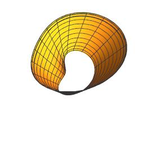
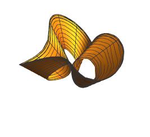
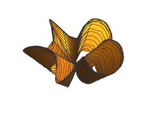
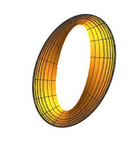
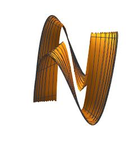
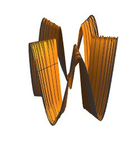
The final parametric form of the three surfaces to be striped was plotted:
Out[]=
,
,
Working on this animation reconnected the author with curves/surfaces met in past animations.
They are part of the first two collections of animations:
They are part of the first two collections of animations:
In[]:=
thumbs=
,
,
,

,
,
;
In[]:=
titles={"Title","Revealed","Rondo","Knots","Looped","Swapped","Ribbons"};tags={"Tag","Twisted Knot","Conoid","Knot","Torus Knot","Plucker's Conoid","Ruled Rotor Cylindroid"};PrependTo[thumbs,"Thumbs"];Grid[{titles,tags,thumbs},Frame->All]
Out[]=
Title | Revealed | Rondo | Knots | Looped | Swapped | Ribbons |
Tag | Twisted Knot | Conoid | Knot | Torus Knot | Plucker's Conoid | Ruled Rotor Cylindroid |
Thumbs |
Track 1 - 3 showcased the meandering experimental journey from/to a circle.
Track 1
Track 1
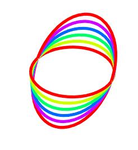
A circle in parametric form was plotted:
In[]:=
track11=ParametricPlot3D[{Cos[u],Sin[u],0},{u,0,2Pi},Boxed->False,Axes->False,ImageSize->Tiny]
Out[]=

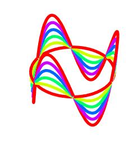
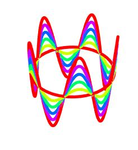
The circle was changed to vertical circular sine wave with varying frequency:
In[]:=
track12=Show[#]&/@Table[ParametricPlot3D[{Cos[u],Sin[u],a*Sin[pu]},{u,0,2Pi},ColorFunction->(Hue[a]&),Boxed->False,Axes->False,ImageSize->Tiny],{p,1,5,2},{a,0,1,0.2}];
Out[]=
,
,
From each group only the last curve was shown:
In[]:=
track13=Table[ParametricPlot3D[{Cos[u],Sin[u],Sin[pu]},{u,0,2Pi},Boxed->False,Axes->False,ImageSize->Tiny],{p,1,5,2}]
Out[]=
 ,
, ,
,
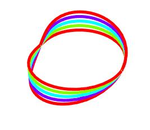
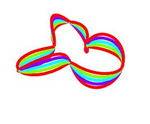
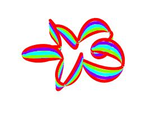
Then the radius was changed from a constant to variable by the factor cos(p u). Additionally the curves were shifted away from the center by using q + cos(p*u):
In[]:=
track14=With[{q=2},Show[#]&/@Table[ParametricPlot3D[{(q+Cos[pu])Cos[u],(q+Cos[pu])Sin[u],aSin[pu]},{u,0,2Pi},ColorFunction->(Hue[a]&),Boxed->False,Axes->False,ImageSize->Tiny],{p,1,5,2},{a,0,1,0.25}]];
Out[]=
,
,
Track 2
Track 2
The last of the bunches of curves were (*):
In[]:=
track21=With[{q=2},Table[ParametricPlot3D[{(q+Cos[pu])Cos[u],(q+Cos[pu])Sin[u],Sin[p*u]},{u,0,2Pi},Boxed->False,Axes->False,ImageSize->Tiny],{p,1,5,2}]]
Out[]=
 ,
, ,
,
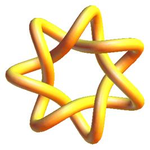
Possible connection:
In[]:=
knot1=Show[[3]],ImageSize->Tiny;


Out[]=
A flattened version of (*) was achieved by setting the z - coordinate to 0:
In[]:=
With[{q=2},Table[ParametricPlot3D[{(q+Cos[pu])Cos[u],(q+Cos[pu])Sin[u],0},{u,0,2Pi},Boxed->False,Axes->False,ImageSize->Tiny],{p,1,5,2}]]
Out[]=
 ,
, ,
,
Setting the constant q to a value of 0 lead to shrinking towards the center and rose-like curves:
In[]:=
Table[ParametricPlot3D[{(Cos[pu])Cos[u],(Cos[pu])Sin[u],0},{u,0,2Pi},Boxed->False,Axes->False,ImageSize->Tiny],{p,1,5,2}]
Out[]=
 ,
, ,
,
Possible connection:
In[]:=
Out[]=
{-aCos[t]Cos[3t],-aCos[3t]Sin[t]}
Track 3
Track 3
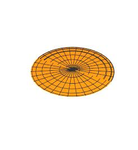
The third version started with a flat disk:
In[]:=
track31=With[{q=2},Show[#]&/@Table[ParametricPlot3D[{(-Cos[qv])Cos[u],(-Cos[qv])Sin[u],0},{u,0,Pi},{v,0,2},Boxed->False,Axes->False,ImageSize->Tiny],{p,1,5,2}]];
Out[]=
,
,
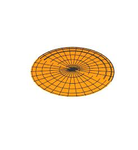
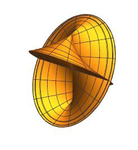
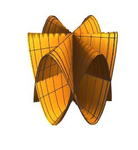
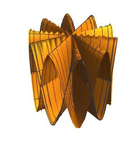
By using a sine curve the surface was changed along the z-axis. The resulting conoid-like objects were:
In[]:=
track32=With[{q=2},Show[#]&/@Table[ParametricPlot3D[{(-Cos[qv])Cos[u],(-Cos[qv])Sin[u],Sin[p*u]},{u,0,2Pi},{v,0,2},Boxed->False,Axes->False,ImageSize->Tiny],{p,1,5,2}]];
Out[]=
,
,
Possible connection:
In[]:=
Out[]=
rCos[t],rSin[t],cSinn.t
A range change for parameter v lead to a ribbon:
In[]:=
track33=With[{q=2},Show[#]&/@Table[ParametricPlot3D[{(-Cos[qv])Cos[u],(-Cos[qv])Sin[u],Sin[p*u]},{u,0,2Pi},{v,1,2},Boxed->False,Axes->False,ImageSize->Tiny],{p,1,5,2}]];
Out[]=
,
,
By extending the factor by a sine wave and a constant the following surfaces were produced:
A slight adaption of the z-coordinate gave back the targeted surfaces:
The striping was done by:
Build Scene - Blender
Build Scene - Blender
Instructions & screenshots for building a scene for “Striped” are presented with a TabView.
Example 2: Disk
Example 2: Disk
Building up
Building up
The construction protocol for a Poincaré disk in Geogebra was recorded as mp4-file.
The video was put in the data folder and read in by:
The video was put in the data folder and read in by:
Six stages of the construction were extracted:
The dimensions of the images were shown:
The images from above were trimmed, resized and presented in a grid
Four structures were isolated to be animated in Blender:
The scene contained a surrounding circle, a 7-sided “star-like” object, a “kite”, a “butterfly”/”bat” and a “shield”.
The base object and a combo of the tree remaining objects was imported:
The base object and a combo of the tree remaining objects was imported:
The top object was rotated with a step-size 2Pi/7. The base and top (layer) for each rotation were combined. In the Do loop the rotations were collected.
ListAnimate visualized the shortened development.
Multiple Materials - Blender
Multiple Materials - Blender
Instructions & screenshots for an impression of a flight-sequence is presented with TabView.
References
References
Collections of animations
Collections of animations
The newest collection is animations-04, which contains the original videos for Example 1 & 2.
References
References
Striped
Scene: Journey - Circle/Multifolium/Ruled Surface/Striped Surfaces
“ParametricPlot3D—Wolfram Language Documentation.” Accessed February 2, 2023. https://reference.wolfram.com/language/ref/ParametricPlot3D.html.
Krivoshapko, Sergey, and V. N. Ivanov. Encyclopedia of Analytical Surfaces. Springer International Publishing, 2015. Accessed February 2, 2023.
https://doi.org/10.1007/978-3-319-11773-7.
Meier, Jürgen. “Parametrische Flächen Und Körper,” June 6, 2021.
http://3d-meier.de/tut3/Seite227.html.
Audio:
Stock Music & Sound Effects - Royalty Free Audio - Storyblocks
https://storyblocks.com/audio (accessed 2023-02-02)
Smith, Patrick. Too Great A Loss. Accessed February 2, 2023. Asset ID: SBA-300236214.
Scene: Journey - Circle/Multifolium/Ruled Surface/Striped Surfaces
“ParametricPlot3D—Wolfram Language Documentation.” Accessed February 2, 2023. https://reference.wolfram.com/language/ref/ParametricPlot3D.html.
Krivoshapko, Sergey, and V. N. Ivanov. Encyclopedia of Analytical Surfaces. Springer International Publishing, 2015. Accessed February 2, 2023.
https://doi.org/10.1007/978-3-319-11773-7.
Meier, Jürgen. “Parametrische Flächen Und Körper,” June 6, 2021.
http://3d-meier.de/tut3/Seite227.html.
Audio:
Stock Music & Sound Effects - Royalty Free Audio - Storyblocks
https://storyblocks.com/audio (accessed 2023-02-02)
Smith, Patrick. Too Great A Loss. Accessed February 2, 2023. Asset ID: SBA-300236214.
Disk
Scene: Modified Poincaré Hyperbolic Disk & Tessellation
Sriraman, Bharath. Handbook of the Mathematics of the Arts and Sciences.
Accessed October 25, 2022. https://link.springer.com/book/10.1007/978-3-319-57072-3.
Hohenwarter, Markus. GeoGebra – didaktische Materialien und Anwendungen für den Mathematikunterricht. PhD thesis, University of Salzburg, Austria, 2006.
Accessed October 25, 2022.
Audio:
Stock Music & Sound Effects - Royalty Free Audio - Storyblocks
https://storyblocks.com/audio (accessed 2022-10-25)
MoodMode. African Dream 30 Seconds. Accessed October 25, 2022. Asset ID: SBA-347094753.
Scene: Modified Poincaré Hyperbolic Disk & Tessellation
Sriraman, Bharath. Handbook of the Mathematics of the Arts and Sciences.
Accessed October 25, 2022. https://link.springer.com/book/10.1007/978-3-319-57072-3.
Hohenwarter, Markus. GeoGebra – didaktische Materialien und Anwendungen für den Mathematikunterricht. PhD thesis, University of Salzburg, Austria, 2006.
Accessed October 25, 2022.
Audio:
Stock Music & Sound Effects - Royalty Free Audio - Storyblocks
https://storyblocks.com/audio (accessed 2022-10-25)
MoodMode. African Dream 30 Seconds. Accessed October 25, 2022. Asset ID: SBA-347094753.